IPCAM User Manual
47 / 67
4.4 Static IP user
Static IP user is not need to use DDNS for remote access. When finished the setting of
the IP Camera in LAN, you can access the Camera directly from Internet by the WAN IP.
You can obtain the WAN IP by two ways.
Obtain the WAN IP from some Website
You can discover this easily by opening on a computer using the same connection as the
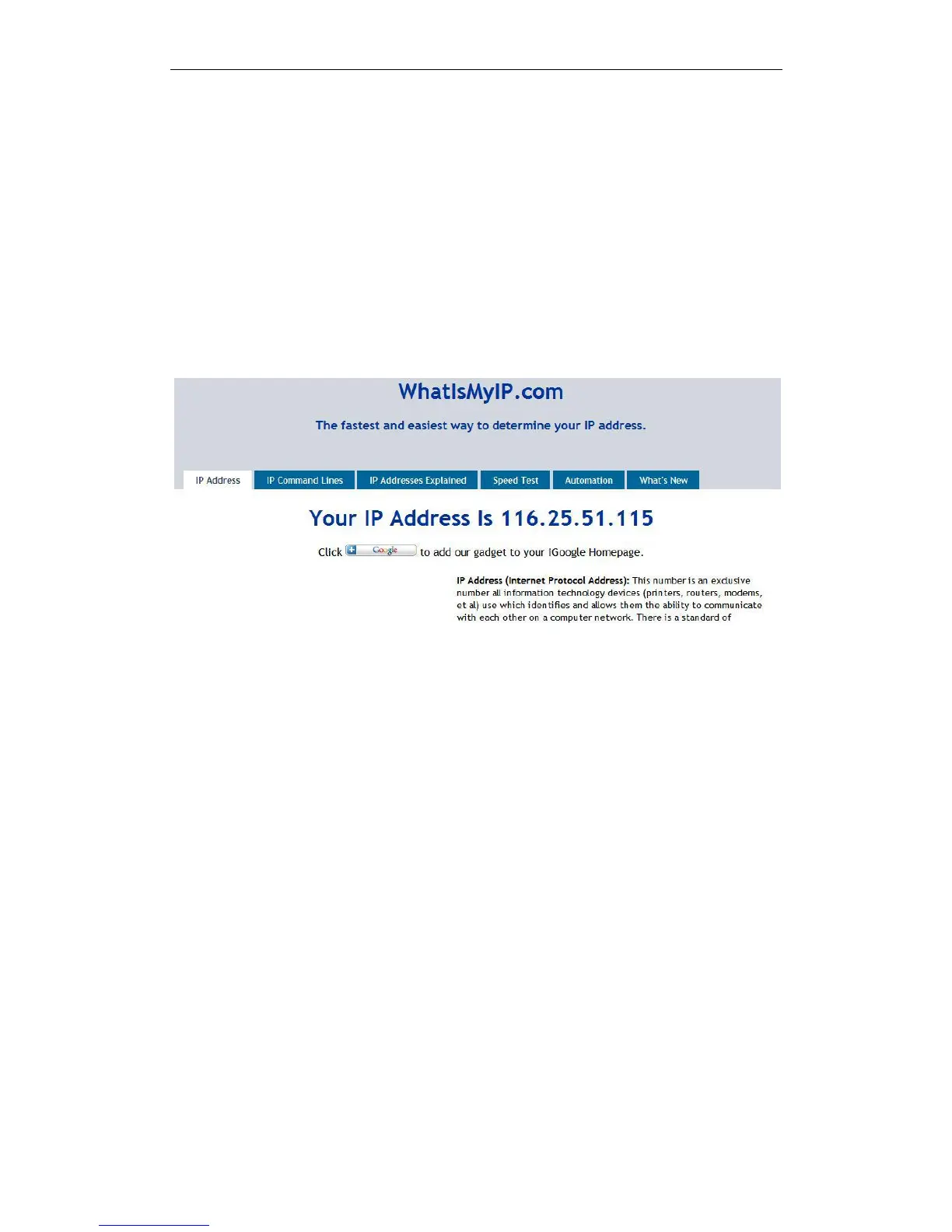
IP camera and entering this address: http://www.whatismyip.com.The page at this
address will show you the current WAN IP.
Figure7.8
According to MSN and IP camera built-in account access (details:3.53)
Obtain the WAN IP address from the router
Take the WRT54G router of LINKSYS for example,
1) Obtain the IP address of the router(LAN gateway address),user name and password
for logon to the router from the network administrator,
2) Enter the LAN IP address of the router(LINKSYS WRT54G default:192.168.1.1) in the
address bar of the IE to log on to the router; Open the Status page to find out the WAN
address of the router. In this example, the address is 116.25.51.115.(Figure7.1)


 To Next Page