IPCAM User Manual
46 / 67
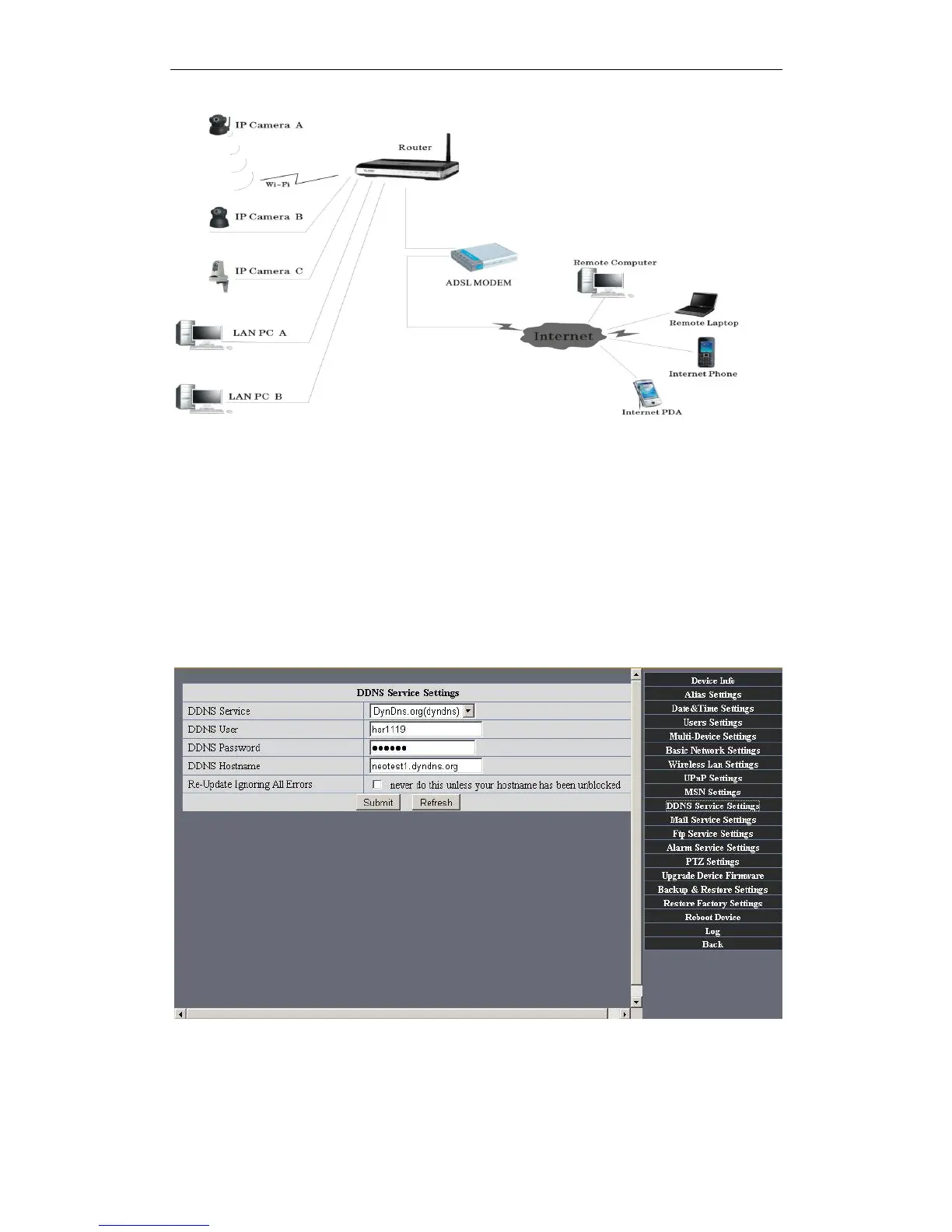
Figure7.6
1) Use Network cable connect IP Camera to the LAN.
2) Enter IP Camera Tool to set the basic configuration.(details:3.1)
3) login the Camera homepage as Administration
4) Enter DDNS Settings Page and ennable DDNS service.Click <submit> and the
device will reboot.(detail:3.5.4)
Figure7.7
5)How to use DDNS service (detail:4.5)
6) You can access the Camera from Internet by domain name.


 To Next Page