IPCAM User Manual
17 / 67
automatically and display the camera login page.
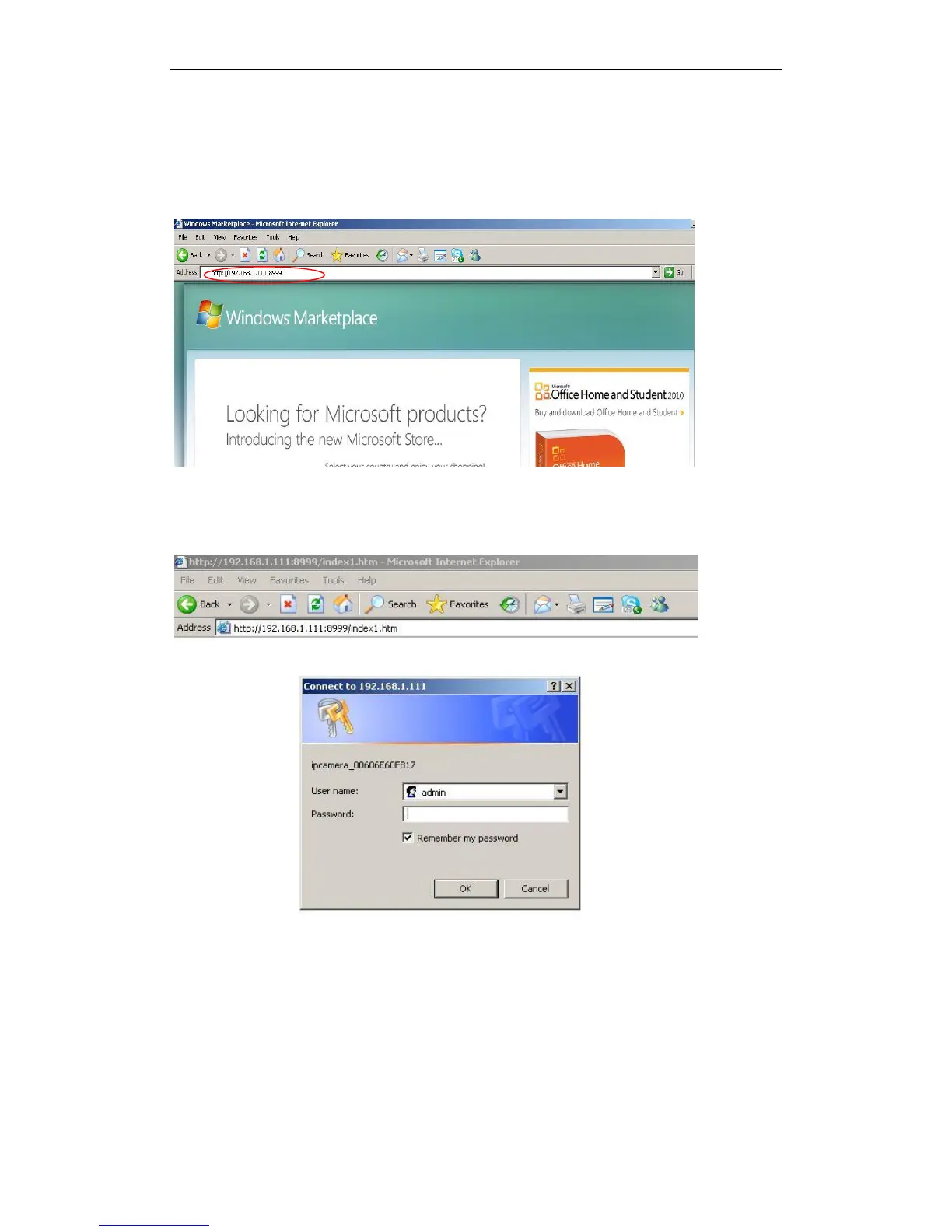
2. Access the camera by IE browser directly, type in the camera‟s IP address. for
example.
1)By IE browser as below:
Figure 2.5
·The Camera Login page pop-up.
Figure 2.6
enter your account and password on the login page as shown in Figure 2.6. By default,
administrator‟s username is: admin and no password.


 To Next Page