IPCAM User Manual
28 / 67
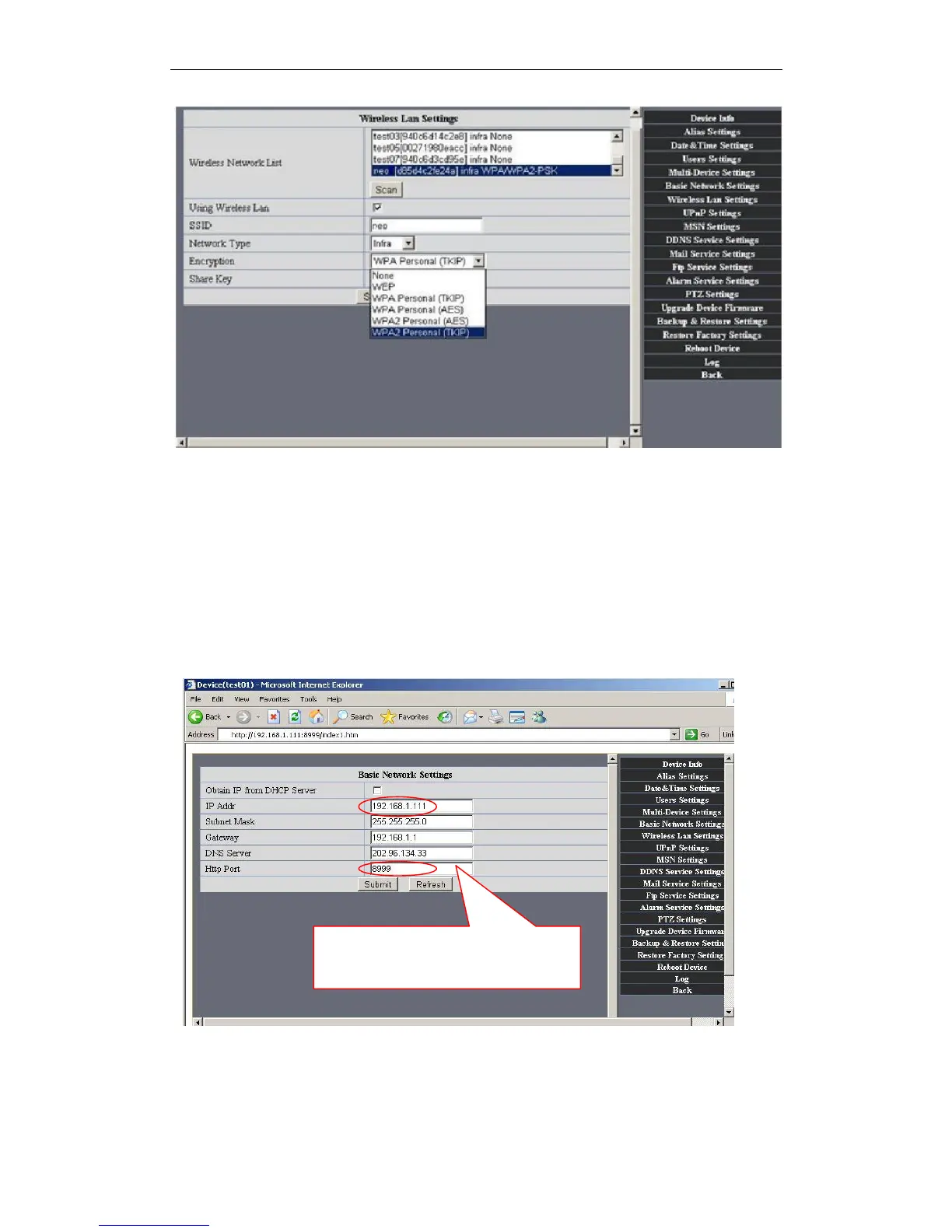
Figure4.4
. Adhoc point to point Wireless connection Setting
1)Open the basic network setting interface,check the device status
Figure4.5
2)Open the wireless lan setting interface, choose Adhoc for network type, you
can define SSID such as 001
Please remember the Ip address
and Http Port of device.


 To Next Page