IPCAM User Manual
41 / 67
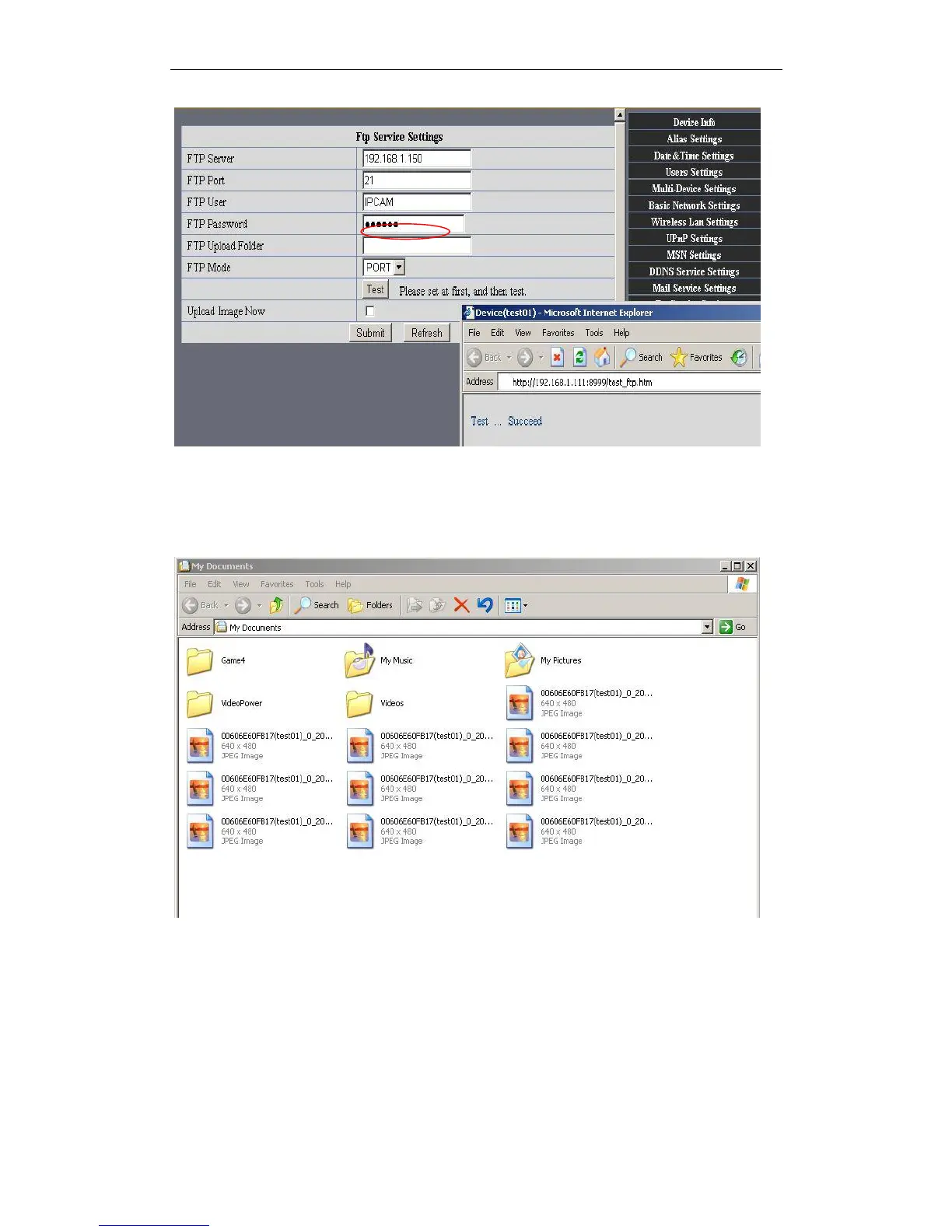
Figure7.0
6. Set up and complete testing is successful,when it alarms, IP camera will upload
pictures to the FTP server Settings of main directory path (as shown )
Figure7.1
FTP Server: the FTP server address.
FTP port: the port usually is 21
FTP Mode: support standard(POST) mode and passive(PASV) mode.
Upload Image Now: it will upload image now when checkbox is not checked. When
checked, you can input upload interval(Seconds)


 To Next Page