iPECS eMG80/100 & eMG800 & UCP
User Portal User Guide Issue 1.4
25
9.4 Station Speed Dial
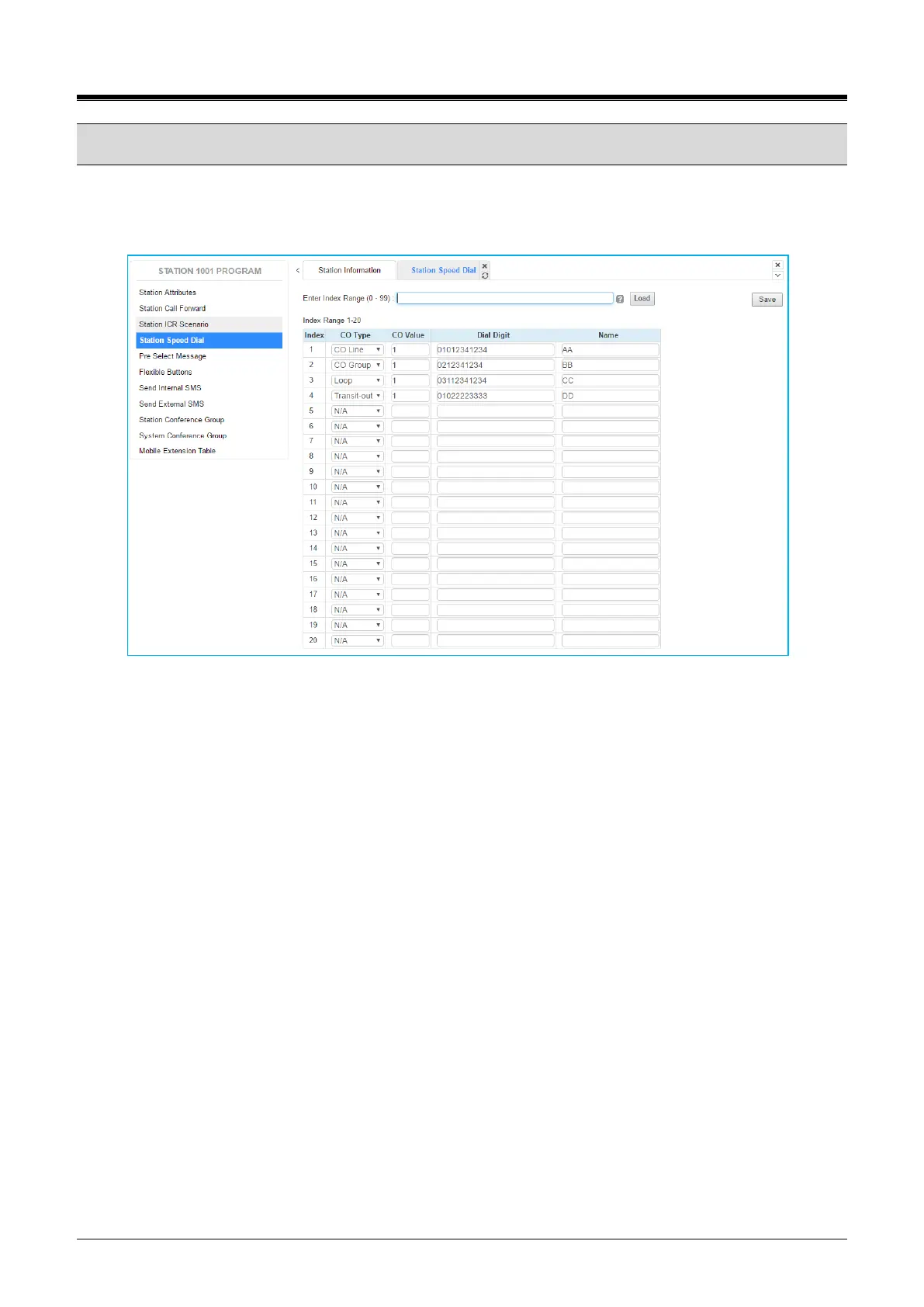
Selecting Station Speed Dial will be displayed the input entry page. Enter the Speed Dial index range then
click [Load]. You can get the current information about Station speed dial and you can change or add the
station speed dial. Click [Save] button after changing Value each attribute to apply.
Figure 8.4-1 Station Speed Dial Portal
Each station can store commonly dialed numbers for easy access using Station Speed Dial bins. Each Speed
Dial number can be up to 25 digits in length and may include special instruction codes for analog and ISDN
lines. The CO Line used with the Speed Dial number must be entered and a name can be assigned for use
with Dial-by-Name dialing.



 To Next Page