iPECS eMG80/100 & eMG800 & UCP
User Portal User Guide Issue 1.4
29
9.8 Station Conference Group
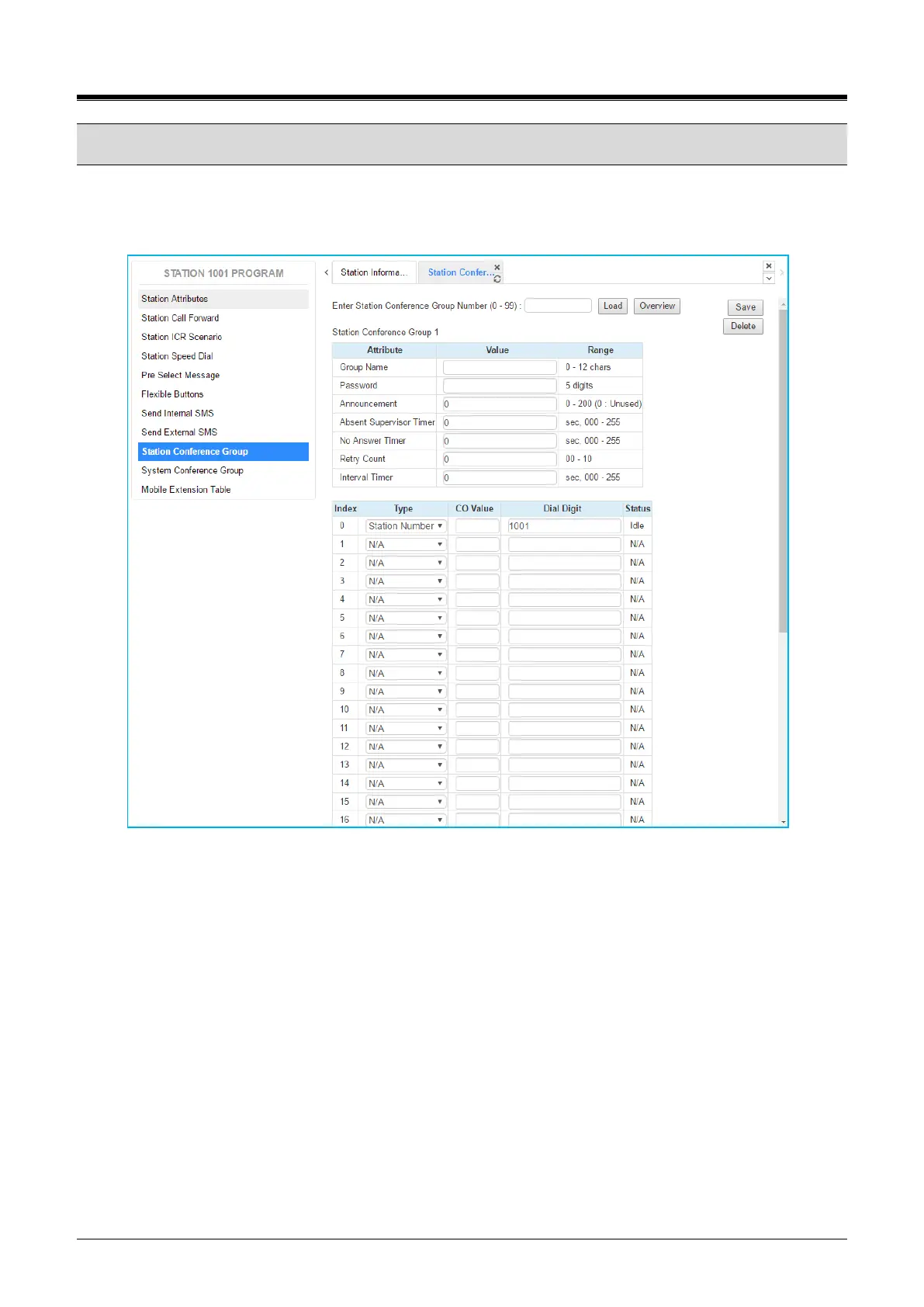
Selecting Station Conference Group will be displayed the input entry page. Enter the Conference Group
Number then click [Load] to enter the group attributes and identify members of the group as shown in Figure
8.8-1. Click [Save] button after changing Value each attribute to apply.
Figure 8.8-1 Station Conference Group
Enter a Group Name and Group members, which can be internal and external parties. In addition, the various
attributes such as password for group entry can be modified.
You inform the conference information to the member and you will have a conference with members.



 To Next Page