iPECS eMG80/100 & eMG800 & UCP
User Portal User Guide Issue 1.4
31
9.10 Mobile extension Table
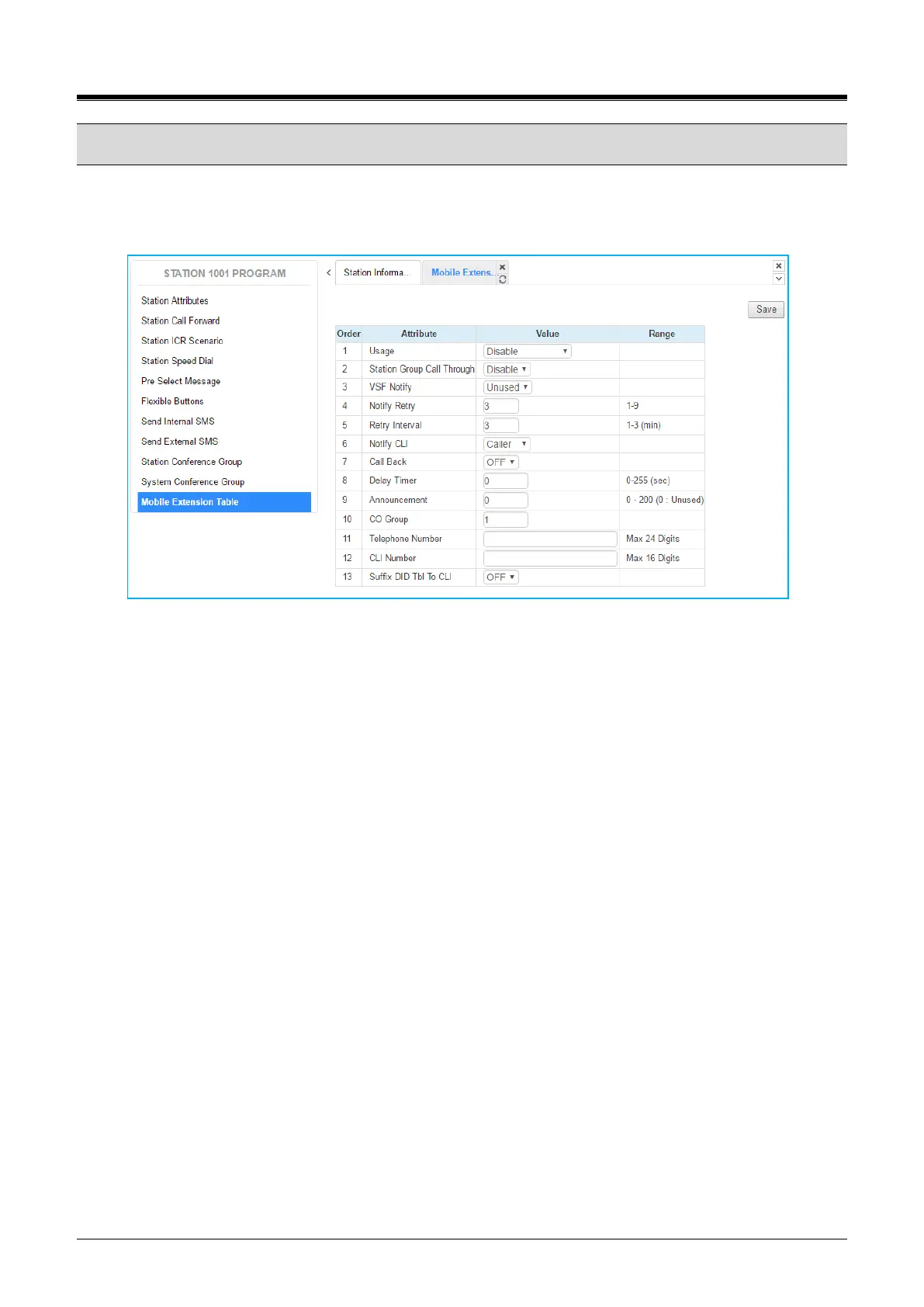
Selecting Mobile Extension will be displayed the attributes entry page. To use Mobile extension, Administrator
must set ‘PGM Auth: Enable’ in Mobile Extension Table (236). You can set the rest attributes on your situation.
Click [Save] button after changing Value each attribute to apply.
Figure 8.10-1 Mobile extension
Mobile Extension attributes enable Mobile Extension and control the feature use. The user can activate Mobile
Extension to receive business calls on their mobile and request Mobile notification of new Voice messages.



 To Next Page