iPECS eMG80/100 & eMG800 & UCP
User Portal User Guide Issue 1.4
2
2 Log in User Portal
Your administrator must set ID and Password before using this portal as below.
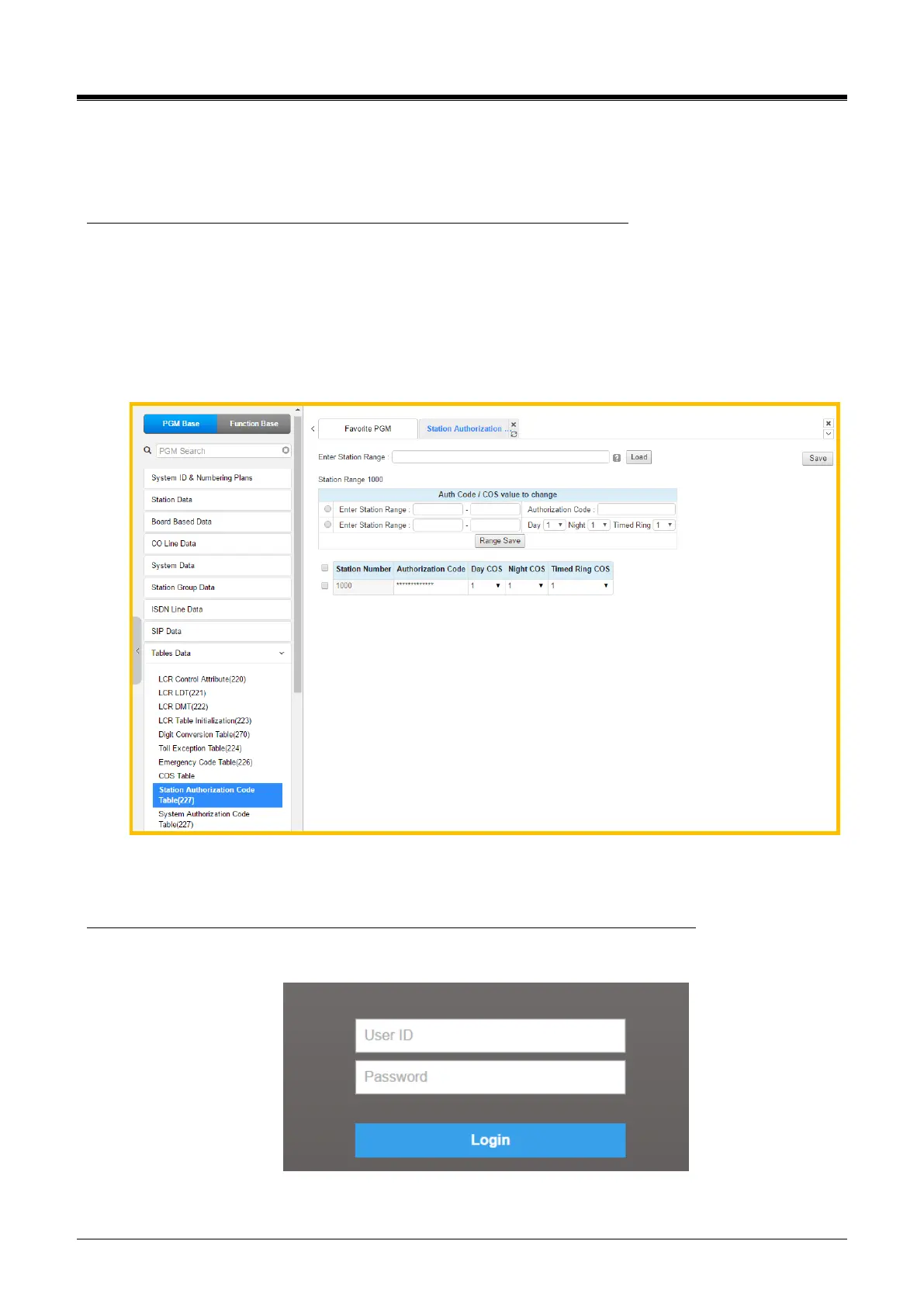
1) Log in to iPECS call server by administrator.
2) Click [Table Data] and [Station Authorization Code Table (227)].
3) Enter the station number and click [Load] button.
4) The following figure will be displayed to set the ID and Password: ID is Station number and
Password is Authorization Code. Tick the check box and click [Save] button after entering
Authorization Code.
5) For example, the login ID is Station number ‘1000’ and Password is ‘1000’.
The User Portal is designed to configure each station by End user as the following steps:
1) Enter the ID ‘1000’ and Password ‘1000’ set by your administrator as below page.



 To Next Page