iPECS eMG80/100 & eMG800 & UCP
User Portal User Guide Issue 1.4
17
8 Using Directory
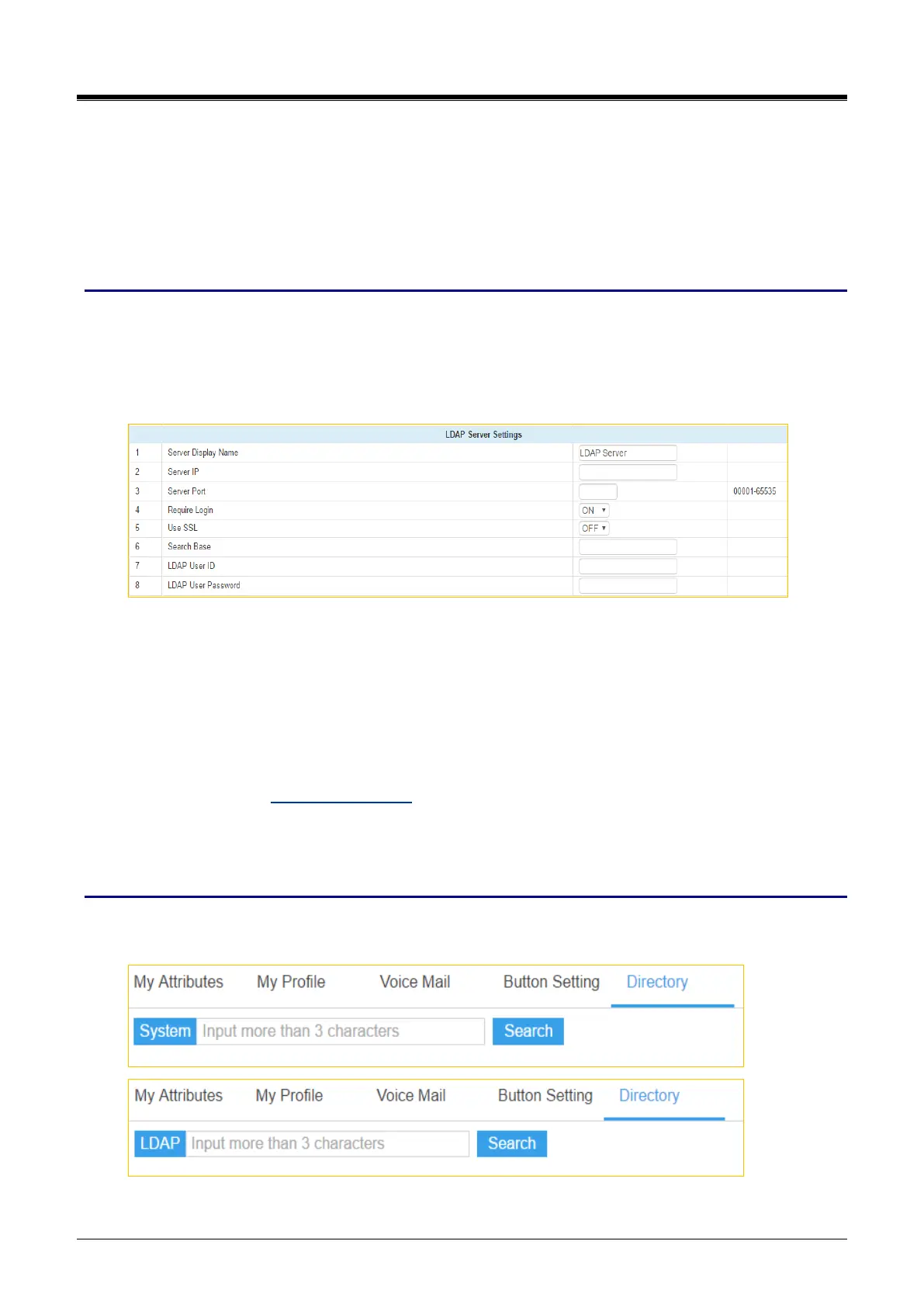
You can search for the directory by using System or LDAP. You toggle between System and LDAP scope for
search. To search for Directory, enter more than 3 characters.
Checking point
Please ask your administrator if the following admin. attributes is set in advance.
1) System Data > System Attributes (160~161)) > LDAP Server Settings.
Enter ‘Server IP’, ‘Server Port’, ‘Search Base’, ‘LDAP User ID’, and ‘LDAP Password’. The
additional admin items is set or entered according to your situation.
For example,
Server Display Name: LDAP Server
Server IP: 150.150.131.139
Server Port: 3268
Require Login: ON
Use SSL: OFF
Search Base: DC=com
LDAP User ID: user1@ucapp.com
LDAP User Password: XXXXXXX
2) Station Data > Common Attributes (111)) > Click To Call Service: Enable.
Operation
In the below window, you enter more than 3 character for search after selecting ‘System’ or ‘LDAP’ and click
[Search] button.



 To Next Page