iPECS eMG80/100 & eMG800 & UCP
User Portal User Guide Issue 1.4
4
3 User Interface
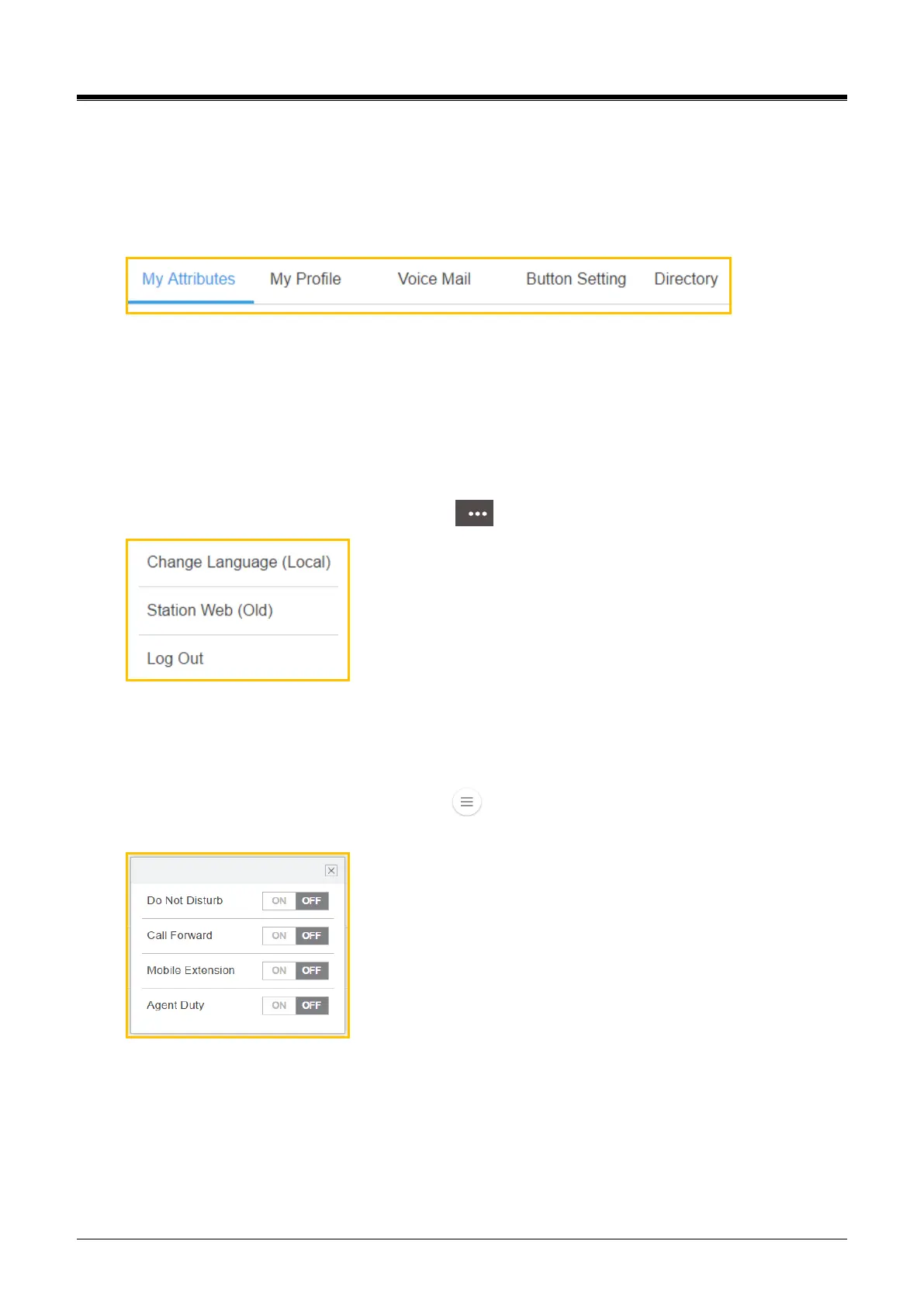
User Portal uses a web-based graphical interface with five main tabs. Each tab contains a link to different
options that the user can configure. The tabs are as follows:
My Attributes — settings under this tab allow you to view and configure your phone settings such as
Call forward, Mobile Extension, Agent Duty, Attendant Ring Mode, and Pre Select Message settings.
My Profile — settings under this tab allow you to change Station name and Password.
Voicemail — settings under this tab allow you to set up your voicemail preferences.
Button Setting — settings under this tab allows you to configure your flexible button.
Directory — settings under this tab allow you to search for the directory.
The following tabs are additional function by clicking ( ) in the top right corner of the window:
Change Language (Local) — Change the language as the local by clicking this tab.
Station Web (Old) — Move to the old station web portal as you wish.
Log Out — Log out the user portal.
The following features will be popped up by clicking ( ) in the below right corner of the window. The
features works immediately by clicking On or Off if the feature was set already:
Do Not Disturb — Set the phone status in DND. *Attendant is not available.
Call Forward — Set the phone to forward to another phone.
Mobile Extension — Use the mobile phone with the desktop phone.
Agent Duty — Agent start work or inform the reason to supervisor about Off-Duty.



 To Next Page