iPECS eMG80
Hardware Description and Installation Manual Issue 1.0
73
WTIB or performed through a Command Line Interface to the system. To perform the Line
Test manually,
1. With power to the system OFF, set all Dip switches on the WTIB4 to the ON state.
2. Turn the system power ON. After the system boot, the WTIB4 will conduct the
Automatic Line Test. The test requires approximately 5 minutes and during the test
cycle the WTIB4 LEDs 1 through 4 will flash at a 1 second on and 1 second off rate.
3. After the test is complete, the LED for each WTIB4 will indicate the results as shown
in the chart below.
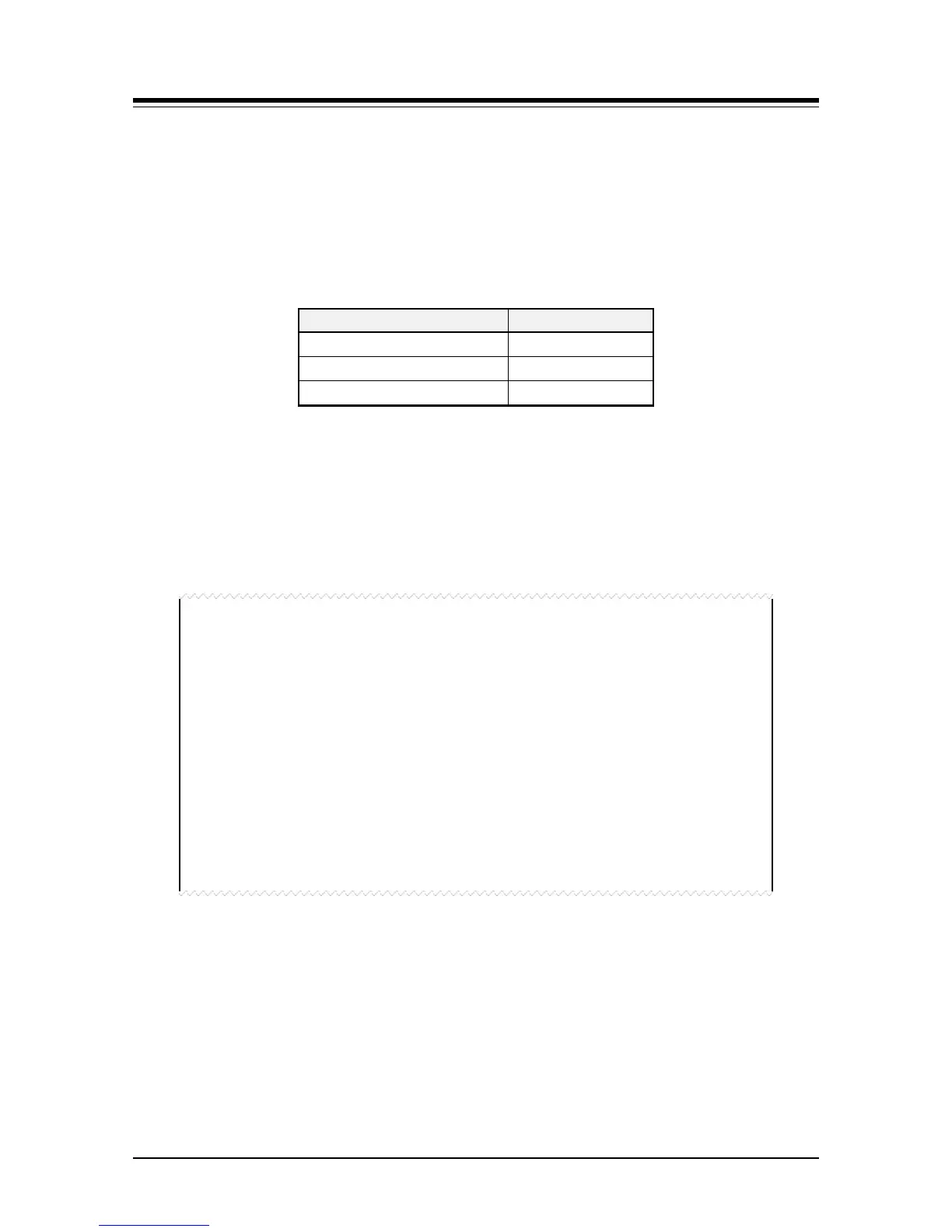
LED Indication
Result
LED OFF Normal
LED ON Fault
LED flash@100ms ON/OFF Not connected
4. Return the WTIB4 Dip switches to the proper position and press the reset button on
the WTIB4.
To perform the Automatic Line Test with the Command Line Interface, follow the
procedures outlined in the GDC-600BE Manual available from the local Ericsson-LG
representative. The results will appear in a format as follows. The display will indicate OK,
NOT OK or Base eject (Base not connected).
===========================================================
* Welcome to Ericsson-LG WTIB4 Liu Test Program Ver 0.a *
===========================================================
E1 Line Test Start !! 01minutes
During Test... 00:59
E1 Line Test End !!
Base eject [01]
Base eject [02]
Base eject [03]
Base eject [04]
LIU Error cnt1 : Link0=0000, Link1=6700, Link2=7229, Link3=8131
: Link4=8170, Link5=7475, Link6=0000, Link7=0000
LIU Error cnt2 : Link0=0000, Link1=9475, Link2=9646, Link3=4363
: Link4=2793, Link5=5563, Link6=0000, Link7=000
NOTE
If using the Telnet interface to view the Line test results, do not make entries in the
Command Line Interface, as this may cause false test results.
Changing the Dip switch positions during the test will not affect the Automatic Line Test.
After the test is complete, place the DIP switches in the proper position, refer to section 0,
then press the WTIB4 reset button or reset the eMG80 system.


 To Next Page