iPECS eMG80
Hardware Description and Installation Manual Issue 1.0
86
7.3.4 DSS/BLF Console Installation & Wiring
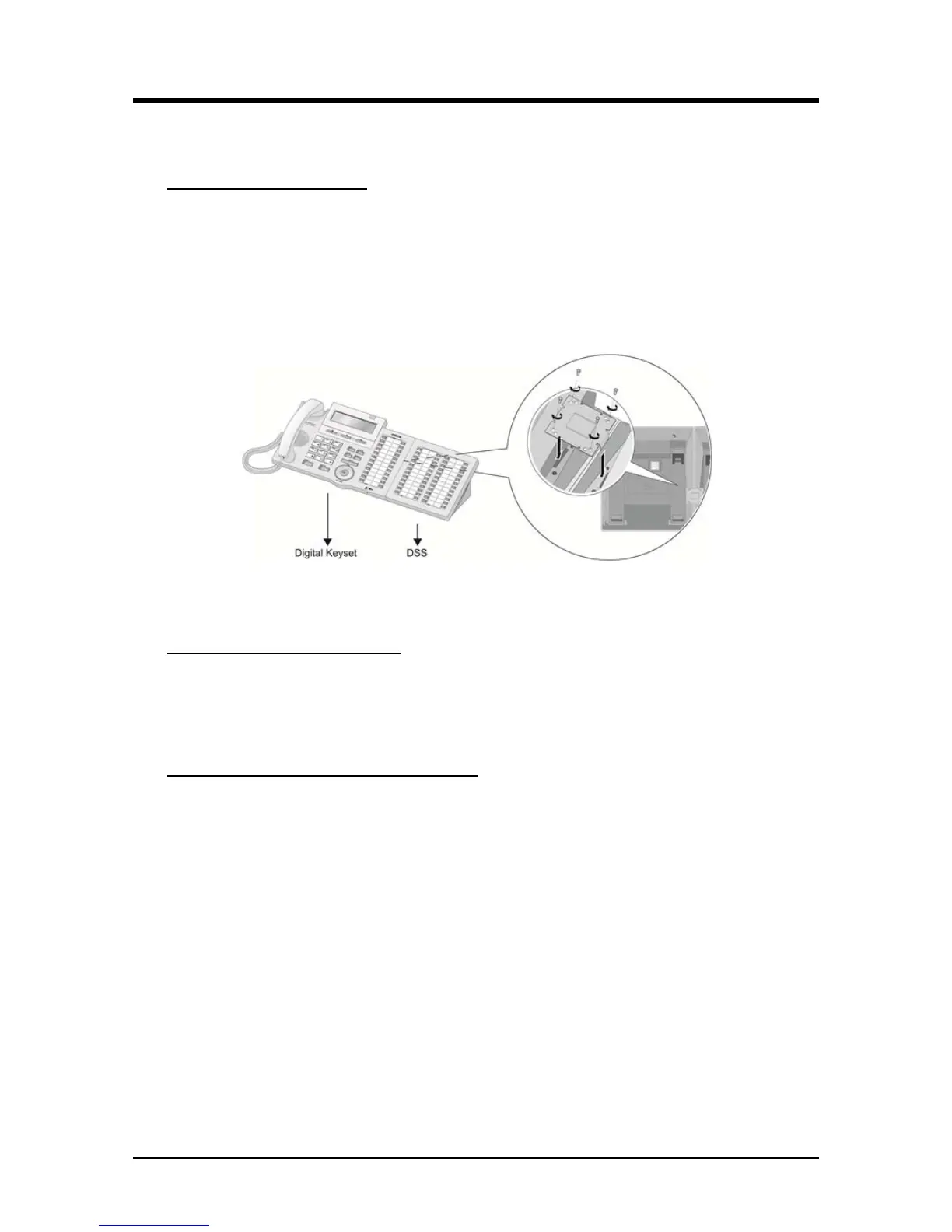
The digital LDP-7048 DSS/BLF Console is provided with a phone-mounting bracket so that
the console can be securely fastened to the corresponding LDP-7000 phone. To attach the
console to the phone, refer to
LDP-7048 DSS Installation
Figure 7.3.4-1 and the following instructions
1. Turn the Console and phone upside down.
2. Place the fastener in position as shown in figure balloon.
3. Insert and tighten screws. Caution, do not over-tighten the screws as this will
damage the plastic hosing.
Figure 7.3.4-1 LDP-7048DSS Console install
The LDP-7048 DSS Console is wired as a normal Digital Key Telephone to a separate
digital port of the eMG80, refer to Section
LDP-7048 DSS Console Wiring
7.3.1.
The LIP-8000E Series DSS/BLF Console is available in three (3) models 12 button w/paper
labels (LIP-8012DSS), 12-button w/LCD (LIP-8012LSS), and 48-button w/paper labels
(LIP-8048DSS). Up to four (4) consoles can be connected to an LIP-8000 series phone
using the serial ribbon cable from the console. The LIP-8000E phones will power a
maximum two (2) LCD DSS Consoles and, when more than two consoles are connected,
one must be the 48-button Console. In all cases, the 48-button Console must be powered
by the AC/DC Adaptor-K. The figures below depict installation of various console
configurations. Note that in all cases, AC/DC Adaptor-K is attached to the 48-button
Console.
LIP-8000 Console Installation and Wiring


 To Next Page