Cascading
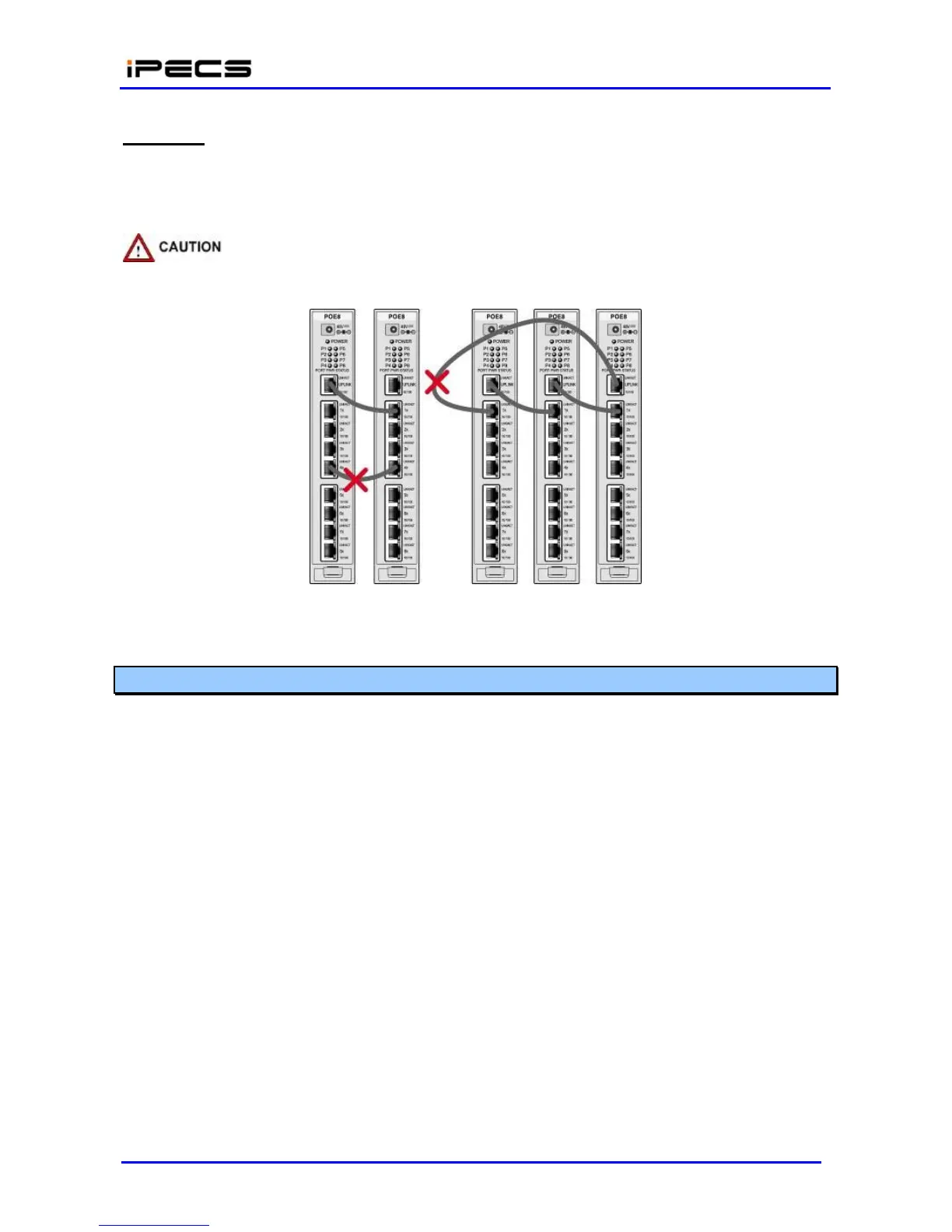
When the station loop limit is beyond the 100-meter (330 feet) limit, switches may be cascaded
to extend the range. For example of the POE8, simply connect the extension switches with their
UPLINK port to a LAN 1X~8X port of the previous POE8 in the cascade.
The POE8 does not support spanning tree. Do not create a loop when connecting
these switches to each other or other network components.
Figure 4.4.4.5-2 Erroneous Loop Wiring
4.4.4.6 RS-232 Connection
The DB-9 connector located on the front panel of LIK-MFIM50A/MFIM50B is an RS-232 serial port.
The connector is employed to provide system trace and diagnostic routines for the individual
Modules. The MFIMs have one such port, which may be assigned for the desired function (SMDR,
ACD, etc.). Refer to the iPECS Admin & Program Manual.
LIK-MFIM50A/B are set-up for 8-bits, no parity, and one (1) stop bit running at 115,200 bps. To
modify the speed and other settings, refer to the iPECS Admin & Program Manual.
The RS-232 connectors MFIM50A/B are terminated in a Data Communications Equipment (DCE)
configuration as displayed in Figure 4.4.4.6-1. Use a cable pre-terminated with DB-9
connectors to connect an appropriate device (terminal, printer, etc.) to the Module.



 To Next Page