115YLS-K
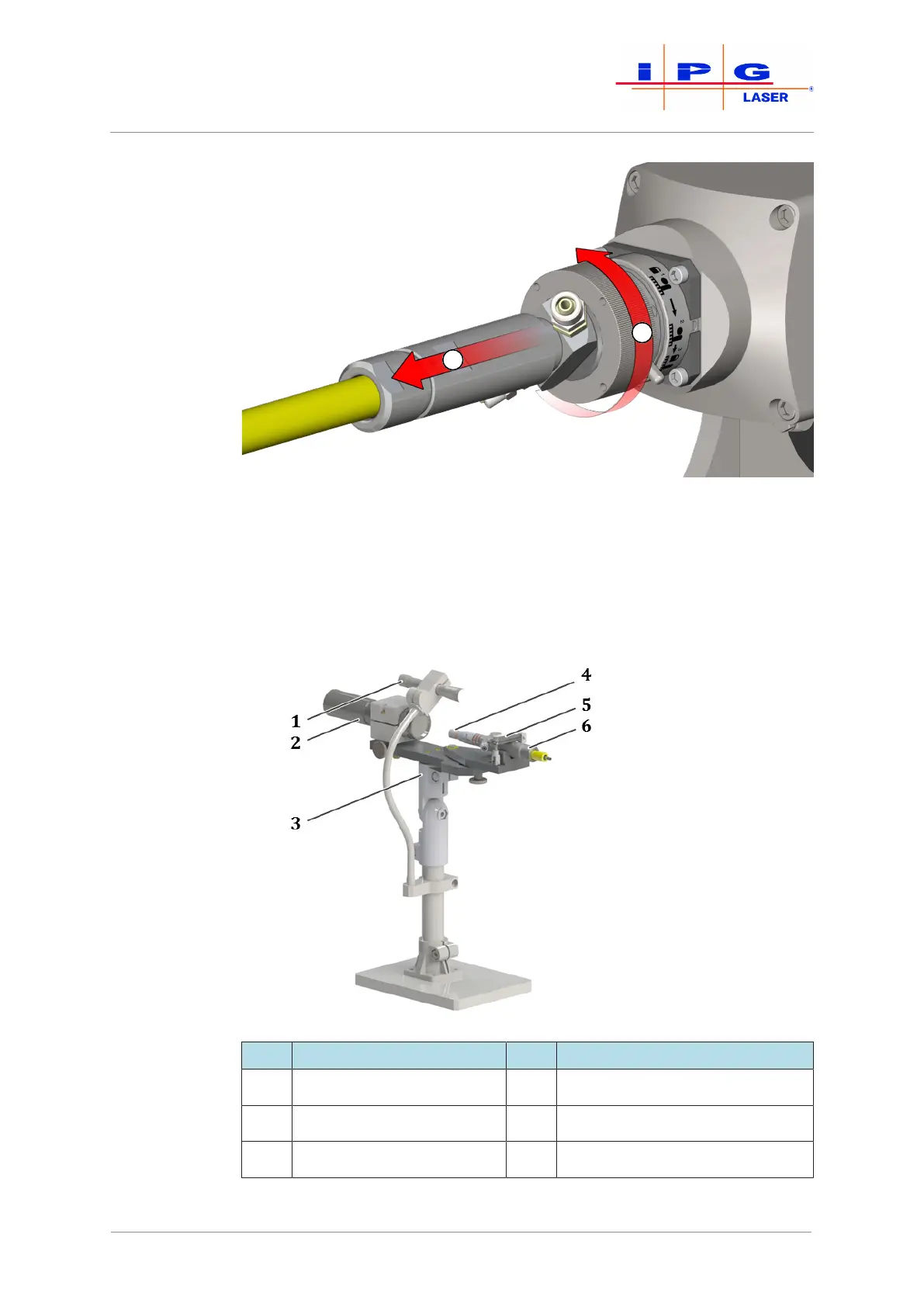
Figure69: Unplugging fiber connectors (here: a HLC-8 fiber plug into an FCH-8 adapter)
9. Immediately seal the optics with the cleaned protective cap.
10. Place the fiber connector in the holder on the microscope (see fig-
ure Microscope).
11. Switch the microscope's light source on and point this towards
the surface to be cleaned.
Figure70: Microscope with fiber connector
Item Designation Item Designation
1 Movable light source 4 Quartz block
2 Microscope 5 Mount for the fiber connector
3 Pan head 6 Fiber connector
| Maintenance



 To Next Page