| Assembly and installation
50
YLS-K
5.5.2 Connecting the external interfaces
The number and arrangement of the interfaces and connections can
vary based on the configuration of the product. The complete overview
of existing interfaces of your product, as well as the interface descrip-
tion and the contact assignment of the customer interfaces, can be
found in the supplied specifications.
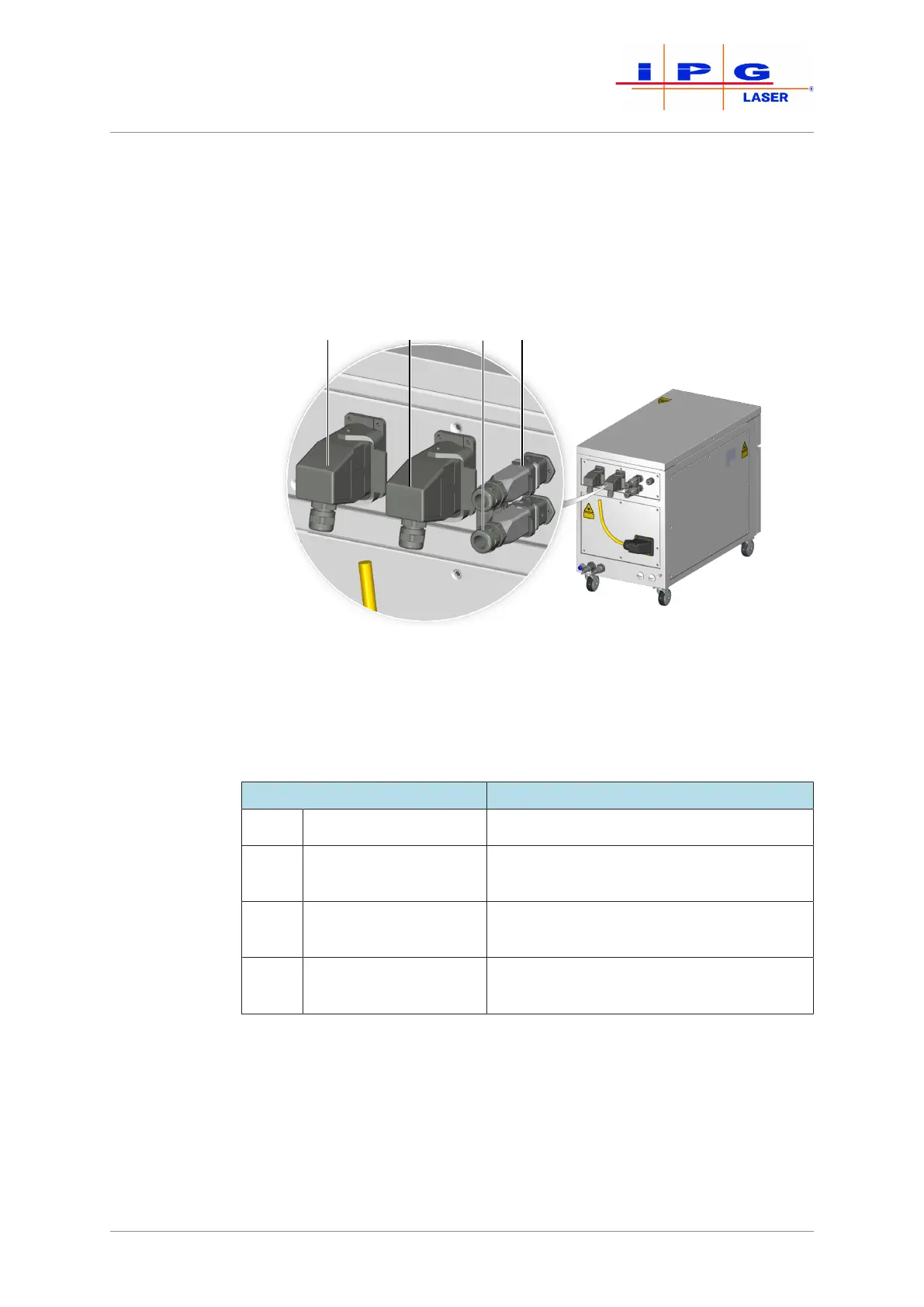
Figure21: Connecting the external interfaces
The following table lists all interfaces with which the product can be
equipped. The actual number and arrangement of the interfaces de-
pends on the ordered product configuration.
Designation Description
XPIF Interfaces Safety, control and monitoring interface
XP1 Hardwiring interface
(Hardwiring)
Control of the laser via an external control
XP3 Laser chiller interface
(Chiller)
Interface of the laser chiller
XP5 Ethernet interface
(Ethernet)
Communication interface between com-
puter and laser (LaserNet)
Table6: Possible interfaces
ð Connect the interface cables according to the supplied technical
data. Note the pin assignment.
ð Ensure that the interlocks of the plug connectors snap into place.



 To Next Page