31YLS-K
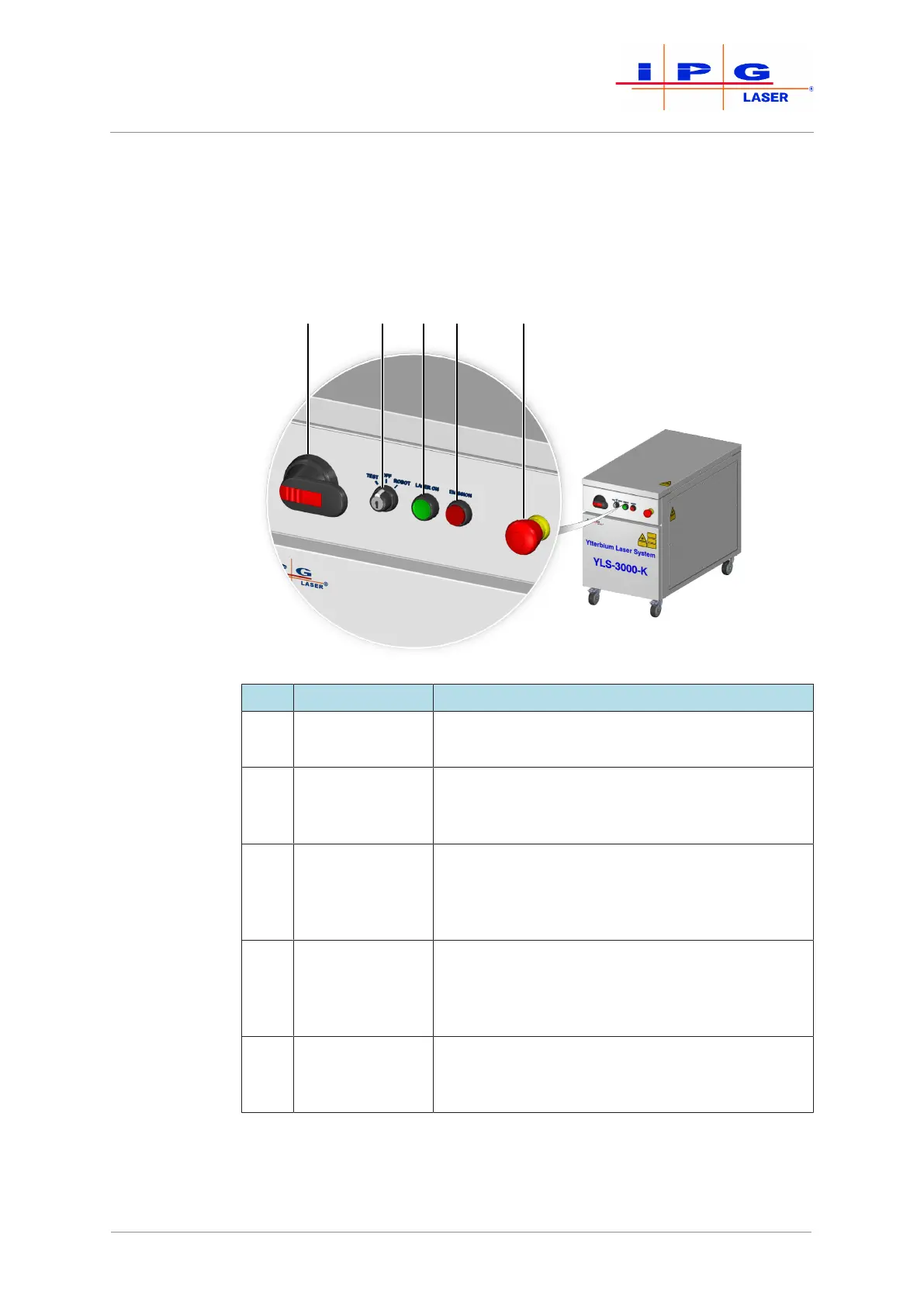
3.2.1 Operating elements
The operating elements of the high power fiber laser are described be-
low. The number and arrangement of the operating elements can vary
based on the configuration of the laser. For more information about
your product, see the supplied technical data.
Figure4: Operating elements
Item Designation Description
1 Main switch Turning the main switch disconnects the voltage
supply to the laser.
2 Key switch The operating modes TEST and ROBOT can be se-
lected and the laser switched off (OFF position)
with this key switch.
3 Laser ON illumi-
nated pushbut-
ton
Pressing the illuminated pushbutton switches the
laser power supply on. The illuminated pushbut-
ton lights up green as soon as the laser power
supply is switched on.
4 Emission illumi-
nated pushbut-
ton
The illuminated pushbutton lights up red once the
laser power supply is switched on and laser emis-
sion is possible. You can check this lighting func-
tion by pressing the illuminated pushbutton.
5 E-Stop button Pressing the E-Stop button in an emergency situa-
tion switches off the laser power supply and the
laser emission.
| Device description



 To Next Page