CHAPTER 4. BROWSING AND PLAYING 23
4.1.1 File Browser Controls
Key Action
Up/Down Go to previous/next item in list. If you
are on the first/last entry, the cursor will
wrap to the last/first entry.
Play+Up/ Down Move one page up/down in the list.
Left Go to the parent directory.
Navi or Right Executes the default action on the se-
lected file or enters a directory.
Play If there is an audio file playing, returns
to the WHILE PLAYING SCREEN (WPS)
without stopping playback.
Stop Stops audio playback.
Long Navi Enter the CONTEXT MENU
A-B Enter the MAIN MENU
Long A-B Switches to the QUICK SCREEN (see sec-
tion 5.13 (page 45))
4.1.2 Context Menu
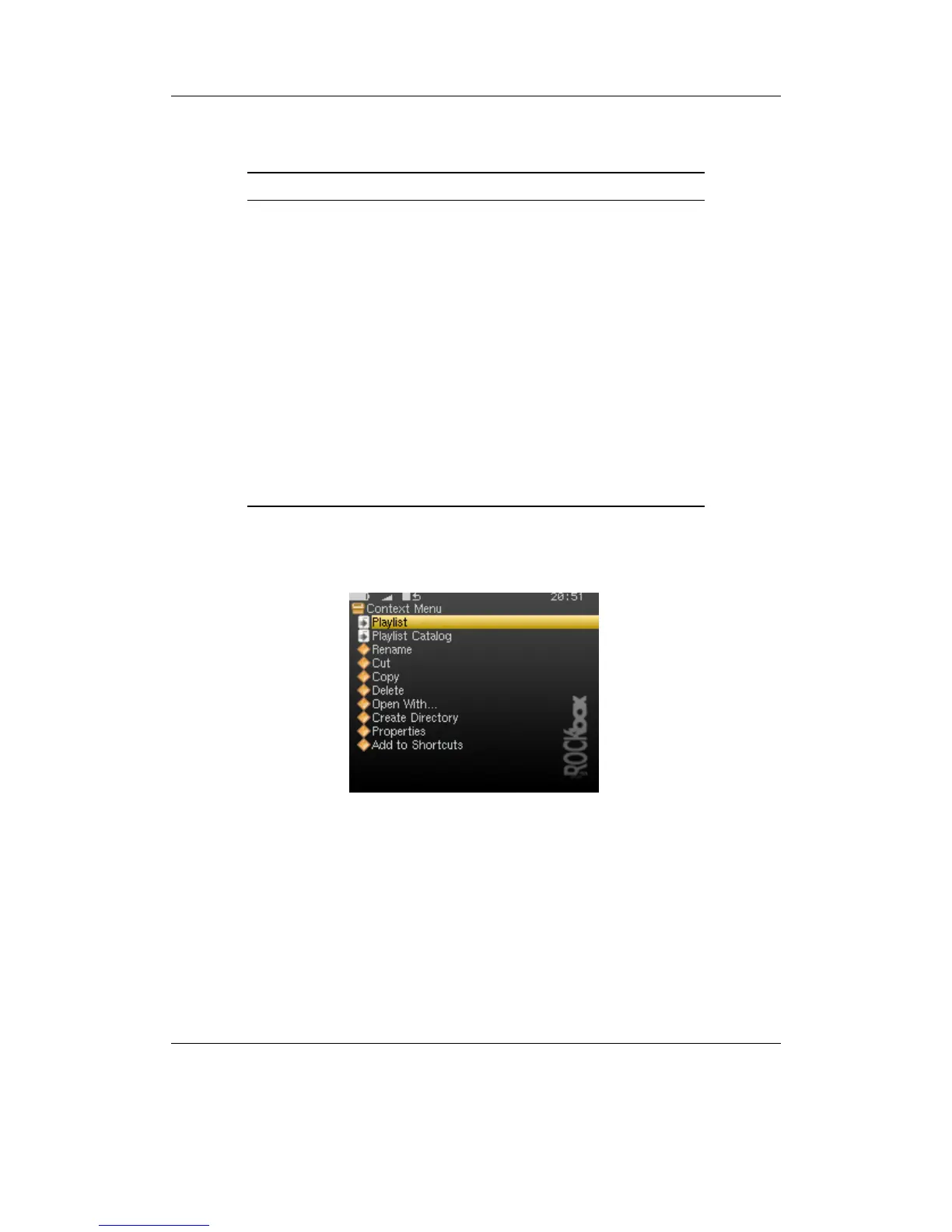
Figure 4.2: The Context Menu
The CONTEXT MENU allows you to perform certain operations on files or directories.
To access the CONTEXT MENU, position the selector over a file or directory and access
the context menu with Long Navi.
Note: The CONTEXT MENU is a context sensitive menu. If the CONTEXT MENU is in-
b
voked on a file, it will display options available for files. If the CONTEXT MENU is
invoked on a directory, it will display options for directories.
THE ROCKBOX MANUAL IRIVER H3XX



 To Next Page