56
ROBOT RCON TEST
The procedures for this test are
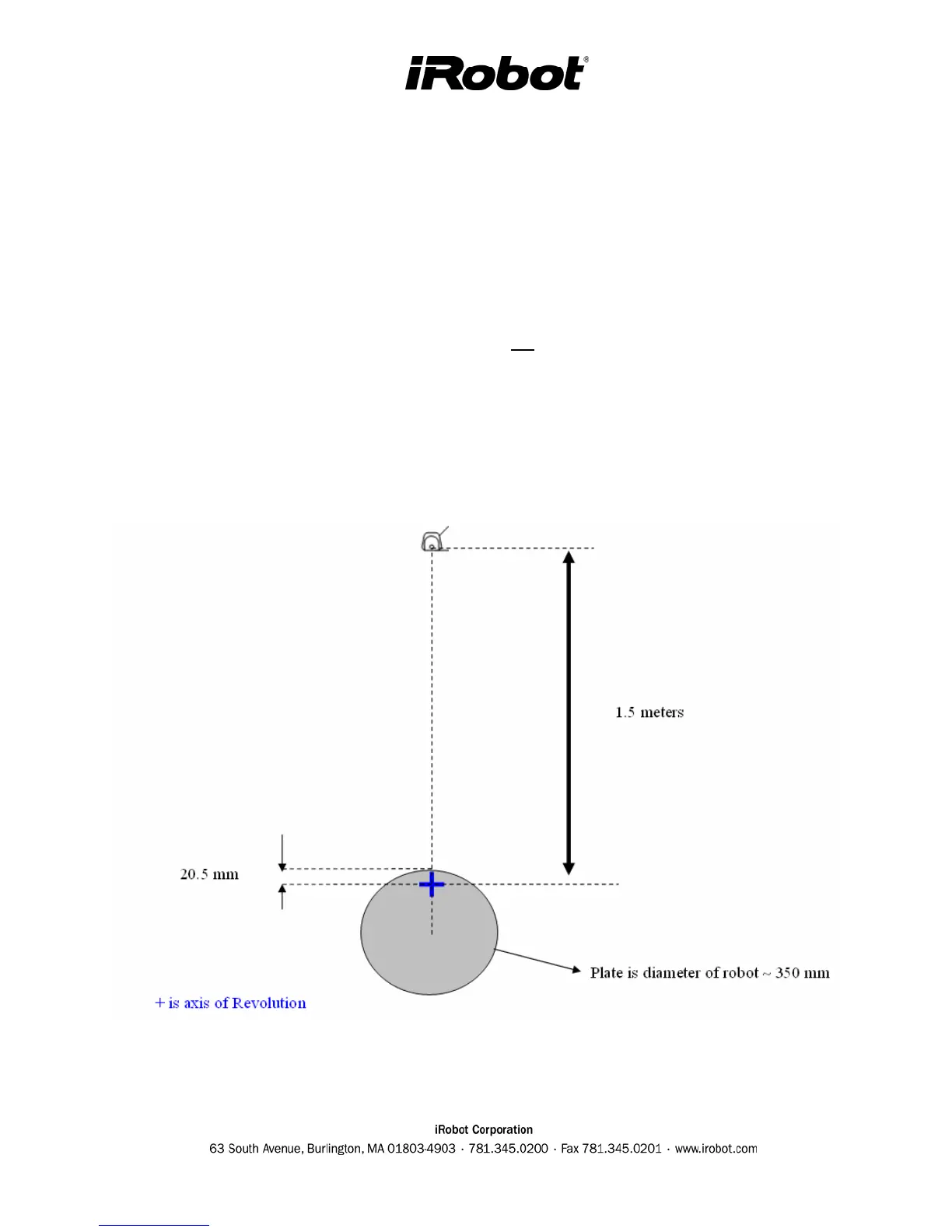
1. Build a fixture which can rotate around robot’s RCON lens as shown below
2. Put a Virtual Wall (VW) 1.5 m away from robot’s RCON lens.
3. Put robot into Built-in-Test #9.
4. Turn on the VW and set it at medium power (1 - 2 m).
5. Verify that the SPOT light on the robot is lit.
6. Slow turn the fixture and verify that the SPOT light is on all the time.
7. Set the VW at lowest power (0 – 0.9m), and put it 2.4 m away.
8. Verify that the SPOT light on the robot is not lit at any angle.
9. Set the VW back to medium power.
10. Put robot into Built-in-Test #10 and let the robot face the VW (only base robots 3.4 and
3.5).
11. Verify that both SPOT and DOCK lights are both on.
12. Turn off the VW. Test is complete
Fixture Setup: :



 To Next Page