3
TEST
MODE
PROCEDURES
This section describes the procedures for selecting the root and sub menus.
a
Root Menu Selection Procedure
Enter the number of the Root menu to be displayed, then press
q
4.
Press
q
4
on the setting mode display to switch the root menus in sequence.
Sub Menu Selection Procedure
Press
ENTER
on the root menu display.
Enter the number of the sub menu to be displayed, then press
q
4
.
Press
q
5.
to switch the sub menus in sequence.
NOTE:
Press OENo to return to the mode displays.
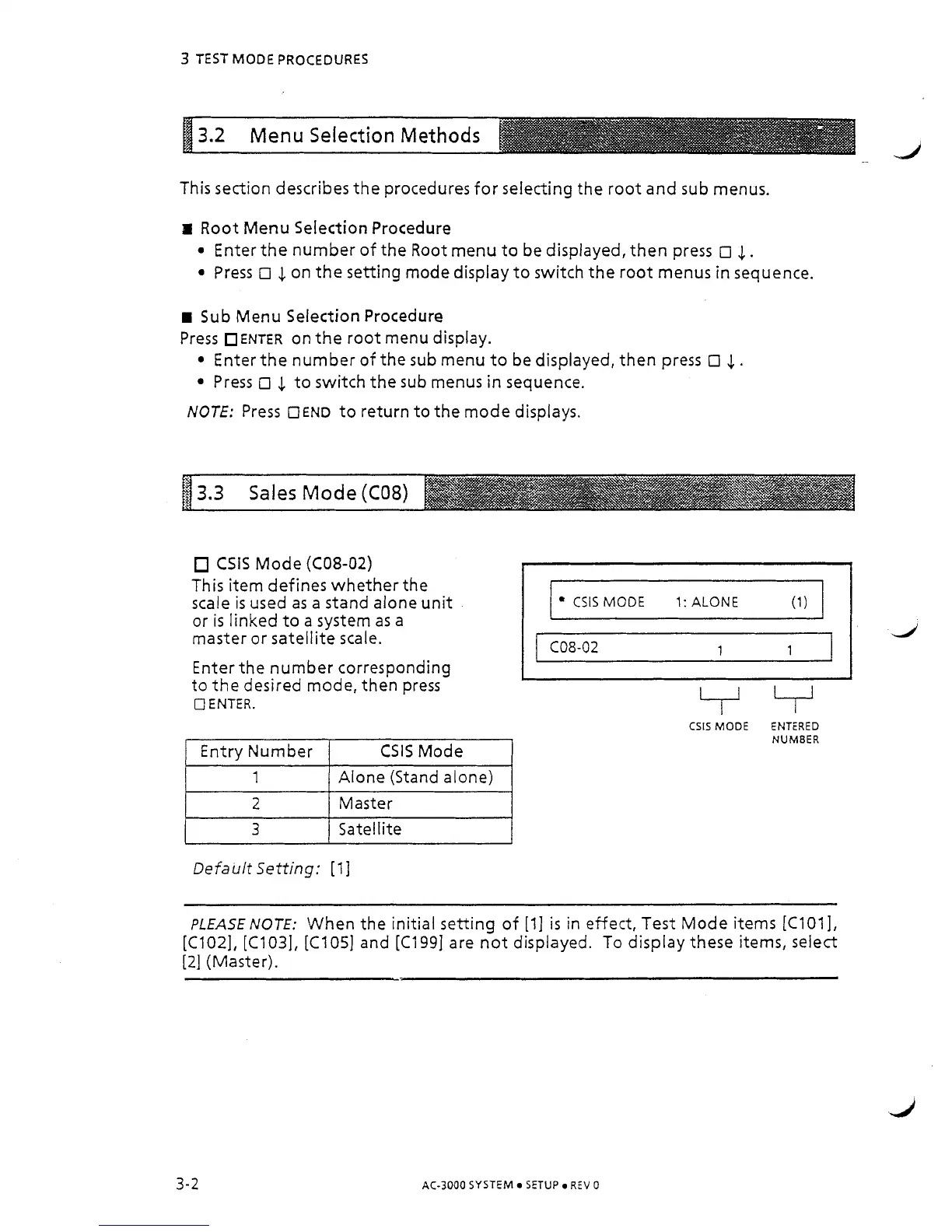
CSlS Mode
(C08-02)
This item defines whether the
scale
is
used as a stand alone unit
or is linked to a system as a
master or satellite scale.
Enter the number corresponding
to the desired mode, then press
0
ENTER.
I
2
1
Master
I
Entry Number
1
3
I
Satellite
CSlS Mode
Alone (Stand alone)
Default Setting:
[I]
CSlS
MODE
1:
ALONE
(1)
CSlS MODE ENTERED
NUMBER
PLEASE NOTE:
When the initial setting of [I]
is
in effect, Test Mode items [C101],
[C102], [C103], [C105] and [C199] are not displayed. To display these items, select
[2] (Master).
AC-3000 SYSTEM SETUP
REV
0



 To Next Page