25
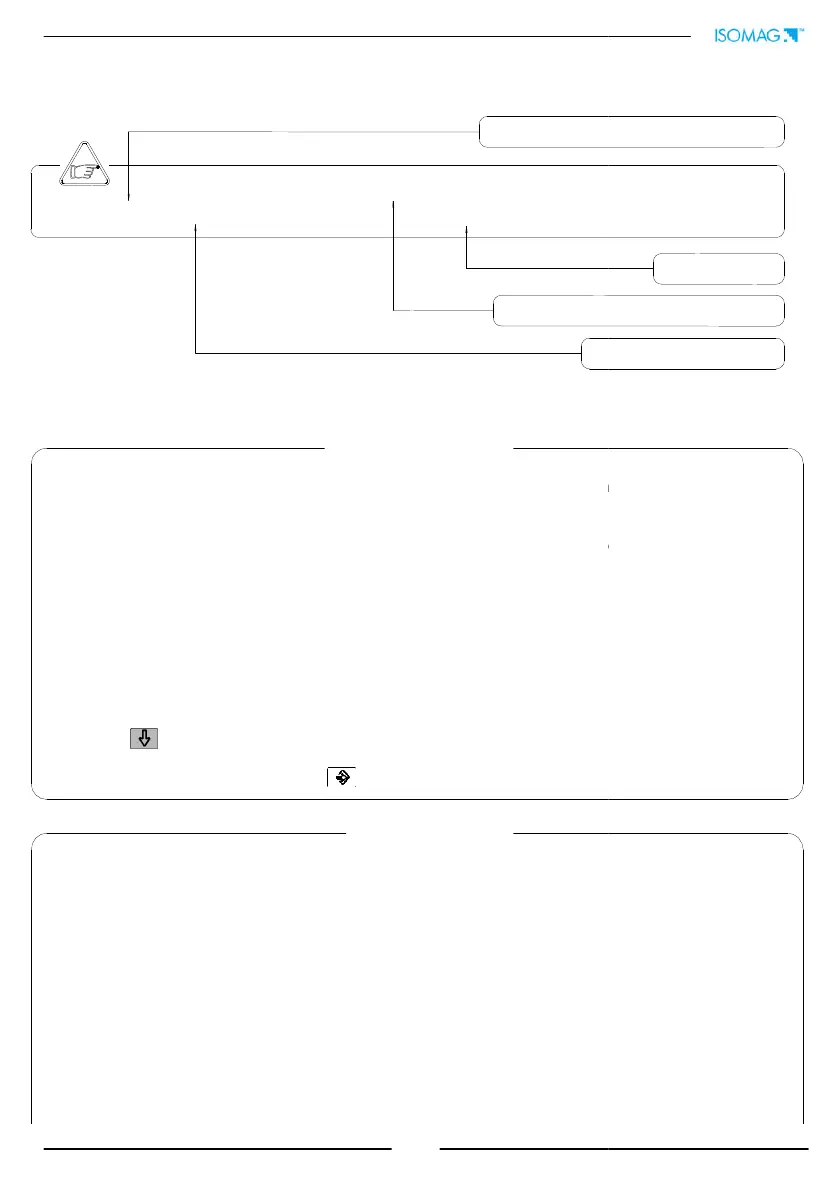
(POS. 1.1) Nominal diameter of sensor [ND= XXXX]
FUNCTIONS DESCRIPTION
(functions description with access code< 3)
The following pages give a description of the most important functions and
enabled/disabled by the user.
MENU 1 - SENSOR
(POS. 1.11) Electrodes cleaning
Selectable options: OFF, minimum, average and maximum
. It is not recommended the use of this
function (let OFF) when the liquid has a conductivity less than 100µS/cm.
(POS. 1.12) Empty pipe threshold
This value represents the threshold of measure block to zero in
function is 20-250. Since the sensibility of empty pipe detection could
conductivity, ground connections, type of lining, in case of needed it is
possible to adjust manually
the preset threshold. It i
s recommended to check periodically its proper functioning.
increasing means sensibility decreasing.
(POS. 1.13) Autozero calibration
This function activates the zero calibration automatic system. To
necessary for the sensor to be full of liquid, and the liquid be perfectly still. Even
movement of the liquid may affect the result, and consequently, the accuracy of the system. Once
you are sure the above conditions have been fulfilled (and the percentage flow rate value is stable)
press the key and automatically activates the zeroin
g procedure, after which it is necessary to
check that the percentage value showed goes to zero
, repeat the operation otherwise
value is stable at zero, then press the key.
MENU 2 - SCALES
(POS. 2.1-2) Full scale N.1-2
The full scale is used to indicate to the maximum meter’s flow rate; a
volume per time is required.
The full scale should be chosen carefully as it’s
parameters are used for several other parameters
There are four fields to fill in order to set this parameter, from left to right: 1) volume
2) unit type, 3) time measure
unit and 4) numeric value. The selection is made by positioning the
cursor on the field to modify. To change the measure unit
type (metric, British or American, mass
or volume) the cursor has to be positioned on the symbol “/” (field N. 2). When the nominal
diameter is set to zero it is possible to modify only the numeric f
at m/sec.
The following tables show the available measure
units and the conversion factor by comparison
with 1dm
3
and 1kg. The converter accepts any kind of measure units
combination satisfying both
the following conditions:
Numeric field value 99999
1
/
25
fs
max
numeric field value fs
max
.
visualized on the converter (from 1 to 11)
Synthetic description of the function
Identification of the function (not visualized on display)
changed or
[El. cleaning=MIN]
. It is not recommended the use of this
[E.P. thr.=XXX]
condition; the span
d by the liquid
possible to adjust manually
s recommended to check periodically its proper functioning.
Value
[Autozero cal.]
is operation, it is
necessary for the sensor to be full of liquid, and the liquid be perfectly still. Even
minimal
movement of the liquid may affect the result, and consequently, the accuracy of the system. Once
you are sure the above conditions have been fulfilled (and the percentage flow rate value is stable)
g procedure, after which it is necessary to
, repeat the operation otherwise
. When the
1-2=dm³/s X.XXXX]
volume per time is required.
parameters are used for several other parameters
.
There are four fields to fill in order to set this parameter, from left to right: 1) volume
measure unit,
unit and 4) numeric value. The selection is made by positioning the
type (metric, British or American, mass
or volume) the cursor has to be positioned on the symbol “/” (field N. 2). When the nominal
measure unit stays
units and the conversion factor by comparison
combination satisfying both
visualized on the converter (from 1 to 11)
Synthetic description of the function
Identification of the function (not visualized on display)
Converter request


 To Next Page