Pancode VoIP/Pantel VoIP Access Control Door Phones
Installation and Programming Manual
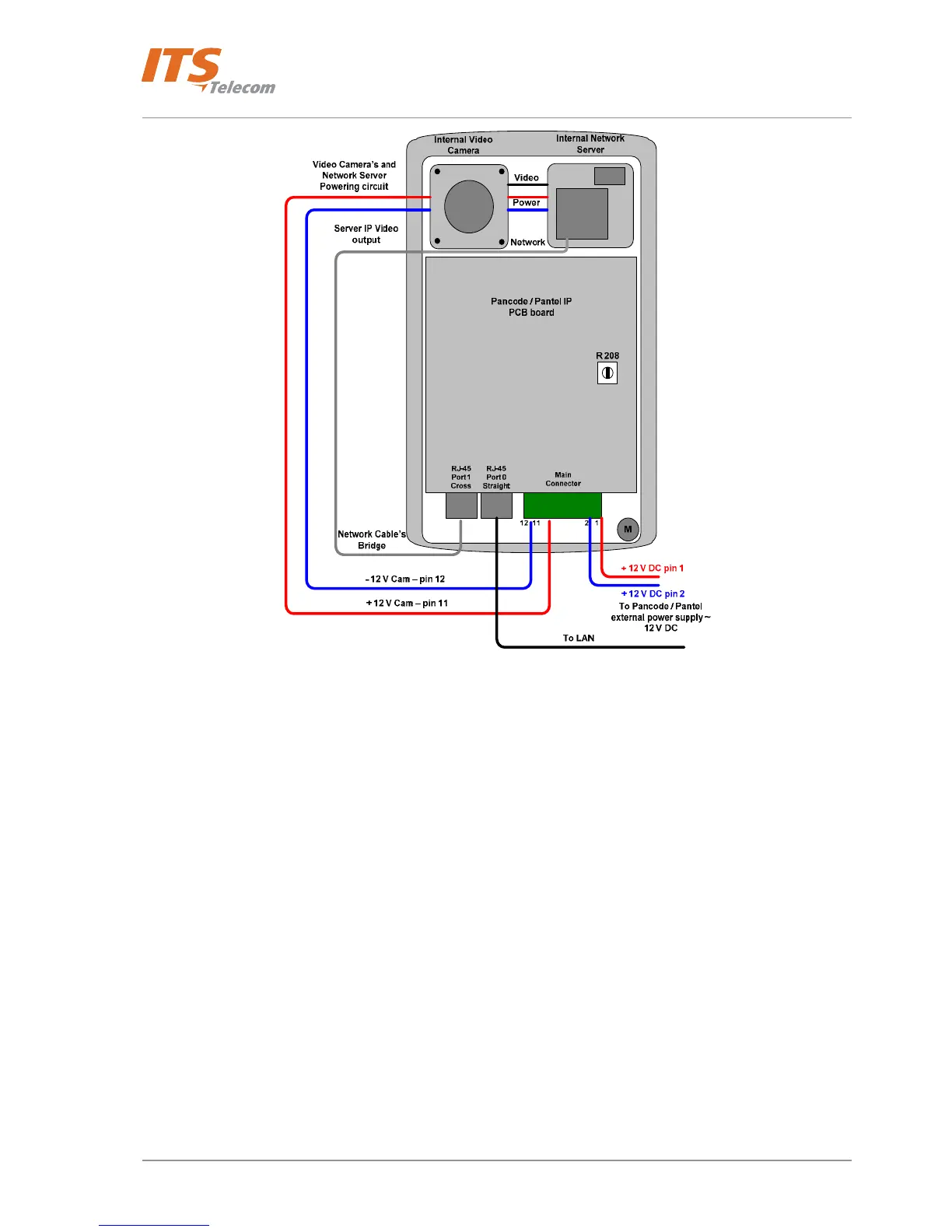
Figure 4-9 Internal IP Camera connections
Release all required Pantel / Pancode IP cable’s connections following by the user’s manual: LAN, Power supply
and power up the Pantel/Pancode IP unit
Install the Video Camera Management software by double click on the ‘MPEG4
Communicator_ENG_DX_v1.0.22.15.exe’ file or click on the appropriate link on the CD’s supplied interactive
menu
Run the video camera and network server’s supplied software in order to configure and detect the IP video
stream: Start Æ Programs Æ Cryptotelecom Æ MPEG 4 Communicator ÆIP Uility
18



 To Next Page