Pancode VoIP/Pantel VoIP Access Control Door Phones
Installation and Programming Manual
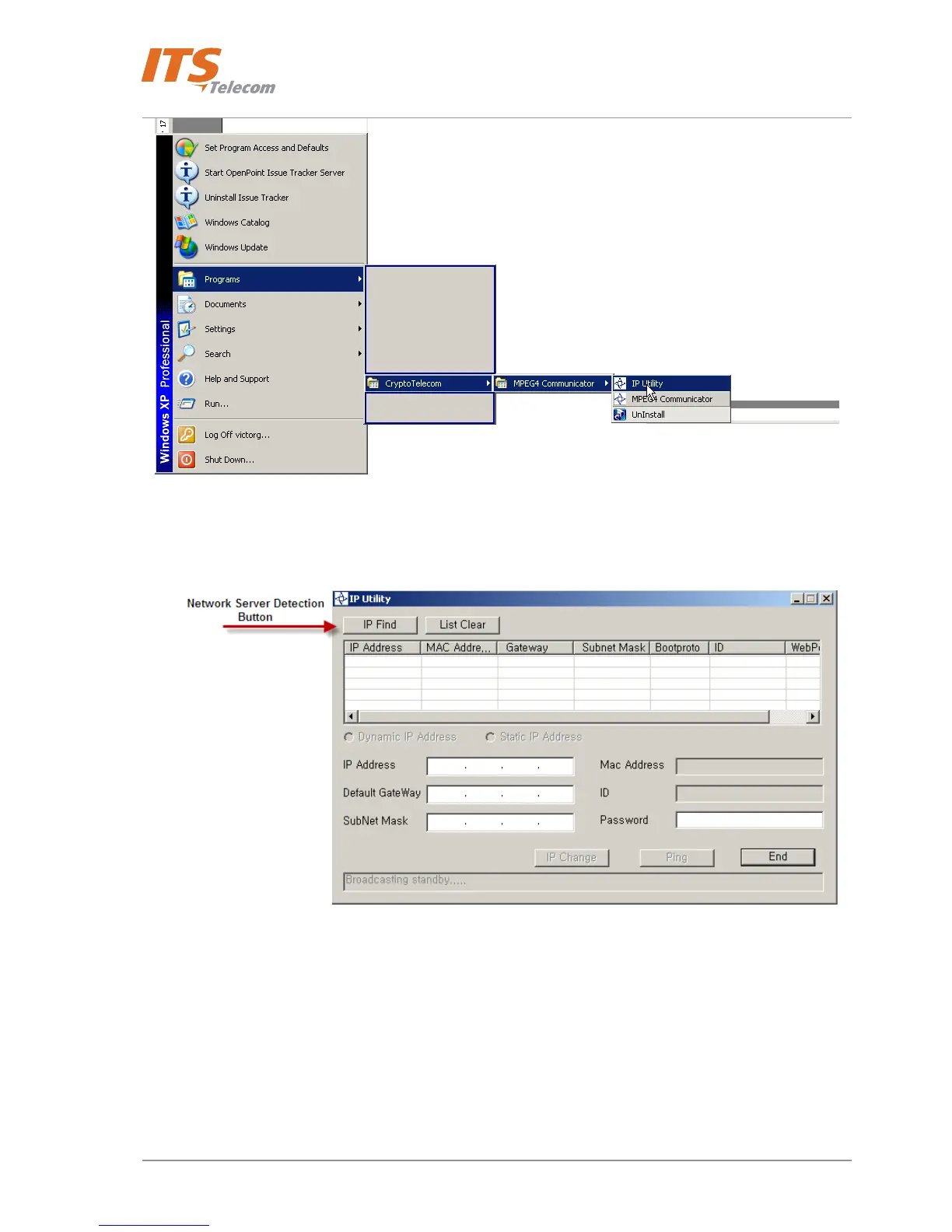
Figure 4-10 IP Utility Windows OS start path
• Network Server’ IP Utility’ screen appears
Figure 4-11 Network Server searching button
• Press on the ‘IP Find ‘ button in order to scan the local network ‘LAN’ for existing installed Pancode /
Pantel IP devices with the internal network server.
• IP utility scans network and shows detected network servers:
19



 To Next Page