Pancode VoIP/Pantel VoIP Access Control Door Phones
Installation and Programming Manual
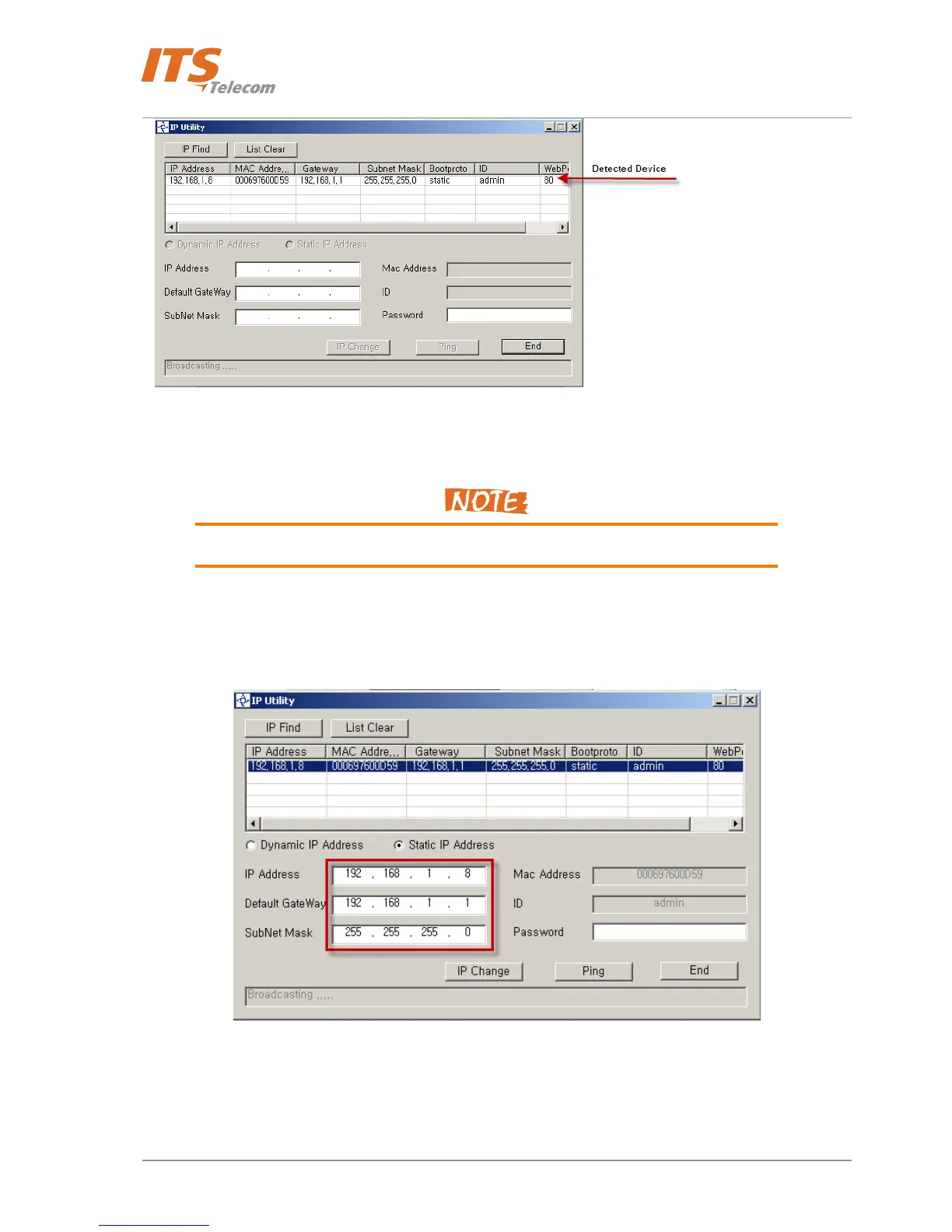
Figure 4-12 IP Utility Detected device
If no any network server detected check the Pancode / Pantel IP Power connection and
LAN (Port 0 RJ-45 ) cable connection.
• Double click on the detected device; network parameters will be copied into the Network parameters
table
• Modify Network Parameters if need
Figure 4-13 Network parameters settings
• Change Network Parameters following by your Local Network (LAN ) address structure and type
‘admin’ in the ‘Password’ field
20



 To Next Page