Pancode VoIP/Pantel VoIP Access Control Door Phones
Installation and Programming Manual
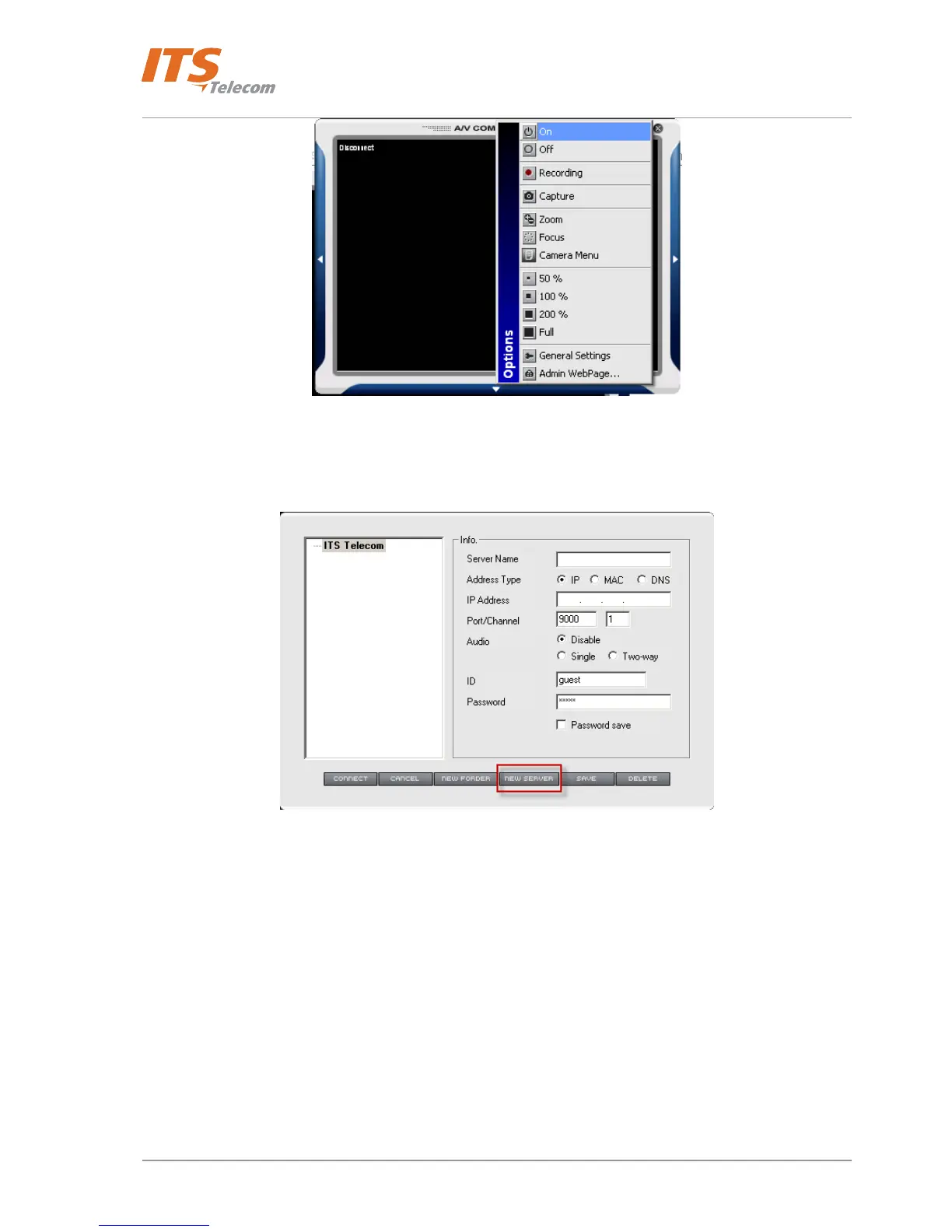
Figure 4-17 MPEG4 Communicator utility screen
• Configuration table appears
Figure 4-18 Add ‘New Server’ to the list
• Press ‘New Server’ button. Application adds new server account in the left side of the table.
• Fill the network server parameters:
o Server Name – Free text which specifies device in the list
o Address type – Unique information which shows how the network server can be detected and
communicated in the LAN
o IP Address – the Pancode / Pantel IP internal network server IP address which was detected and
configured previously with the ‘IP Utility’
o Port / Channel – PC application port used for connection
o Audio – Audio traffic status (‘Disable’ recommended)
o ID – enter default ‘guest’ ID identification name
o Password - enter default ‘guest’ password
• Press ‘Connect’ button
23



 To Next Page