Pancode VoIP/Pantel VoIP Access Control Door Phones
Installation and Programming Manual
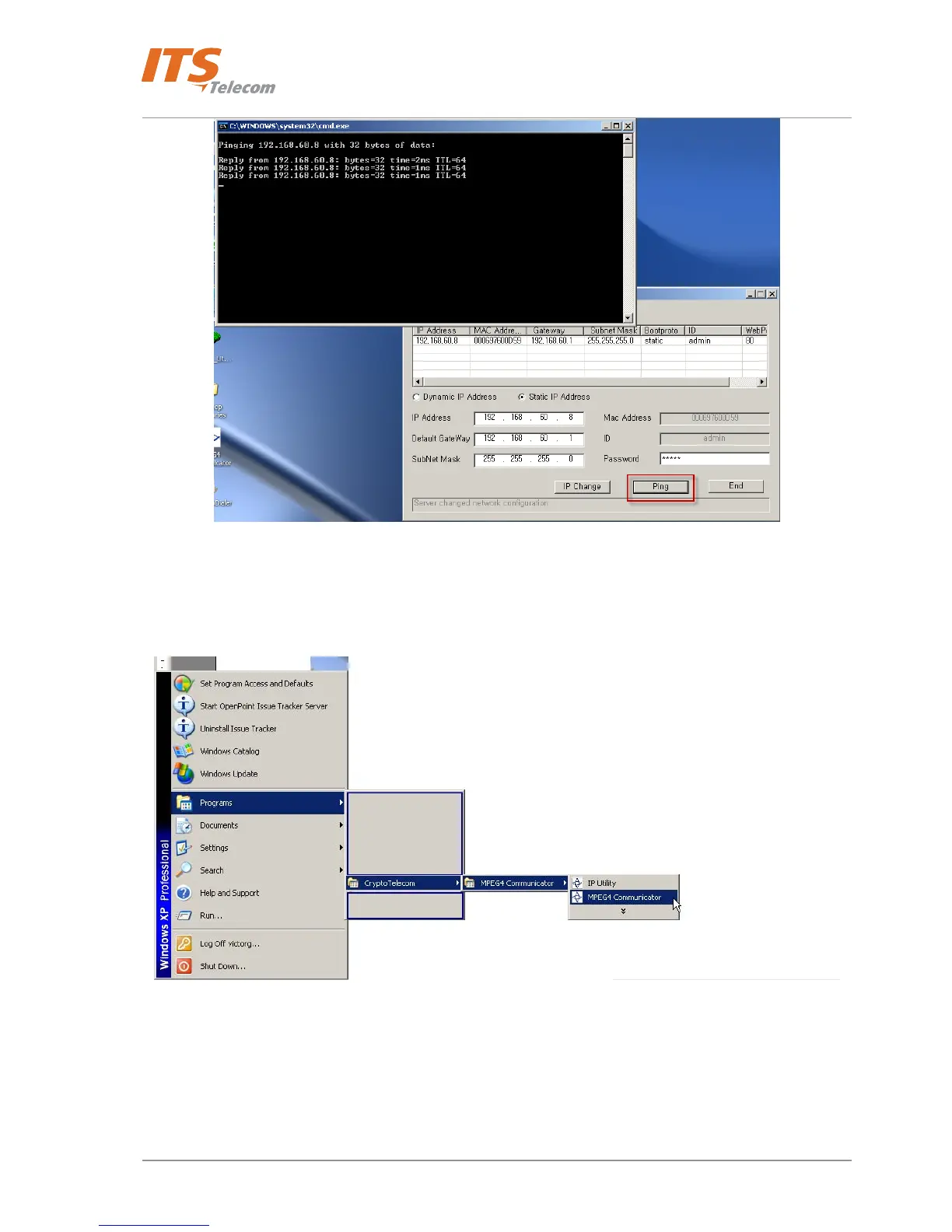
Figure 4-15 Ping Network Server
• Close the ‘IP utility’
• Launch the ‘MPEG 4 Communicator’ utility
Figure 4-16 MPEG 4 Communicator Windows OS startup
• MPEG 4 Communicator utility screen appears
• Right mouse button click on the black zone and select the ‘On’ option
22



 To Next Page