Introduction
PanCam/Pantel/Pancode
Installation and Programming Manual
5
Door opening from any extension
Programmable day and night destinations
Two different operation modes, standard/speed
-
dial
High quality speaker phone with volume control
Outdoor or indoor installation
Work in conjunction with card readers and security
devices
Simple to operate and progra
m
Smart looking durable design
1.3.2
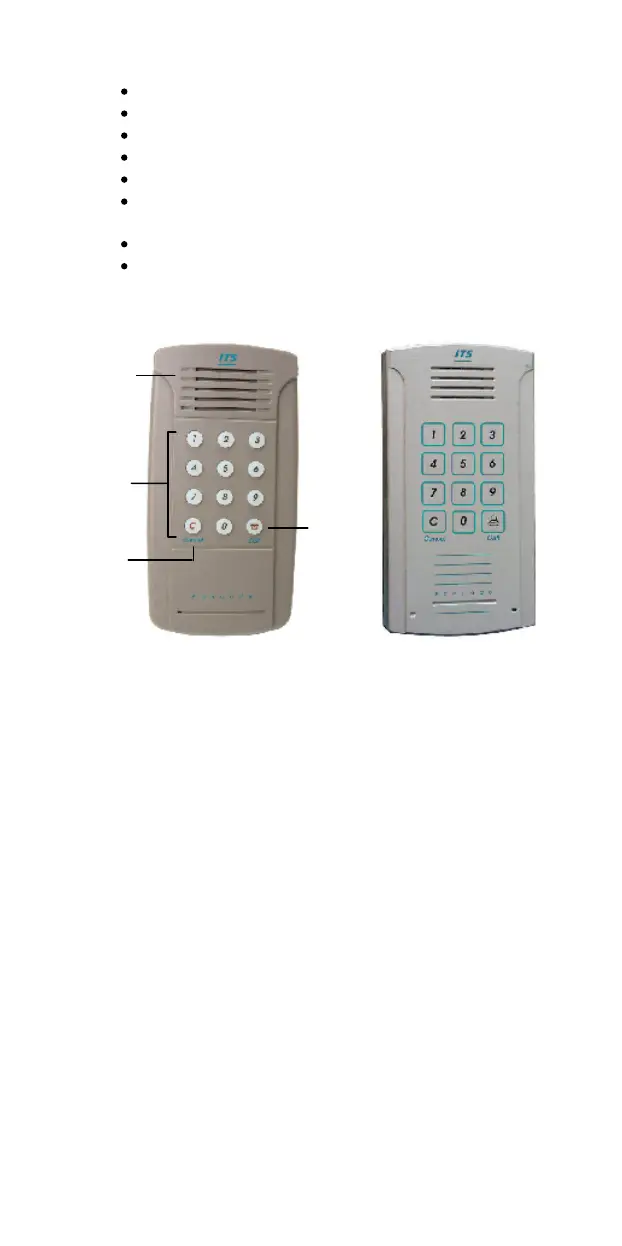
Physical Description
Indoor Unit
Outdoor Unit
Figure 1
-
3. Pancode Front Panel
The front panel of the Pancod
e unit incorporates a speaker,
microphone, and keypad. The front panel is attached to the
wall using a bracket and screws.
The Pancode unit is a hardwired unit powered by an external
12V AC transformer, which is provided in the package.
Optionally, you may
use a 12
-
24V DC adapter (For outdoor
unit only.).
Call



 To Next Page