PanCam/Pantel/Pancode
Installation and Programming Manual
6
2
Installation
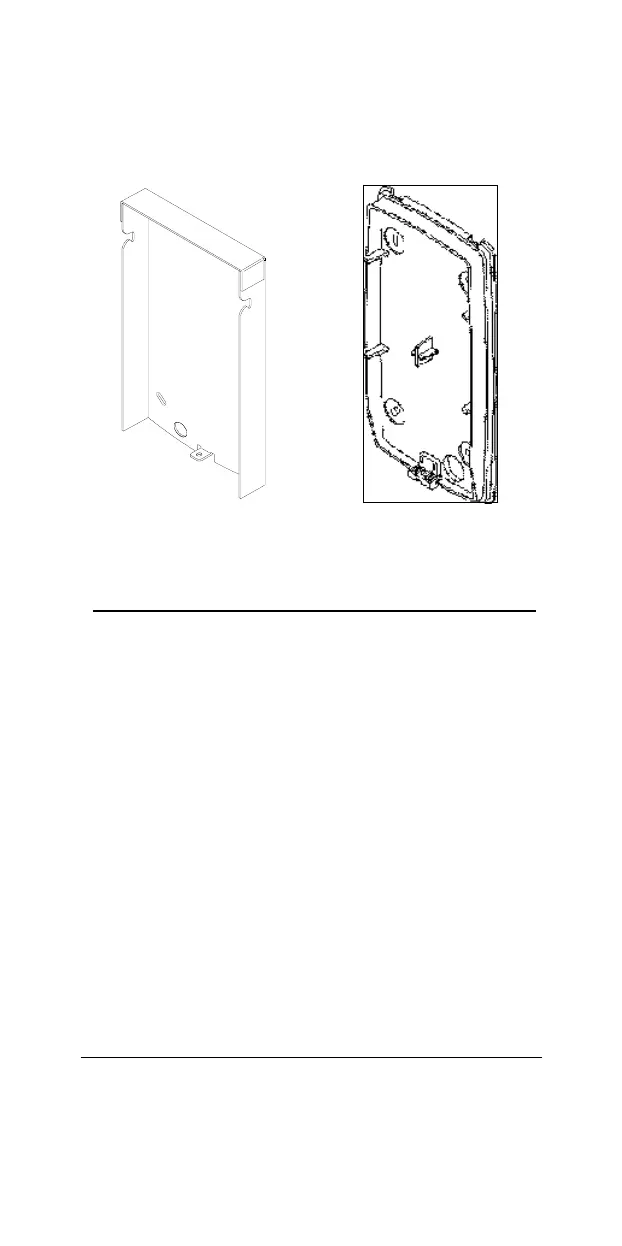
The PanCam/Pantel/Pancode is mounted to the installation
bracket provided; this mounting bracket should be installed
with the arms of the bracket positioned at the bottom.
Outdoor Unit Bracket
Indoor Unit Bracket
Figure 2
-
1. Installation brackets
To Install the PanCam/Pantel/Pancode wall bracket
1.
Measure and mark the location on the wall where the
holes will be drilled for the mounting bracke
t.
2.
Drill the holes and insert the wall anchors into the holes.
The wall anchors should be flush with the wall.
3.
Attach the mounting bracket using the wall screws
provided.
2.1
Installation Instructions
2.1.1
PanCam
Power (9V DC) is provided to the camera via an exten
ded
connector in the PanCam. The camera is activated, once the
relevant instruction is given (e.g. push on the call button, etc.).



 To Next Page