PanCam/Pantel/Pancode
Installation and Programming Manual
7
Caution
To avoid damage to the camera, make sure to connect the
correct polarity to the connector (see Figure 2-
2).
Camera connector 12V DC
Figure 2
-
2. Camera connector
2.1.2
PanCam Schematic setup
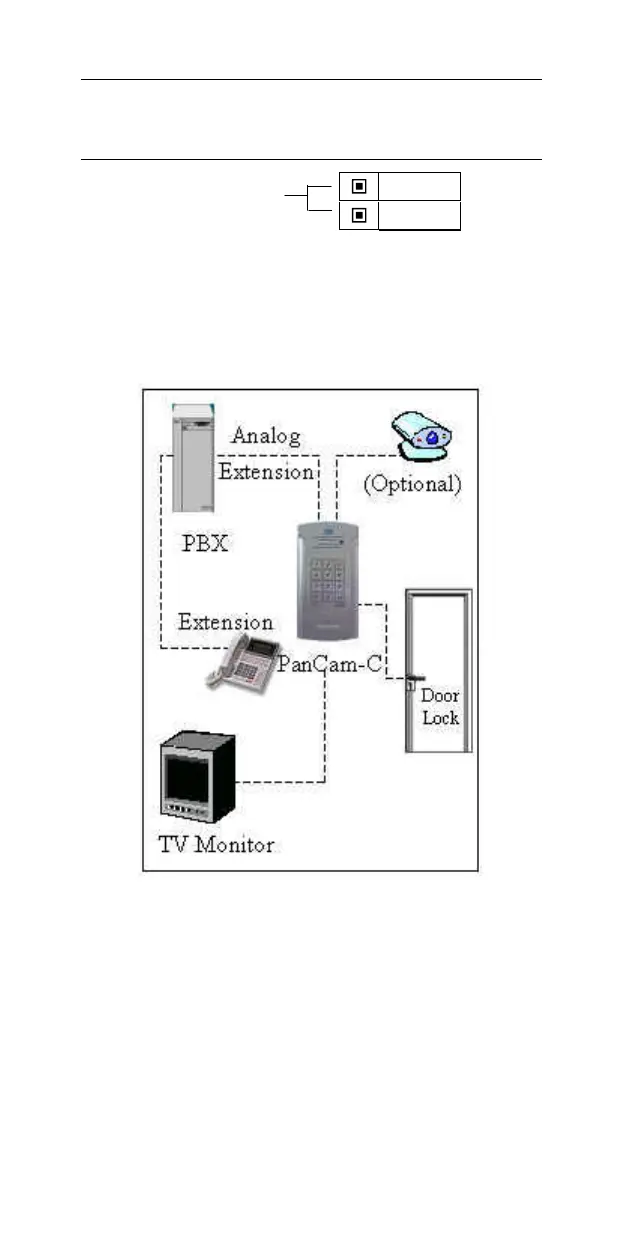
The following pictures show the schematic setup of the
PanCam unit.
Figure 2
-
3. PanCam Schematic setup
The video signal is independent and connected directly to
th
ird-
party video equipment (e.g. a video recorder,
multiplexer, PC, etc.).
The unit is connected to the PBX as an analog extension.
The unit powers the Door Lock and the Camera.
-
12V
+12V



 To Next Page