50
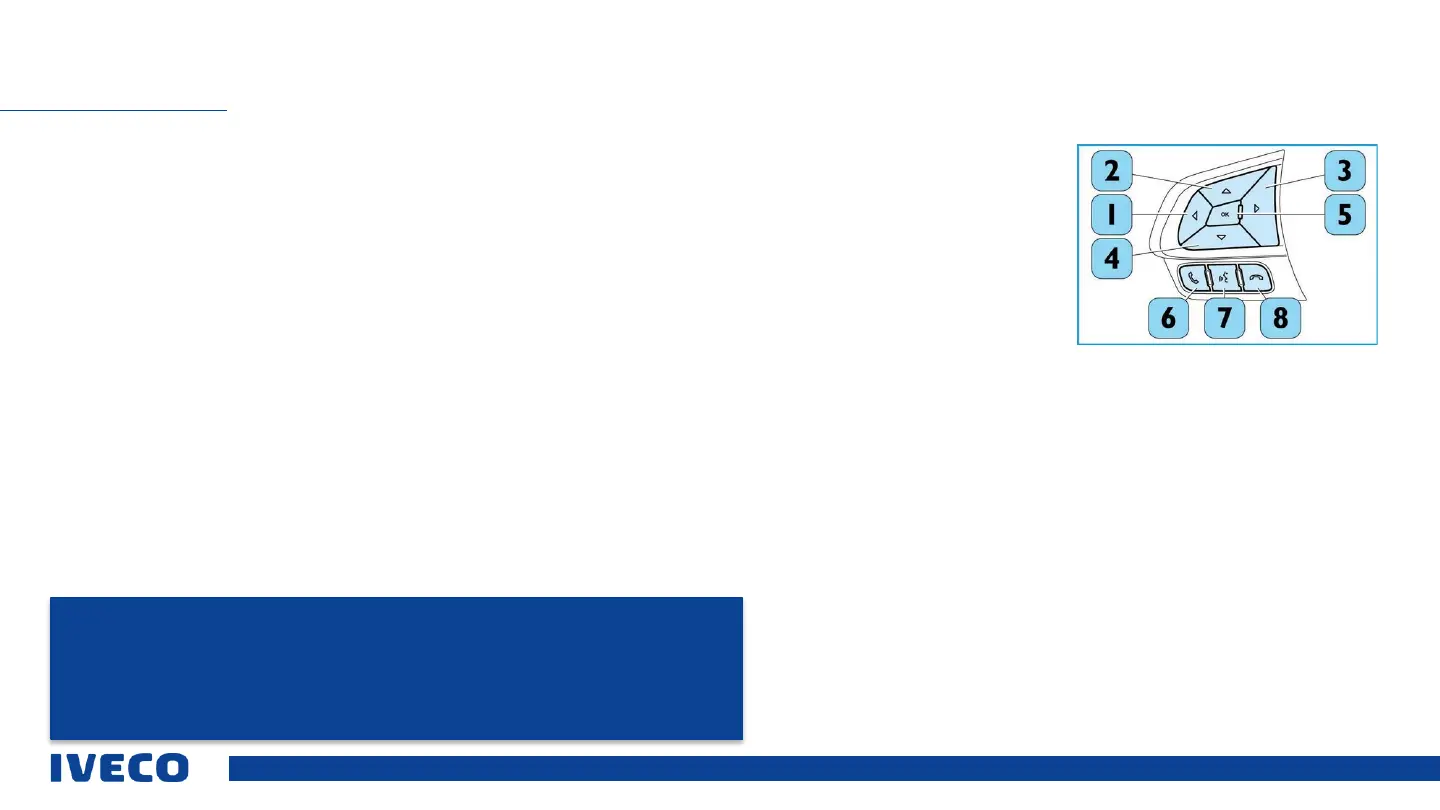
“Phone” button
The (6) button with the phone symbol on the steering wheel can be used to switch to “Phone” mode, make a call, and display
the last incoming and outgoing calls as well as the phone book.
Voice control button
The voice control button (7) on the steering wheel must only be activated at the start of the call, if another call will be made,
or a person needs to be added. This button is also used to record language commands for the voice control (if available in the
vehicle).
In addition, this button is used for the hands-free kit.
Button 8: End call
INFOTAINMENT
NOTE: Keep hands on the steering wheel while driving.
The user is fully responsible, and accepts full liability for use of the functions and applications
provided by the Infotainment system of this vehicle. The Infotainment system may on be used when
it is safe to do so.
Failure to observe this precautionary measure may result in an accident involving personal injuries
or even death.



 To Next Page