53
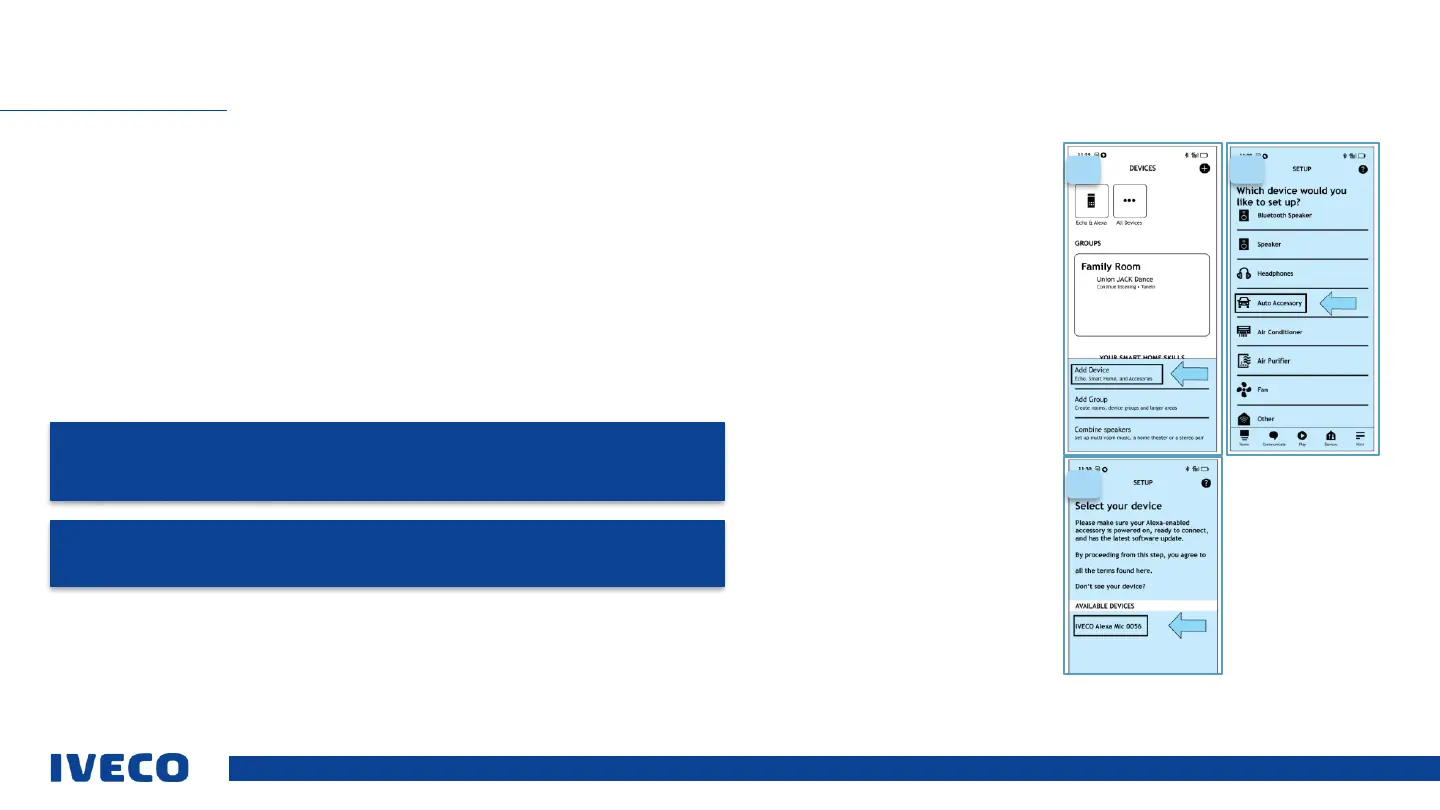
A. Select “add device” as indicated by the arrow in the image.
B. Select “auto accessories” as indicated by the arrow in the image.
C. Select “IVECO Driver PAL_XXXX” as indicated by the arrow in the image.
D. Confirm and wait for the setup process to complete
After the device has been coupled and connected, the microphone will flash 3 times with a blue light before switching off. The
Driver Pal microphone is now ready for operation and will connect automatically once again when it is switched on and
connected to the smartphone (switched on nearby with Bluetooth).
To listen to audio from the Amazon Alexa application on your smartphone in the vehicle, ensure that you have connected
your smartphone to the radio / infotainment Bluetooth system, selected “Media Bluetooth” as the source, and adjusted the
volume level of the radio / infotainment and your phone accordingly.
The “Iveco Driver Pal” voice assistant detects the following languages via the Amazon Alexa app (updated as of June ‘21):
Italian, English, Spanish, French, German.
SET UP VOICE CONTROLS (DRIVER PAL)
C
D
E
C.
D.
E.
F.
WARNING: Each time the microphone is used, the voice response is received initially by the
smartphone. If the Bluetooth connection between the smartphone and infotainment system of
the vehicle is not active on the central source, then the voice response will not be delivered by
the speakers in the driver’s cab.
NOTE: To ensure a good experience using Driver Pal in the driver's cab, even when not
driving, the microphone will remain active for 8 h after the vehicle is turned off.


 To Next Page