35
5.2.6 Starting and stopping programs / the operating indicator
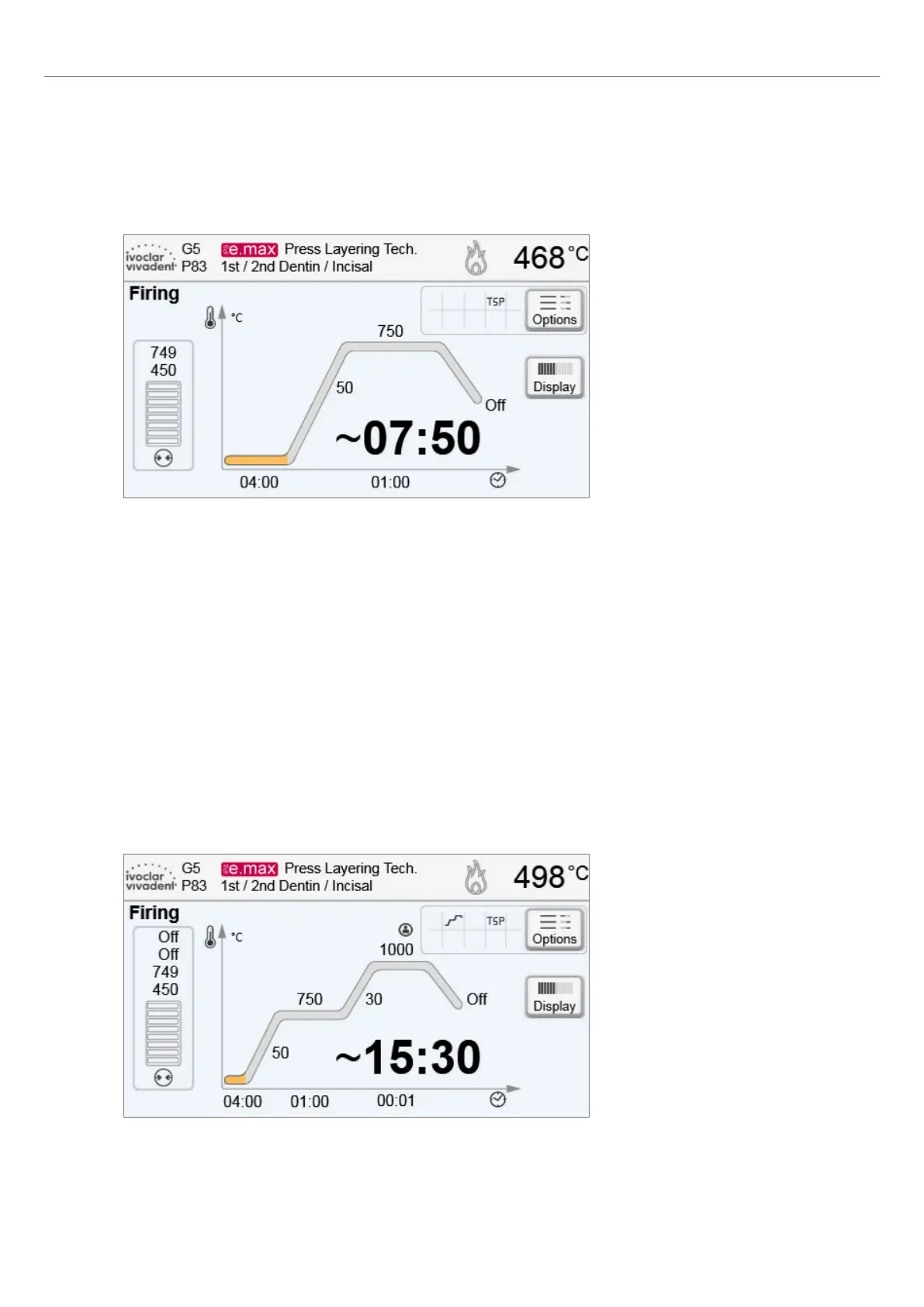
Once the program is started by pressing START, the firing curve display appears.
The following information is displayed:
– Information bar
The program name and the current furnace temperature are shown in the information bar in the upper margin of the
display.
– Main area
The vacuum is shown on the left side of the main screen. The progress of the program is shown in the form of a firing
curve. The estimated remaining time is also displayed in 10-second intervals. If no vacuum is activated, the vacuum
indicator and all the corresponding parameters are blank.
The process status is displayed in colour in the firing curve:
– Orange: Program is closing the furnace head or is in predrying mode.
– Red: Program is heating up or is in holding time mode.
– Blue: Program is in long-term cooling or is opening the furnace head.
Active firing program options are shown in the grid next to the [Options] button. If a two-stage program is selected,
the firing curve is shown in two stages.
5. Operation and Configuration















 To Next Page