40
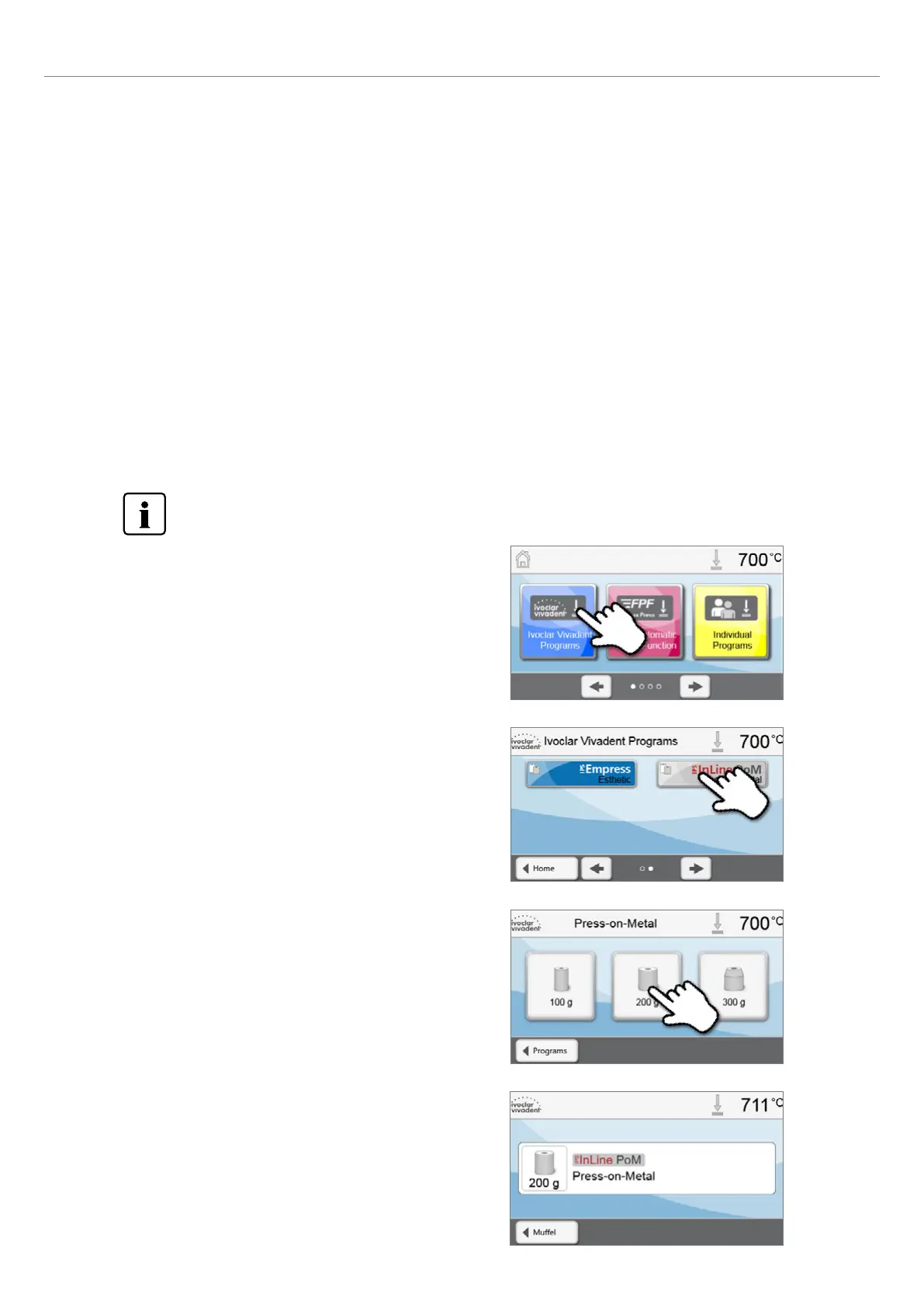
3. Select the investment ring size.
Depending on the program selected, different investment ring sizes
can be chosen:
– 100-gram investment rings
– 200-gram investment rings
– 300-gram investment rings.
2. Select the program.
4. Start or edit the press program.
Now, the press program can be started. Ivoclar Vivadent press
programs cannot be changed or edited.
Individual press programs can be edited (see Chapter 5.3.3).
5.4 Press programs and programming options
The furnace offers different press program ranges:
a. press programs for Ivoclar Vivadent materials
b. FPF – Fully automatic press function for IPS e.max Press materials
c. 20 free, individually adjustable press programs.
a) Press programs for Ivoclar Vivadent materials
When the furnace is delivered ex factory, the Ivoclar Vivadent programs already contain the recommended material
para meters. They cannot be deleted or overwritten. The parameters are not shown in the software.
b) FPF – Fully automatic press function for IPS Press materials
This function has been ideally coordinated with the IPS e.max Press materials. The ingot type is automatically recognized
and the press process is started fully automatically.
c) Free, individually adjustable press programs
Individual press programs can be programmed freely and renamed.
In case of software updates, individually changed parameters in free programs are NOT reset to the factory
settings or changed!
5.4.1 Program selection in the "Pressing" mode
The program selection requires only a few steps:
1. Select the program type.
5. Operation and Configuration















 To Next Page