38
5. Operation and Configuration
The following functions are available:
– Copy programs
– Reset program to factory settings
– Select product logo
– Rename group name
– Rename program name
5.3 Managing programs
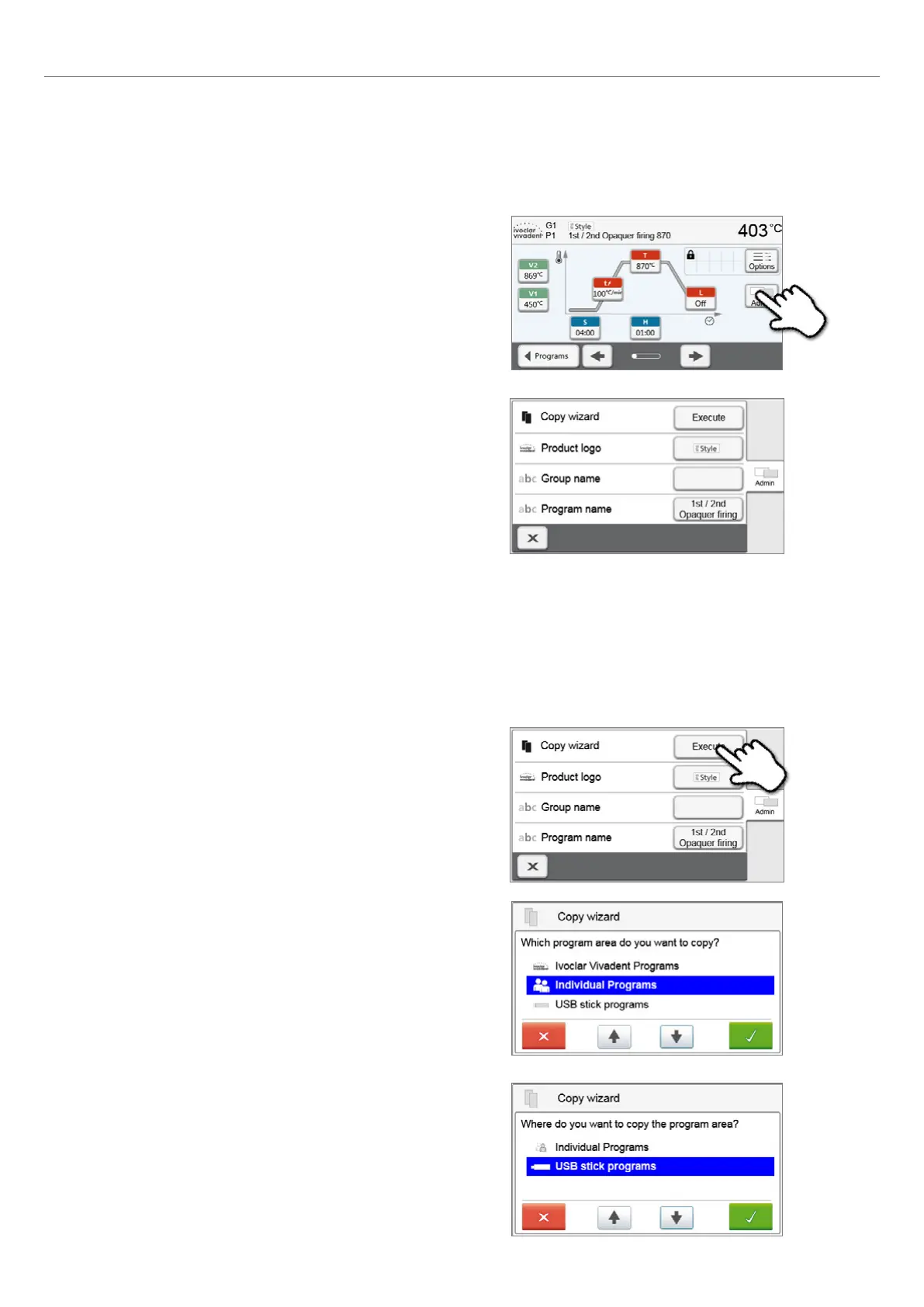
Press the button [Admin] in the program view to open
the managing program menu.
2. Select the items you want to copy.
3. Select target.
The selection can be confirmed with the green button. The red
button is used to close the copy assistant.
5.3.1 Copying programs
With the copy assistant program sectors can be copied. The source and target of the copy process can be selected in the
copy assistant. Programs copied to a USB flash drive can only be opened with this furnace. PrograBase X10 offers the
possibility to copy the programs to other furnaces.
1. Press the corresponding [Execute] button in the Admin
menu.















 To Next Page