47
5.5.2 Information
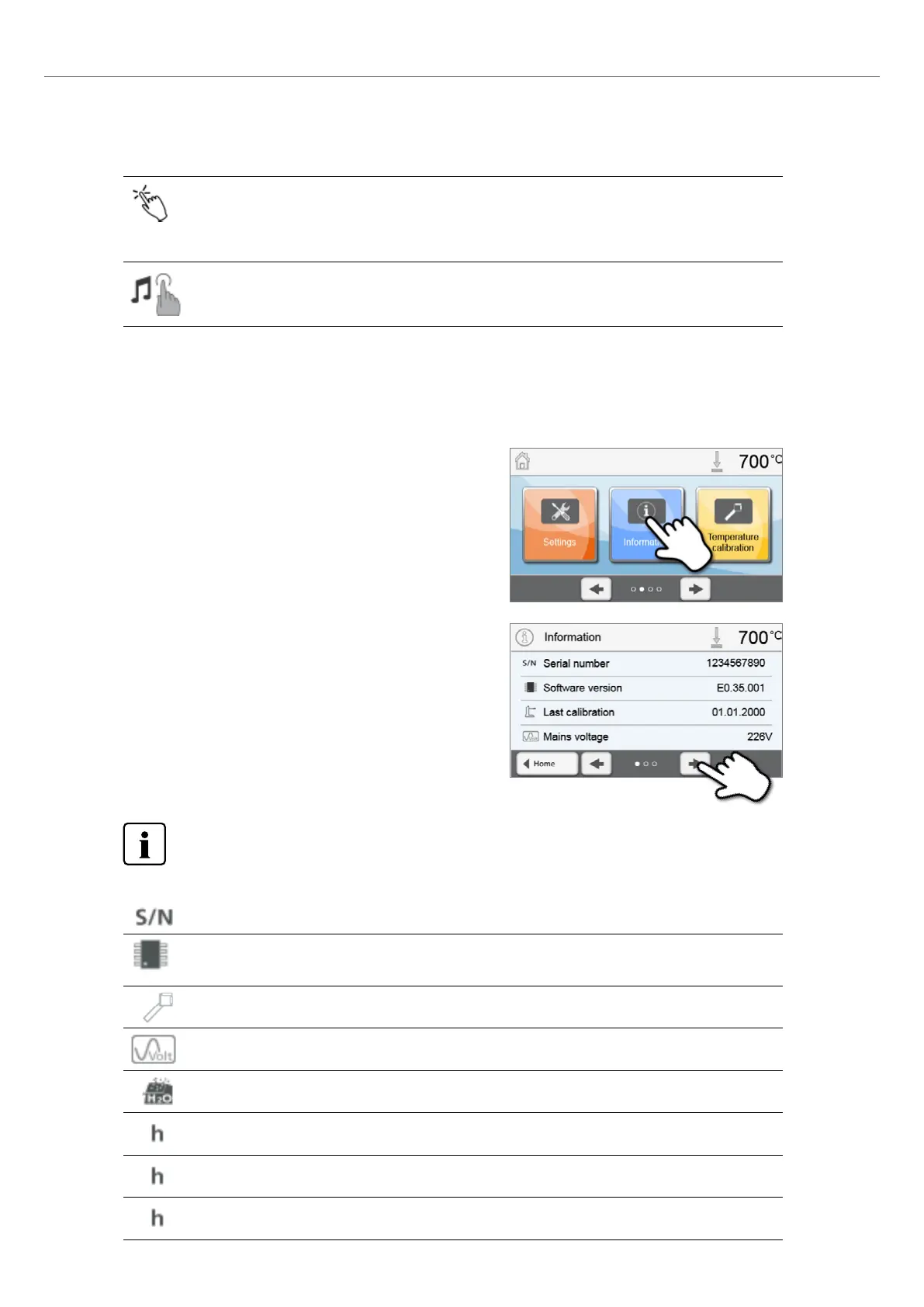
To reach the screen for the furnace information, scroll to page 2 in the home screen and press the [Information] touch
button.
Example: Displaying information
1. Open the information menu.
Scroll to page 2 in the home screen and press the [Information]
button.
2. Read the information.
The information is displayed on several pages. Use the [Arrow]
buttons to scroll to the next information page.
To return to the home screen, press either the [Home] touch button in the navigation bar or the HOME key on
the membrane-sealed keypad.
The following information can be read off:
Serial number
Serial number of the furnace
Software version
Currently installed software version of the furnace. Software updates are available from
www.ivoclarvivadent.com/downloadcenter.
Last calibration
Date of the last calibration
Mains voltage
Currently measured mains voltage
Last dehumidification
Date of the last dehumidification of the furnace
Operating hours
Number of operating hours
Firing hours
Number of firing hours
Vacuum hours
Number of operating hours of the vacuum pump
5. Operation and Configuration
Touch mode
Setting the sensitivity of the touch screen. Select “Special” in case of malfunctions when operating the
touch screen.
Setting option: Normal / Special
Keypad tone
Here, the keypad tone can be activated.
Setting option: On/Off















 To Next Page