50
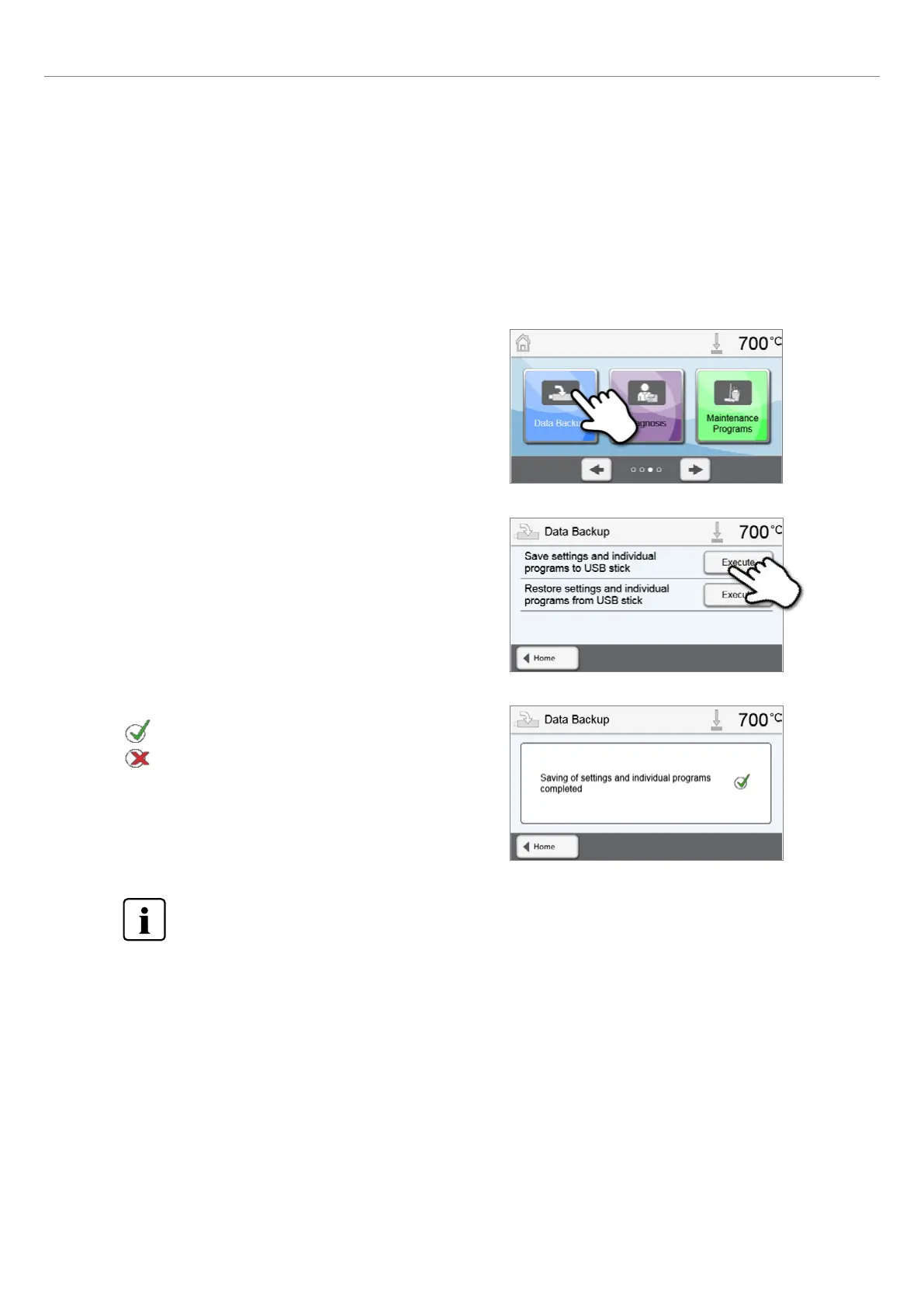
2. Conduct the data backup.
Connect a USB stick to the furnace and press the [Execute] button.
3. Complete the data backup.
Data backup successful
Data backup failed
To return to the home screen, press either the [Home] touch button in the navigation bar or the HOME key on
the membrane-sealed keypad.
5.5.4 Data backup
With the data backup function, individual programs and settings can be backed-up on a USB flash drive. We recommend
using this feature, e.g. before a software update or before sending in the furnace for maintenance purposes.
Moreover, furnace data saved on a USB flash drive can be restored on the furnace. However, restoring only works on the
same furnace with the identical serial number.
The procedure is identical for both functions and requires only few steps:
1. Open the Data Backup menu.
Scroll to page 3 in the home screen and press the [Data Backup]
button.
5. Operation and Configuration















 To Next Page