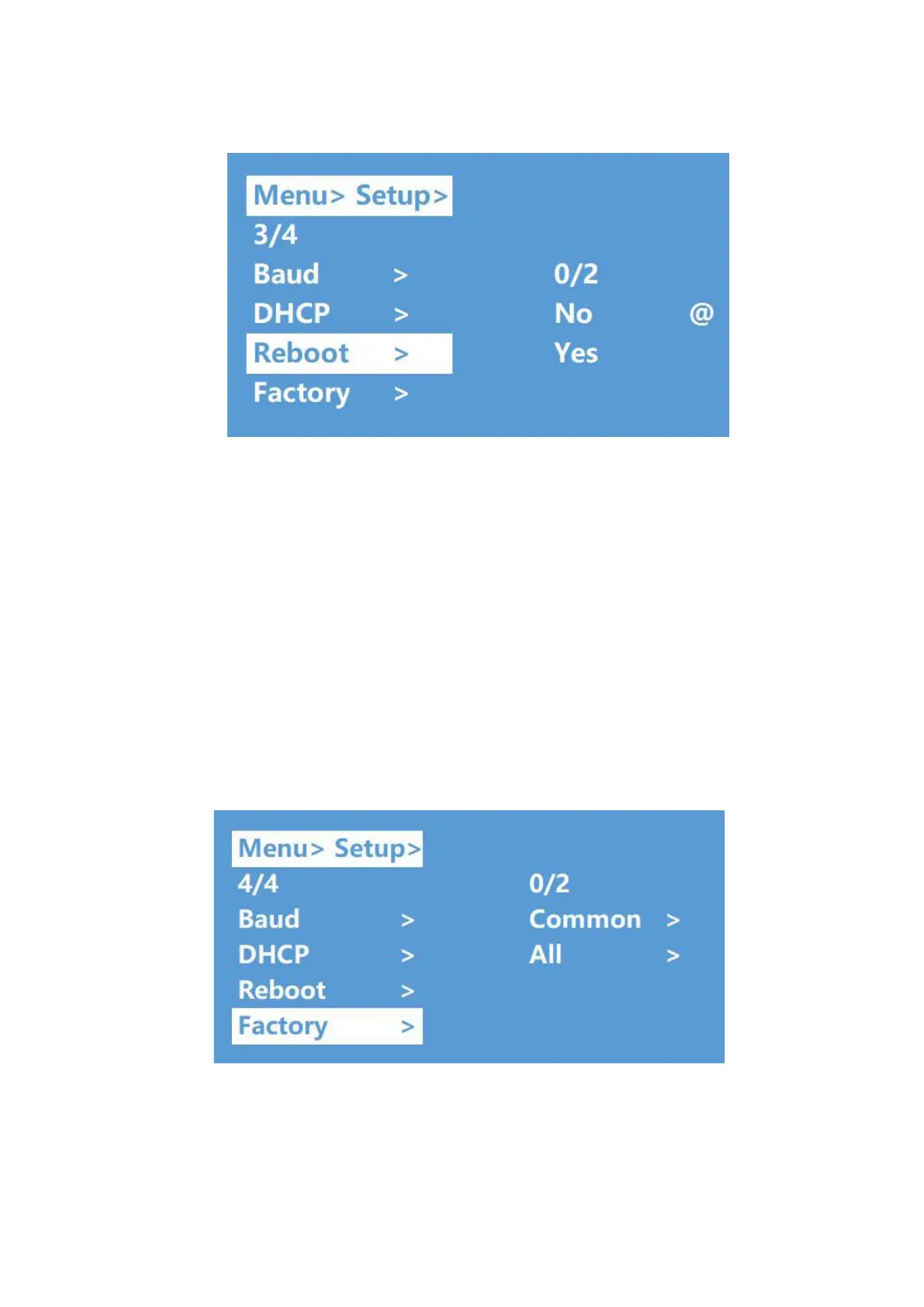
Factory Reset
“Factory Reset” is a function that allows the JTECH-4KM44A to revert back to its initial factory
settings. There are two factory settings:
1. Factory Common: Factory reset for AV routing, EDID, audio line out and de-embed
settings and device setting (IP address can’t be reset with the “Factory Common” reset).
2. Factory All: Factory reset for AV routing, EDID, audio line out and de-embed
settings, device settings, presets and device name.
Example: Factory All Reset
①Select “Setup” in the main menu and press the ”ENTER” button
②Press the “Up and Down” buttons to select “Factory”
③Press “ENTER” to enter the next sub-menu
④Press the “Up and Down” buttons to select “ALL” and press the “ENTER” button
⑤Press the “Up and Down” buttons to select “Yes” and press the “ENTER” button


 To Next Page