14
2.2.1.1 ALARM SETTING
While setting the alarm, if any detector is triggered (e.g. an open window) the system will react (based
on the system configuration) in one of the following ways:
o The control panel will set itself. Triggered detectors will be blocked automatically.*)
o The system will optically indicate triggered detectors with a function button flashing red for
8 seconds and the control panel will set automatically once this period has expired (triggered
detectors will be blocked). *)
o Setting the section with triggered detectors is also possible by pressing the function button
repeatedly. The user must confirm an intention to set the section with a triggered detector
(e.g. an opened window). Otherwise the system will not set.
o A triggered detector will prevent the section from being set. This status is optically indicated
by a function button flashing red. The detector preventing setting will be shown on the LCD
display menu.
*) WARNING: Options a) and b) are not supported by EN 50131, gr.2
(selected control panel system profile).
If a detector with the “Instant zone alarm” reaction is triggered during an exit
delay or if a detector with the “Delayed zone alarm” reaction stays triggered
after the exit delay has expired, then the control panel will unset again.
Unsuccessful setting is indicated by a system indicator flashing yellow, reported
to the ARC and indicated by an external siren (applies to the security Grade 2).
If the control panel is configured to be set without authorization then
it is not necessary to authorize yourself. All you have to do is press a function
button of a particular section. It is also possible to configure the control panel
to be set simply by authorization.
WARNING: Setting without authorization automatically lowers the maximum security level to Grade 1.
Consider all possible risks related to using this function.
Consult the installation with a project consultant or a service technician in order to program the desired
behaviour of the alarm system.
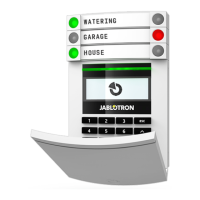
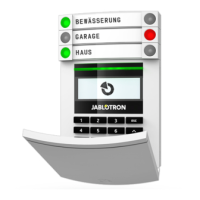
1. Authorize yourself using
the keypad. Function buttons
A, B, C, D will light up and
the system indicator starts
flashing green.
2. Press the function button to set
a particular section.
It is possible to set more sections
subsequently. The delay between
sections selection must not
be longer than 2 seconds.
3. The command is executed
and the keypad acoustically
indicates the exit delay.
The section is set now, only
the detectors with a “Delayed
Zone” reaction provide time
to leave the guarded area during
the Exit delay. The status indicator
and a function button of the set
section will turn red.
2. OPERATING THE JABLOTRON 100
+
SYSTEM









 To Next Page
