5
The number of code combinations depends on the configuration:
Ways to improve protection against guessing the valid code:
a Using a code with more digits (6 or 8-digit codes),
a More advanced types of authorization (such as “Card confirmation with a code”
or “Double authorization”).
Ways of operating the JABLOTRON 100
+
:
On-site:
a System keypad
a System keyfob
a Computer using a USB cable and the J-Link software
Remotely:
a MyJABLOTRON smartphone application
a Computer via the MyJABLOTRON web interface
a Telephone using the voice menu
a Telephone via SMS
a Computer via the internet using the J-Link software
a Dialling-in from an authorized telephone number (only for operating programmable outputs)
2.1 ON-SITE OPERATING
2.1.1 USING THE SYSTEM KEYPAD
JABLOTRON 100
+
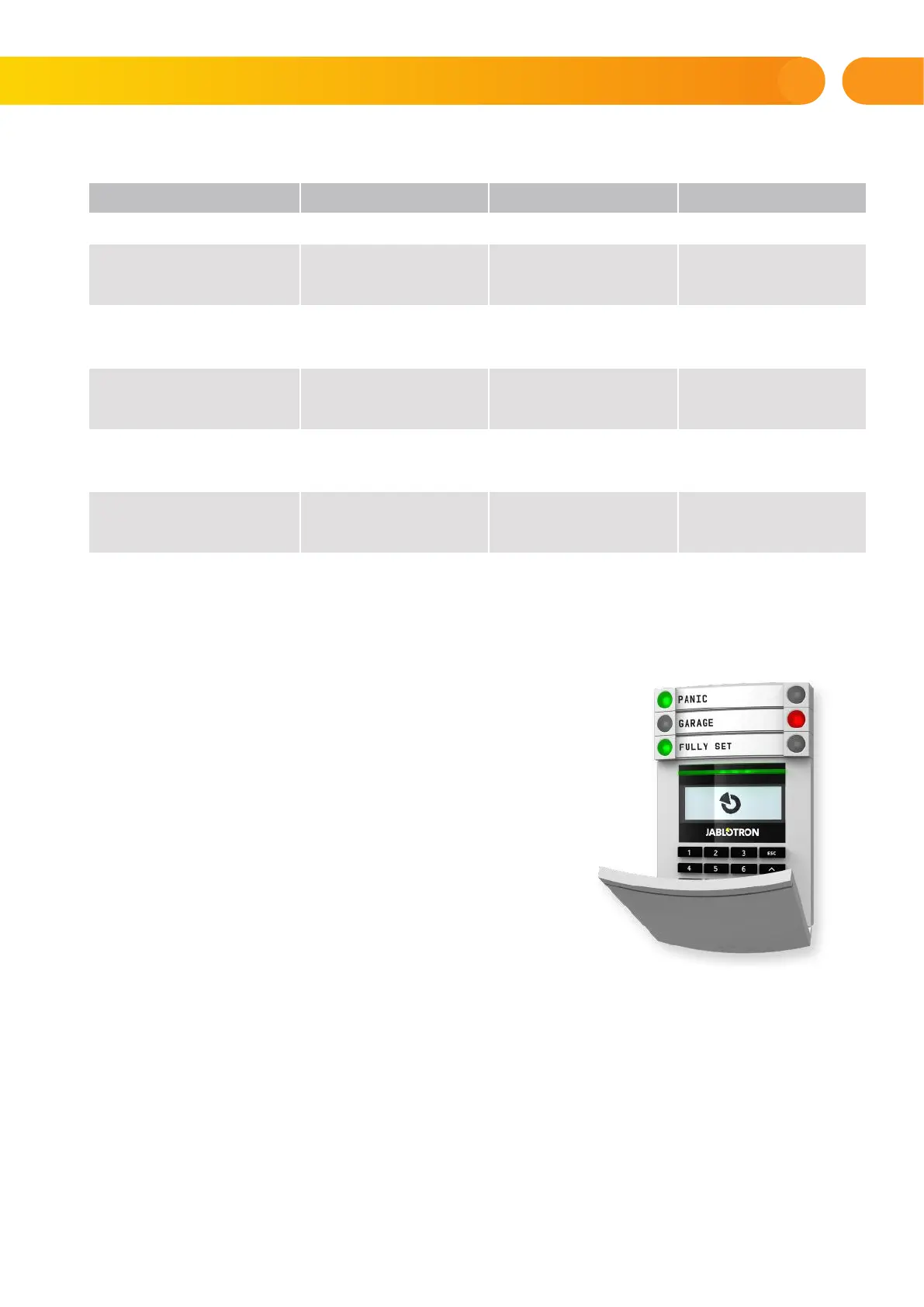
system may be controlled by a variety of access modules which let you not just
control but also display statuses of individual segments. The system can be operated directly (setting
or unsetting the system and other automation functions) using two-button segments on the keypad.
The segment buttons are clearly labelled and coloured (using traffic light logic) so that each segment status
is distinctly indicated. A segment can also be used to indicate a status (e.g. opened garage door)
or to control various automated devices (for example heating or window blinds). The maximum number
of segments is 20 for one access module. A segment can also be set up to call for help in an emergency
(medical or panic alarm).
Control panel parameters 4 DIGITS 6 DIGITS 8 DIGITS
“Code with a prefix” enabled
= 10
4
= (10.000) = 10
6
= (1.000.000) = 10
8
= (100.000.000)
“Code with a prefix”
and “Duress access control”
both disabled
= 10
4
– (Number of users – 1) = 10
6
– (Number of users – 1) = 10
8
– (Number of users – 1)
“Code with a prefix” disabled;
“Duress access control”
enabled
≤ 10
4
– ((Number of users – 1) * 3) ≤ 10
6
– ((Number of users – 1) * 3) ≤ 10
8
– ((Number of users – 1) * 3)
Using only an RFID card with
a range of 14 characters
(6 constant + 8 variable)
= 10
8
= (100.000.000) = 10
8
= (100.000.000) = 10
8
= (100.000.000)
“Code with a prefix” and
“Card confirmation with
a code” both enabled
= ( 10
8
* 10
4
) = 10
12
=
(1.000.000.000.000)
= (10
8
* 10
6
) = 10
14
=
(100.000.000.000.000)
= (10
8
* 10
8
) = 10
16
=
(1.000.000.000.000.000)
“Code with a prefix” disabled;
“Card confirmation with
a code” enabled
= 10
8
* (10
4
– (Number of users
– 1))
= 10
8
* (10
6
– (Number of users
– 1))
= 10
8
* (10
8
– (Number of users
– 1))
2. OPERATING THE JABLOTRON 100
+
SYSTEM









 To Next Page