JAKA Zu
®
7 - V1.1 13
③ Use before performing a risk assessment ;
④ Use where the rated performance levels are insufficient ;
⑤ Operation outside the permissible operating parameters.
1.7 Emergency Stop
When an emergency occurs, press the emergency stop button to stop all movement of the robot immediately.
Emergency stop cannot be used as a risk reduction measure, but as a secondary protective device.
1.8 Movement without Drive Power
In the unlikely event of an emergency situation where robot power is either not possible or unwanted, the
robot joint can be forced to move in two ways:
1. Forced manual drive: By pushing or pulling the robot arm, it can force the joint to rotate. The brake of
each joint has a friction clutch. When the joint is subjected to a torque greater than the friction torque of the
friction clutch (about 715 Nm for large joints and 150 Nm for small joints), the joint rotates.
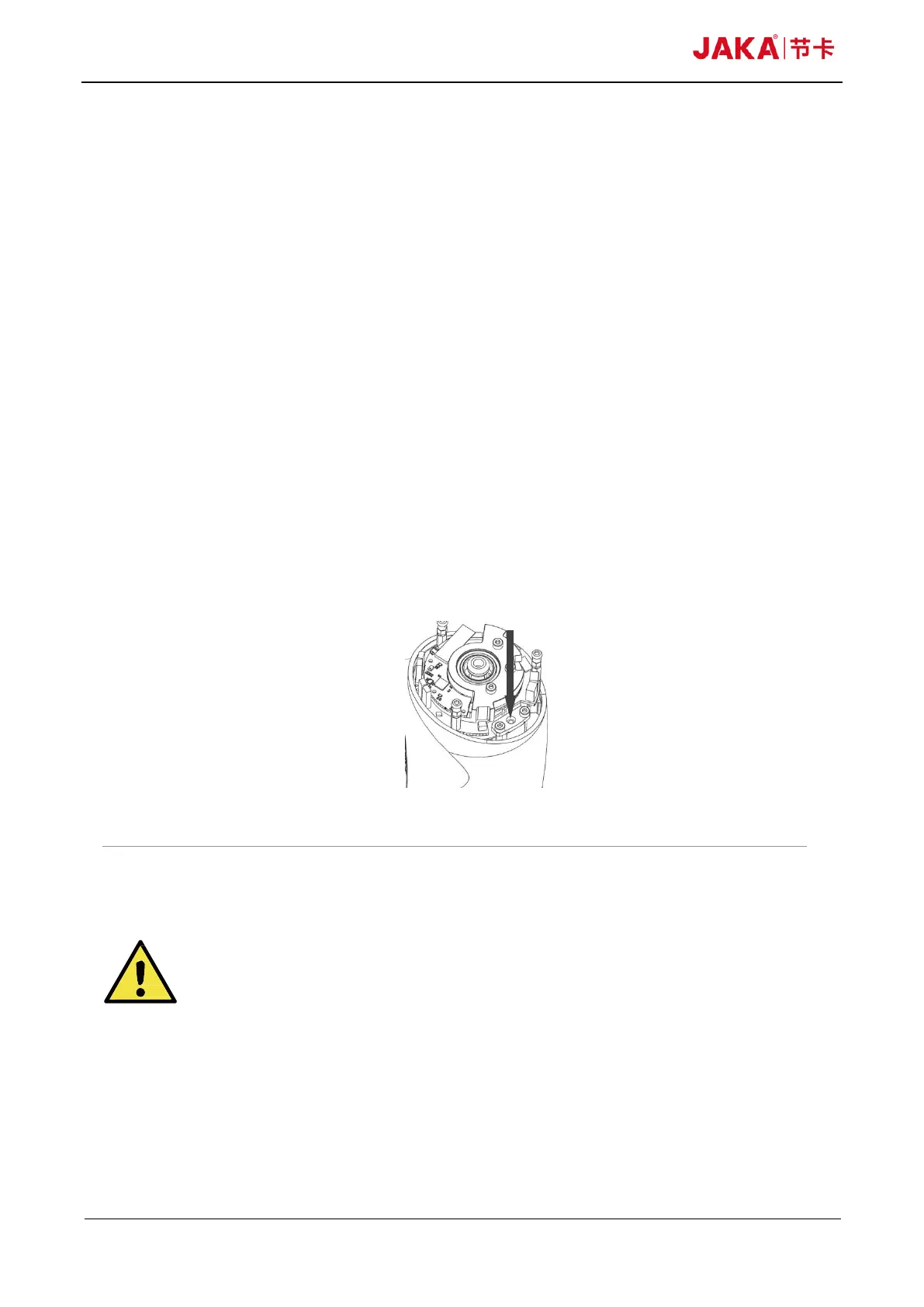
2. Manual brake release: Remove the joint cover by removing the M3 screws (four for big joints and three
for small joints) that fix it. Press the plunger on the small electromagnet (shown below) to release the brake.
Fig 1-1
WARNING:
1. Moving the robot arm manually is intended for urgent emergencies only
and might damage the joints.
2. If the brake is released manually, gravitational pull can cause the robot
arm to fall. Always support the robot arm, tool and work item when releasing
the brake.



 To Next Page