JAKA Zu
®
7 - V1.1 41
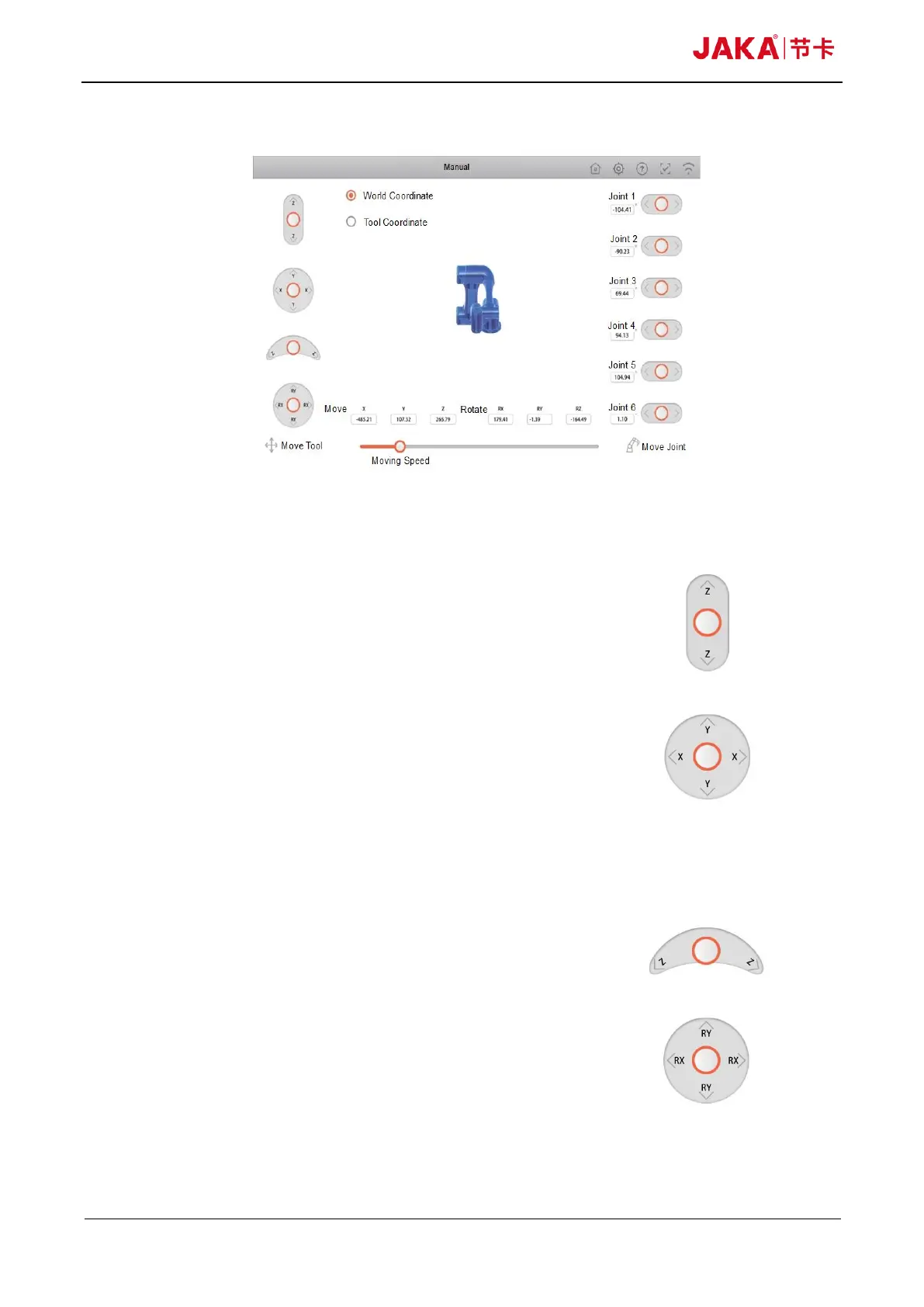
10.2 Manual Operation Page
Fig 10-3
10.2.1 Page function instructions
Move tabs
In this interface, the robot can be directly moved by means of
using moving tools or moving the joints.
Moving tools
•Free-drive virtual handle (As shown in Fig 10-4). Turn this
handle according to the indicated direction. The rotation point is
the tool center point (TCP), which is at the end of the robot and
provides the feature points of the robot tool.
Fig 10-4
•Operation rotary virtual handle (As shown in Fig 10-5). Turn
this handle according to the indicated direction. The rotation point
is the tool center point (TCP), which is at the end of the robot and
provides the feature points of the robot tool.
Fig 10-5
Note: It can stop dragging the rocker at any time to make the
robot stop moving.



 To Next Page