86
GridVis
®
Collector www.janitza.de www.janitza.de GridVis
®
Collector
Step 2
· Connect the GridVis
®
Collector to the network in
which the GridVis software is running.
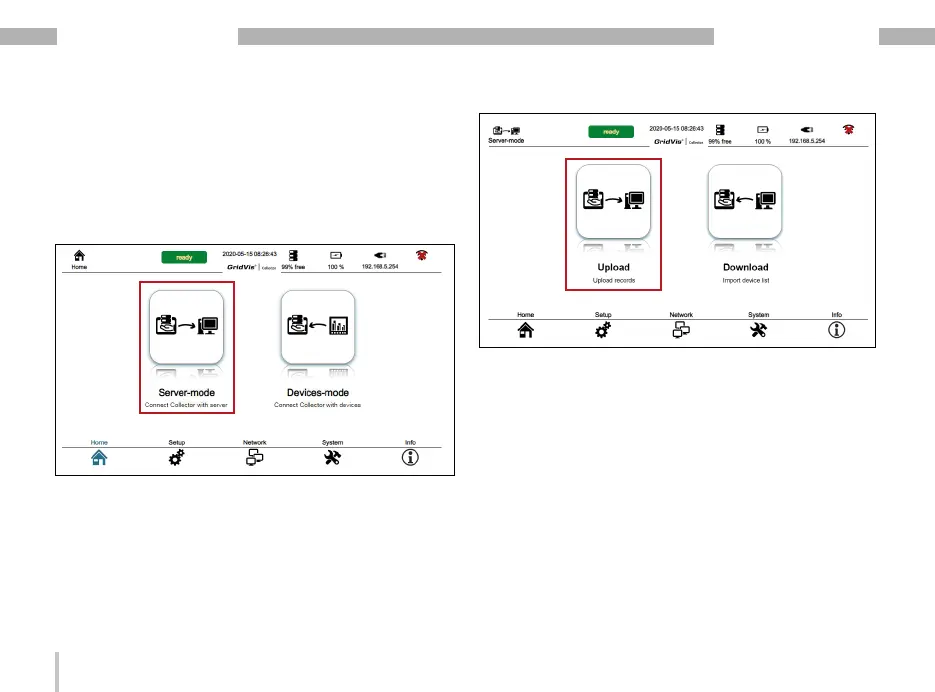
· In the GridVis
®
Collector, open the “Server mode"
by pressing the button.
· In server mode, press the "Upload" button.
· The data of the GridVis
®
Collector are subsequently
synchronized with the GridVis software. Depending
on the number of measurement devices to be syn-
chronized, this process may take several minutes.
· After successful synchronization you will find the
data in the GridVis software in the folder “Historical
values".


 To Next Page