44
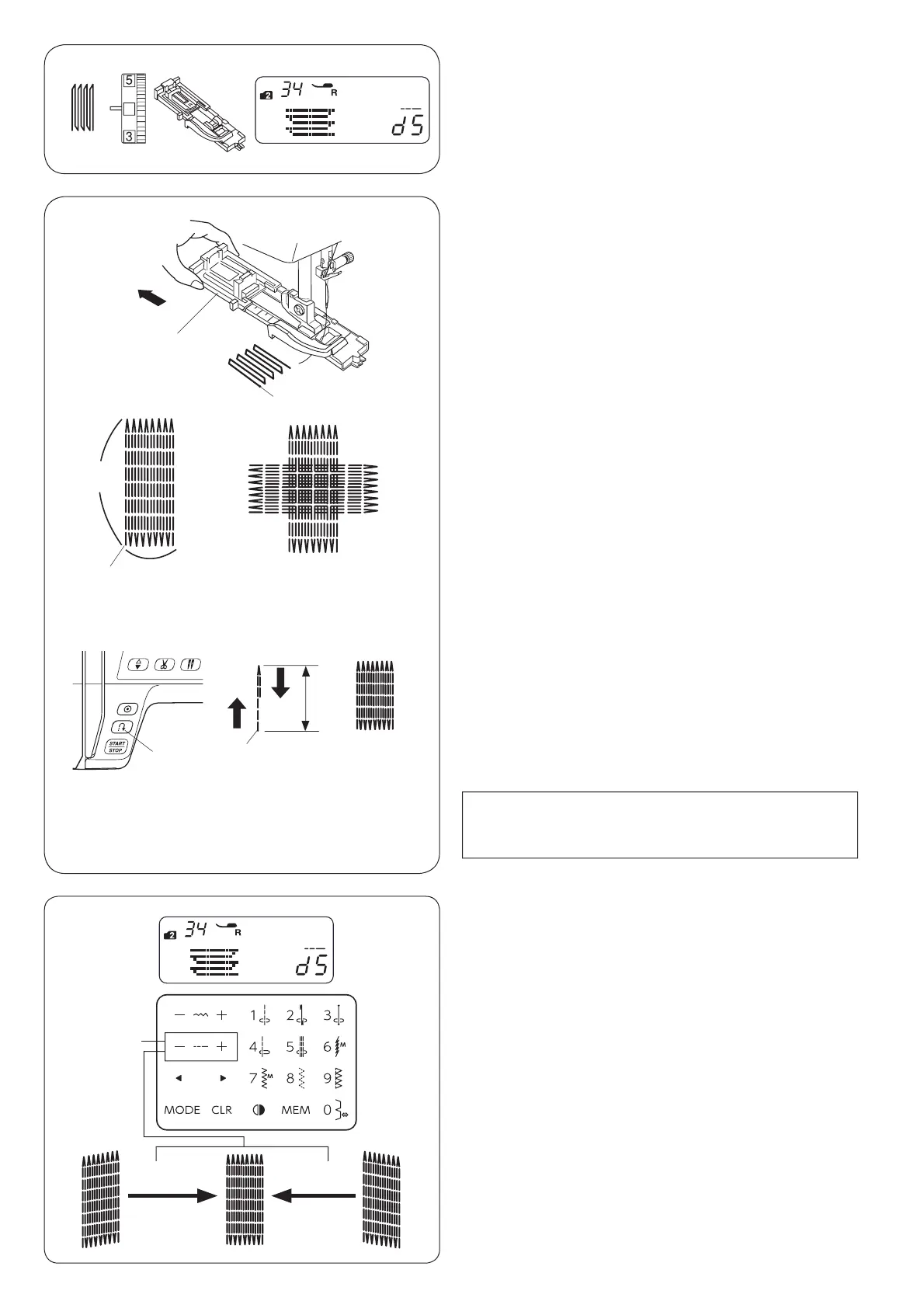
Darning Stitch
q6WLWFKSDWWHUQ 02'(
w Thread tension dial: 3 to 6
e Presser foot: Automatic buttonhole foot R
q
w
e
r
w
y
u
z
x
c
v
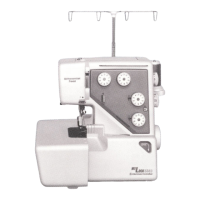
Sewing a shorter darning
7RVHZDGDUQLQJVKRUWHUWKDQßFPÀUVWVWRSWKH
PDFKLQHDIWHUVHZLQJWKHUHTXLUHGOHQJWKy, then press
the reverse button t.
7KHUHTXLUHGOHQJWKy has been determined.
6WDUWWKHPDFKLQHDJDLQDQGFRQWLQXHVHZLQJXQWLOWKH
machine stops automatically.
t Reverse button
y5HTXLUHGOHQJWK
u 6WDUWLQJSRLQW
Sewing a same-sized darning
6LPSO\VWDUWWKHPDFKLQHWRVHZDQRWKHUGDUQLQJDWWKH
same size.
NOTE:
To reset the size of the darning, select the other stitch
pattern and reselect the darning stitch.
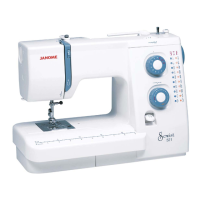
Adjusting the evenness of darning
Correct the evenness of the darning as follows:
“d5” is the default setting value.
When the right side of the darn is lower than the left side,
SUHVVWKH´µVLJQRQWKHVWLWFKOHQJWKDGMXVWLQJNH\q to
set the value to “d6” to “d9”, and make the darn even.
When the left side of the darn is lower than the right side,
SUHVVWKH´²µVLJQRQWKHVWLWFKOHQJWKDGMXVWLQJNH\q to
set the value to “d1” to “d4”, and make the darn even.
q6WLWFKOHQJWKDGMXVWLQJNH\
Starting to sew
z Attach the automatic buttonhole foot R and pull the
button holder q all the way out.
Draw the needle thread to the left through the hole of
foot.
q Button holder
x Place the fabric under the foot, and lower the needle
at the starting point w. Then lower the foot.
w6WDUWLQJSRLQW
c 6WDUWWKHPDFKLQH7KHPDFKLQHZLOOVHZORFNLQJ
stitch, 16 rows of darning, locking stitch again and
stop automatically.
v Turn the fabric and repeat sewing in different direction.
eßFP
rßFP
4
weq
t
+–
q


 To Next Page