62
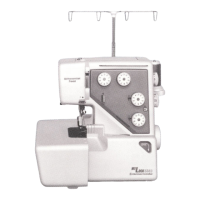
Programming Auto-thread Cutting
Example: Auto-thread Cutting with Patterns 73 and
82 (mode 3)
z Refer to procedure z to b on “Pattern Combination”
on page 61 to enter the stitch patterns 73 and 82 in
mode 3.
x Press and hold the thread cutter button until the
thread cutter mark appears on the LCD display.
q Thread cutter button
w Thread cutter mark
c 6WDUWVHZLQJ$SDWWHUQFRPELQDWLRQVHULHVZLOO
be sewn and the machine will trim the threads
automatically after locking stitch.
z x c
q
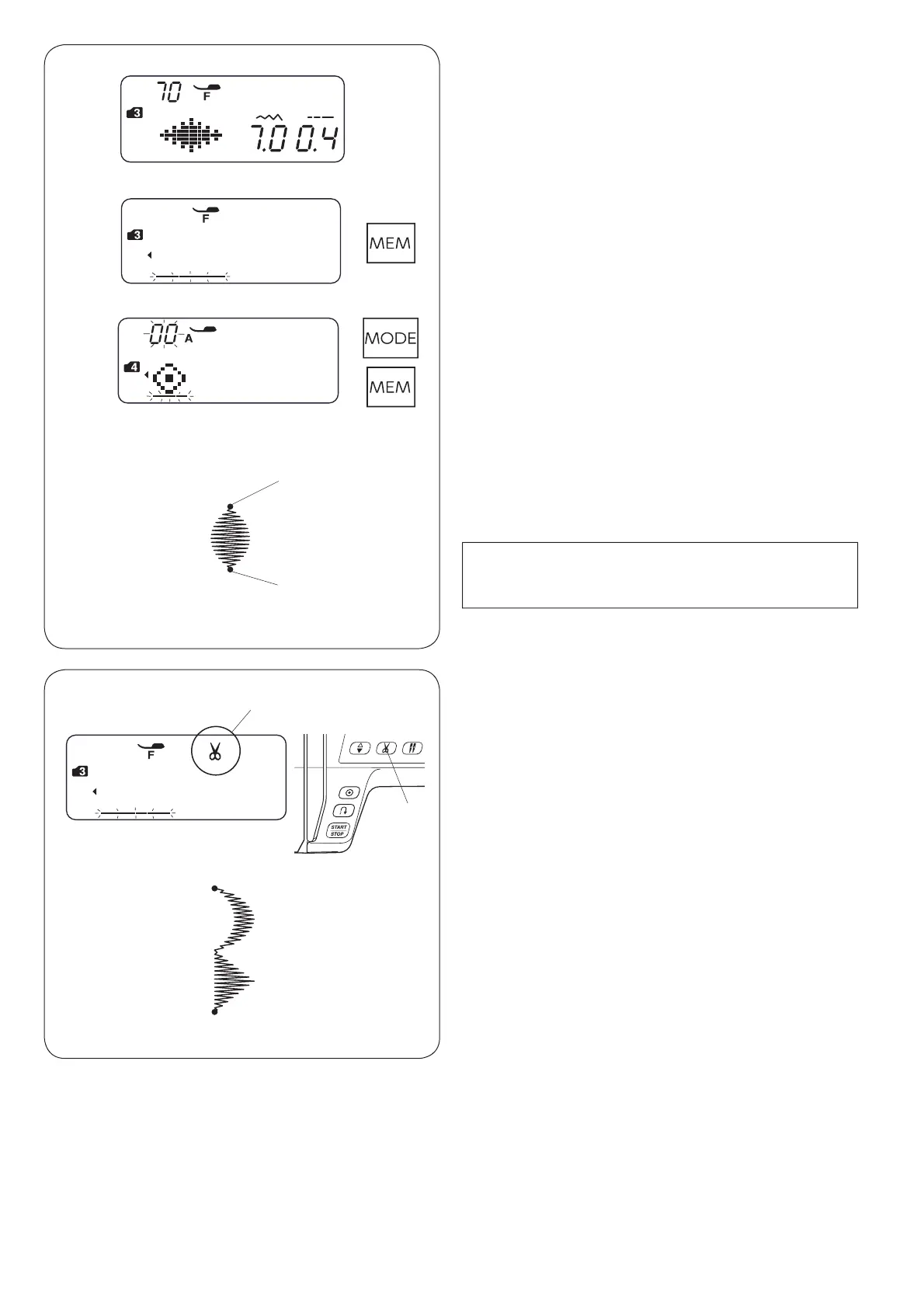
Programming the Auto-lock Stitch
Example: Pattern 70 (mode 3)
z 6HOHFWSDWWHUQLQPRGH
Press the memory key.
x Press the mode key.
6HOHFWSDWWHUQLQPRGH
Press the memory key.
c Place the fabric and sew.
The machine will sew a locking stitch q, stitch pattern
70, locking stitch w and stop.
q Initial locking stitch
w End locking stitch
z
x
c
q
w
NOTE:
The locking stitch at the beginning q is
pre-programmed.
w


 To Next Page