72
Individual Stitch Adjustment
7KHVWLWFKZLGWKDQGOHQJWKFDQEHLQGLYLGXDOO\DGMXVWHG
for each pattern in a programmed combination.
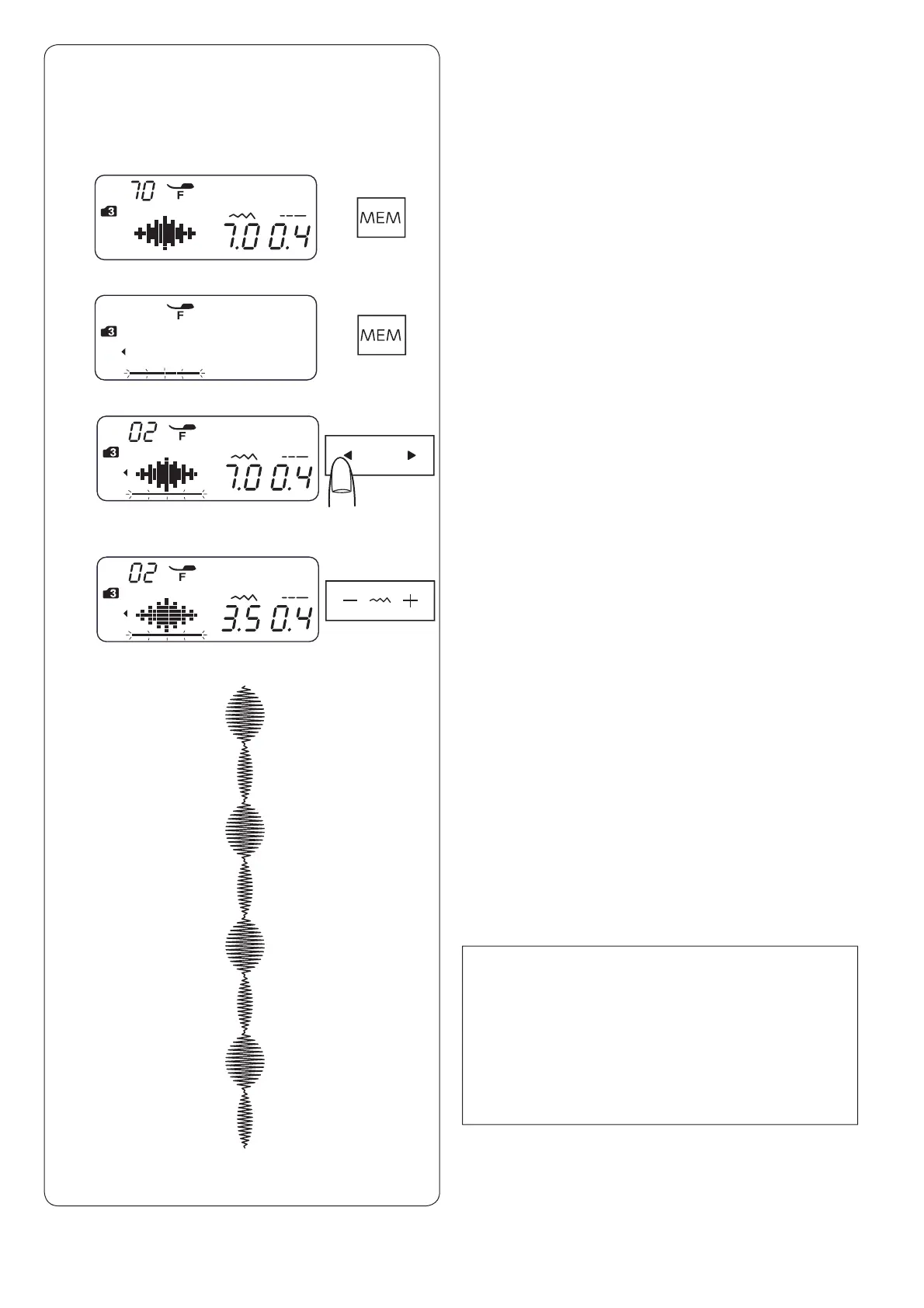
Example: Changing the stitch width of the one pattern in
the combination
NOTE:
To view the stitch settings of each pattern, shift the
cursor under the desired pattern then press the stitch
ZLGWKRUOHQJWKDGMXVWLQJNH\7KHVHWWLQJVZLOOEH
displayed at the bottom of the LCD screen.
,I\RXSUHVVWKHVWLWFKZLGWKRUOHQJWKDGMXVWLQJNH\
when the cursor is to the right of the last programmed
SDWWHUQLQGLYLGXDODGMXVWPHQWVZLOOEHFDQFHOOHGDQG
XQLIRUPDGMXVWPHQWZLOOEHDSSOLHG
c
v
z 6HOHFWSDWWHUQLQPRGH
Press the memory key.
x Press the memory key again.
c Press the cursor key to shift the cursor under the
second pattern.
b
x
v 3UHVVWKHVWLWFKZLGWKDGMXVWLQJNH\WRDGMXVWWKHZLGWK
to “3.5”.
b Press the start/stop button.
The machine will sew the pattern combination.
The stitch width of the second pattern in the
FRPELQDWLRQLVDGMXVWHG
z


 To Next Page