AAA-055-00138 Rev. 1/14/15
Jaylor Owner Manual - 19 - Mini Mixer Models
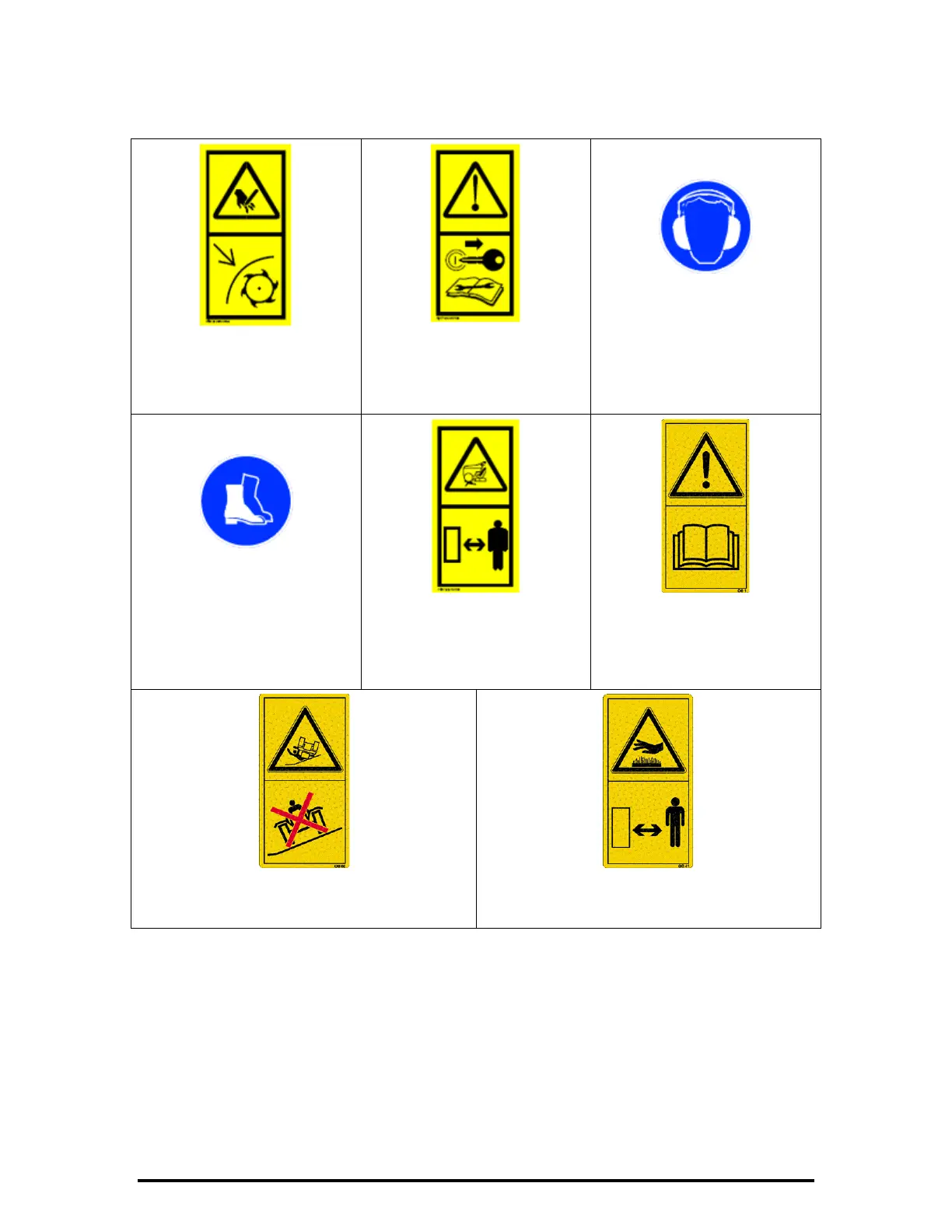
Figure 10 - ‘Rotating Auger
Hazard and Rotating Knives’
Decal
Figure 11 - ‘Remove Ignition
Key Before Servicing,
Maintaining, or Adjusting
the Vertical Mixer’ Decal
Figure 12 - ‘Wear Ear
Protective Gear When
Operating the Vertical Mixer’
Decal
Figure 13 - ‘Wear Safety
Boots When Operating,
Servicing, Maintaining, or
Adjusting the Vertical Mixer’
Decal
Figure 14 - ‘Keep Safe
Distance From Machine and
Keep Children Out or Range’
Decal
Figure 15 - ‘Read Manual
Before Operating,
Maintaining, or Adjusting
the Vertical Mixer’ Decal
Figure 16 - ‘Do NOT Drive on Steep Slopes’
Decal
Figure 17 - ‘Keep Safe Distance From Hot
Surfaces’ Decal
REMEMBER – If Safety Signs have been damaged, removed, become illegible, or parts replaced
without signs, new signs must be applied. New signs are available from your
authorized dealer or distributor.
9.5 How to Install Safety Signs
• Be sure that the installation area is clean, dry and is above 10°C (50°F).
• Remove the smallest portion of the split backing paper.
• Align the sign over the specified area and press the small sticky portion in place.
• Peel back the remaining paper and smooth the remaining portion of the sign in place.


 To Next Page