EasyManua.ls Logo

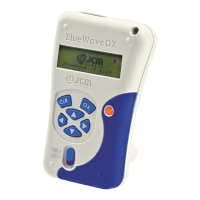
JCM GLOBAL BlueWaveDX - User Manual

JCM GLOBAL BlueWaveDX
32 pages
Print Icon
To Next Page IconTo Next Page
Loading...
© 2013, Japan CashMachine Co., Limited
Support: http://www.jcmglobal.com/en/contact/default.aspx Web-Site: http://www.jcmglobal.com
Issue #4033-IGE-01-01
DT-300
Series
Download Tool
Operator Integration Guide
Revision 1, April 1, 2013
P/N 960-000167R_Rev. 1 {EDP #214645}

Table of Contents

Question and Answer IconNeed help?

Do you have a question about the JCM GLOBAL BlueWaveDX and is the answer not in the manual?

Summary

Precautions

Specifications

Installation

DIP Switch Setting

Functions

USB Cable Connection

Operation Procedures (MainApplication)

Firmware Update Function

Steps to update the validator's firmware using the DT-300 and an SD card.

Statistics Function

How to review the total Acceptance Log from a validator using the DT-300 device.

Error Message Function

Procedure to receive and display error conditions from the validator.

Version Check Function

Steps to obtain and display the Version, CRC, and Serial Number of the validator.

Acceptance Log Function (Limited)

Operation Procedures (Bootloader)

DT-300 Firmware Update

Steps to update the DT-300 device's firmware using an SD card.

DT-300 EEPROM Update

Procedure to update the EEPROM data within the DT-300 device using an SD card.

Power Management

Connector Pin Assignments

Compatibility

Error Codes

JCM GLOBAL BlueWaveDX Specifications

General IconGeneral
BrandJCM GLOBAL
ModelBlueWaveDX
CategoryTools
LanguageEnglish

Related product manuals