P/N 960-000167R_Rev. 1 {EDP #214645} © 2013, Japan CashMachine Co., Limited
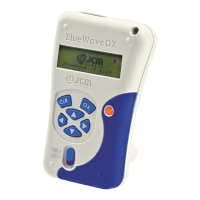
DT-300™ Series
Operator Integration Guide
Table of Contents
Page
TOC
1 GENERAL INFORMATION......................................................................................1
Description.......................................................................................................................... 1
DT-300 Device ....................................................................................................................
1
2 COMPONENT NAMES ............................................................................................2
3 PRIMARY FEATURES.............................................................................................2
4 PRECAUTIONS........................................................................................................
3
User Cautions ................................................................................................................................. 3
5 SPECIFICATIONS....................................................................................................4
Technical Specifications ...................................................................................................... 4
Environmental Specifications .............................................................................................. 4
Electrical Specifications ...................................................................................................... 4
Structural Specifications...................................................................................................... 4
6 INSTALLATION .......................................................................................................5
Battery Installation .............................................................................................................. 5
SD Card Installation ............................................................................................................5
Installation to a PC or a Card Reader ............................................................................................. 5
SD Card Installation Into a DT-300 ...............................................................................................
.. 5
DIP Switch Setting ..............................................................................................................6
Functions ..........................................................................................................................
.. 6
Bootloader....................................................................................................................................... 6
MainApplication (Normal Mode).......
............................................................................................... 6
Boot Mode........................................................................................................................... 6
Authentication ...................................................................................................................
.. 6
USB Cable Connection....................................................................................................... 6
Operation Procedures
(MainApplication) ................................................................................................................
6
Firmware Update Function.............................................................................................................. 6
Statistics Function ...............................................................................................................
............ 7
Reviewing an Acceptance Log (Total)........................................................................................... 7
Display the Acceptance Log .......................................................................................................
.. 8
Enabling a Denomination Function............................................................................................... 8
Error Message Function ................
............................................................................................... 9
Version Check Function...........................................................................................................
..... 9
Maintenance Function .............................................................................................................
..... 9
Acceptance Log Function (Limited) .....................
....................................................................... 10
Display the Number of the Banknote Acceptance Log ............................................................... 10
Language Function ...............................................................................................................
...... 11
Operation Procedures
(Bootloader) ......................................................................................................................
.11
DT-300 Firmware Update.............................................................................................................. 11
DT-300 EEPROM Update .............................................................................................................
11
Power Management.......................................................................................................... 12
Monitoring Battery Charge Level .................................................................................................. 12
Battery Condition Display........................................................................................................
...... 12
Sleep Mode......................................................................................................................
............. 12
Backlight Control.................................................................................................................
.......... 13
Software Data File .................
....................................................................................................... 13
Received Log File ...............................................................................................................
.......... 13
Firmware File ...................................................................................................................
............. 13



 To Next Page