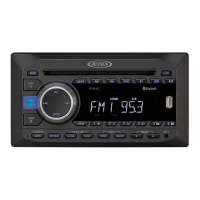
Need help?
Do you have a question about the Jensen MP1516 and is the answer not in the manual?
Warning to stop the vehicle before any operation that could interfere with driving.
Do not disassemble or modify; avoid moisture and water.
Use standard discs only and operate within temperature limits.
Use only fuses with the same amperage rating to prevent damage or fire.
Lists the main functionalities and capabilities of the audio system.
Details on playing CDs, MP3, WMA, USB, and SD card media.
Information on connecting and operating iPod and iPhone devices.
Ensure professional installation for warranty validation.
Disconnect battery, proper grounding, and correct wiring connections.
Correct speaker connection and power/impedance requirements.
Secure wiring, avoid hot areas, protect insulation, and prevent shorts.
Details on connecting power, remote control, and antenna signals.
Ensuring a good chassis ground for noise reduction and proper connection.
Lists necessary tools and supplies for installation, not included.
Advises seeking professional help for complex installations like panel removal.
Steps to remove the outer trim frame before accessing the unit.
Insert keys to release the unit from the dashboard mount.
Procedure to mark speaker wire polarity for correct connection.
Advice on mounting location, temporary connections, and angle for optimal performance.
Describes the two primary methods for installing the unit in the dashboard.
Remove screws securing the unit during transport before installation.
Specifies the dashboard opening needed for a DIN front mount installation.
Steps to insert and secure the mounting sleeve into the dashboard opening.
Bending tabs on the mounting sleeve to ensure a firm fit.
Attaching wires and sliding the radio into the dashboard.
Using the supplied bolt and bar to support the radio from the rear.
Using side screw holes for installation with existing brackets.
Aligning and tightening screws to fix brackets to the car.
Connecting unit wires to existing speaker wires using the diagram.
Instructions on how to detach the faceplate using the release button.
Keep the detached faceplate in its protective case.
Guide on properly inserting the faceplate back into the housing.
Advice on cleaning, handling, and avoiding damage to the faceplate.
Diagram and list of connections for ISO-connector A and B.
Proper grounding and connecting the yellow memory backup wire.
Connecting the blue remote wire and white panel light wire.
Guidelines for connecting speakers, including impedance and bridging.
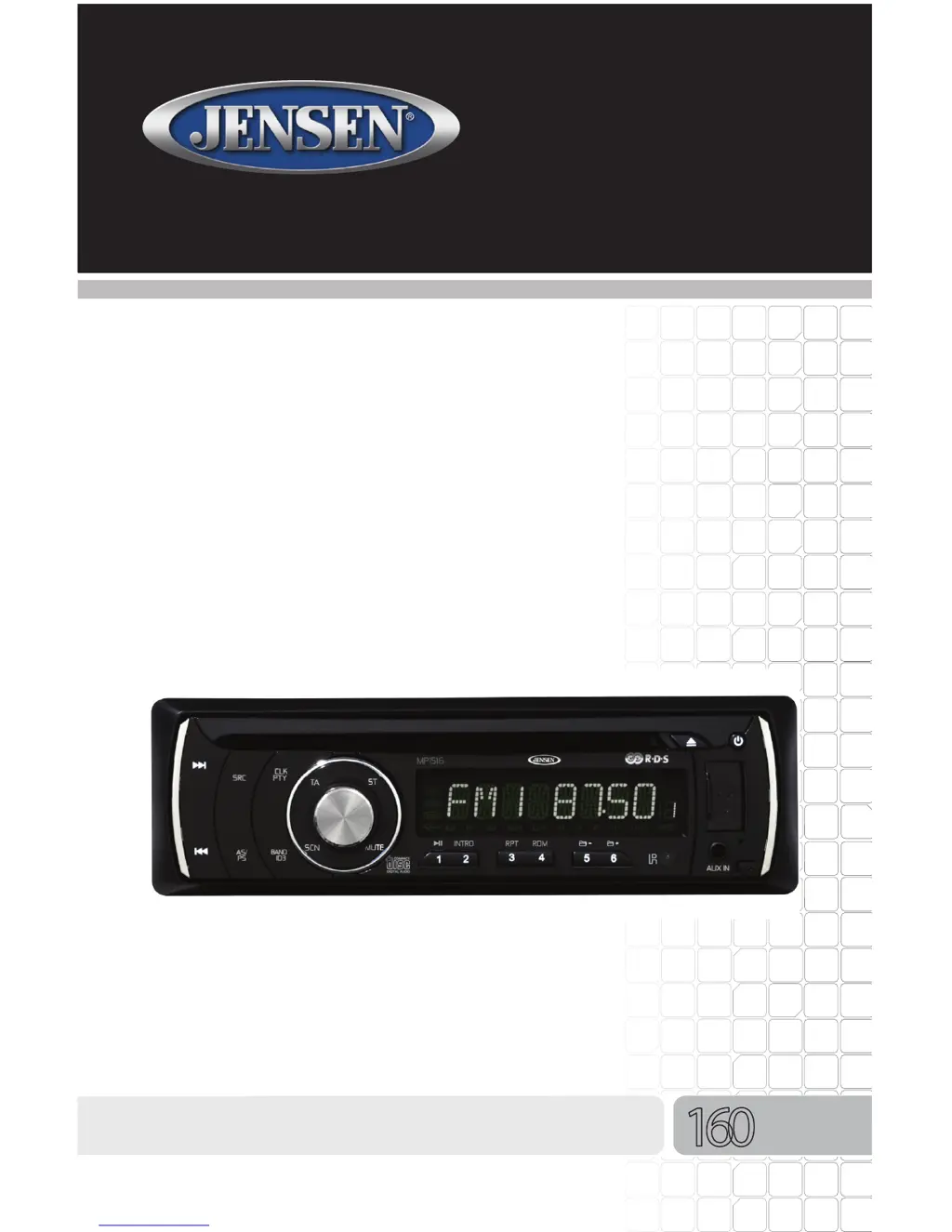
Explains functions of buttons like Next Track, SRC, CLK/PTY, TA, Volume/SEL.
Details on Stereo, Eject, Power, USB, Aux, and Remote Receiver functions.
Functions for Random, Repeat, Intro, Pause/Play, Mute, Scan, and Band selection.
Using AS/PS for presets and Scan functions.
Explains SD Card Slot and Reset Button functions.
Introduces the remote control and its CR-2025 battery.
Steps for replacing the battery in the remote control.
Guidance on pointing the remote and operating it within range.
Functions for selecting radio bands and tuning stations or tracks.
How to adjust volume and mute audio using the remote.
Using PTY for program types and SEL for sound adjustments.
Functions for Repeat, Random, Pause/Play, and Preset Memory buttons.
Details on AF, TA, Clock, APS, and Mode selection.
Function of the Power On/Off button on the remote.
Instructions for turning the audio system on and off.
How to switch between radio, auxiliary, disc, USB, and SD modes.
Steps for adjusting volume and muting the audio.
Accessing and adjusting audio settings like Loudness, Bass, and Treble.
Adjusting the audio balance between left/right and front/rear speakers.
Procedure for setting the current time on the unit.
How to turn the preset confirmation beep sound on or off.
Selecting equalizer presets like POP, ROCK, JAZZ, CLASSIC, or OFF.
Switching between FM1, FM2, FM3, AM1, and AM2 bands.
Tuning to specific radio frequencies within a band.
Using SEEK buttons for manual frequency adjustment and auto-tuning.
Switching between Mono and Stereo reception for better signal quality.
Adjusting reception sensitivity for local or distant stations.
Storing favorite radio stations and scanning saved stations.
Automatically scanning and saving strong radio stations.
Explanation of RDS/RBDS features for station information.
Using AF to automatically tune to stronger signals of the same station.
Enabling TA to receive traffic announcements and temporarily switch to tuner mode.
Searching for stations based on music or speech program types.
How PTY search works and how to turn it off.
Options for masking different program information (DPI) or all signals.
Setting the duration for automatic TA search.
Procedures for inserting and removing discs from the player.
Navigating tracks, fast forward/reverse, and pausing playback.
Using Intro scan, Repeat, and Random functions for track playback.
How playback starts and ID3 tag information is displayed.
Moving between folders and using search modes for MP3/WMA files.
Unit's ability to read multi-session CDs.
How ESP protects playback on rough roads for CDs and MP3/WMA files.
Specifies compatible disc types, size, and recorded material.
Warnings against irregular discs, sticking items, or using dirty/scratched discs.
Information on recordable and rewritable CDs, including finalization.
Requirements for MP3 file naming and format (ISO9660).
Proper method for cleaning discs using a cleaning cloth.
Precautions against using discs with glue, ink, labels, or touching the surface.
Locating the USB input cover on the faceplate.
Steps to connect a USB device and select USB mode.
How MP3/WMA files are played from USB drives, including folder structure.
Removing the faceplate to access the SD memory card slot.
Steps for inserting an SD card and playing MP3 files.
Notes on SD/MMC card size limits and formatting (FAT32).
How MP3/WMA files are played from SD cards, including folder structure.
Instructions for connecting iPod/iPhone devices using the original cable.
How to play, pause, and browse content on connected iPod/iPhone.
Procedure for safely ejecting an iPod or iPhone.
Output power, signal-to-noise, and frequency response details.
Technical details for the CD player function.
Tuning range, sensitivity, and separation for FM reception.
Tuning range, sensitivity, and frequency response for AM reception.
Input sensitivity, general power, temperature, fuses, and dimensions.
Solutions for when the unit does not power on, including fuse checks.
Troubleshooting steps for discs that won't load or play correctly.
Solutions for no sound or sound skipping problems.
Addressing sound skips related to installation angle or disc condition.
Solutions for when control keys do not respond, including reset.
Troubleshooting issues with the radio or automatic station selection.
Proper methods and materials for cleaning the front panel.
Instructions and warnings for replacing the unit's fuse.
List of common replacement parts with their part numbers.
 General
| Brand | Jensen |
|---|---|
| Model | MP1516 |
| Category | Car Stereo System |
| Language | English |

 To Next Page