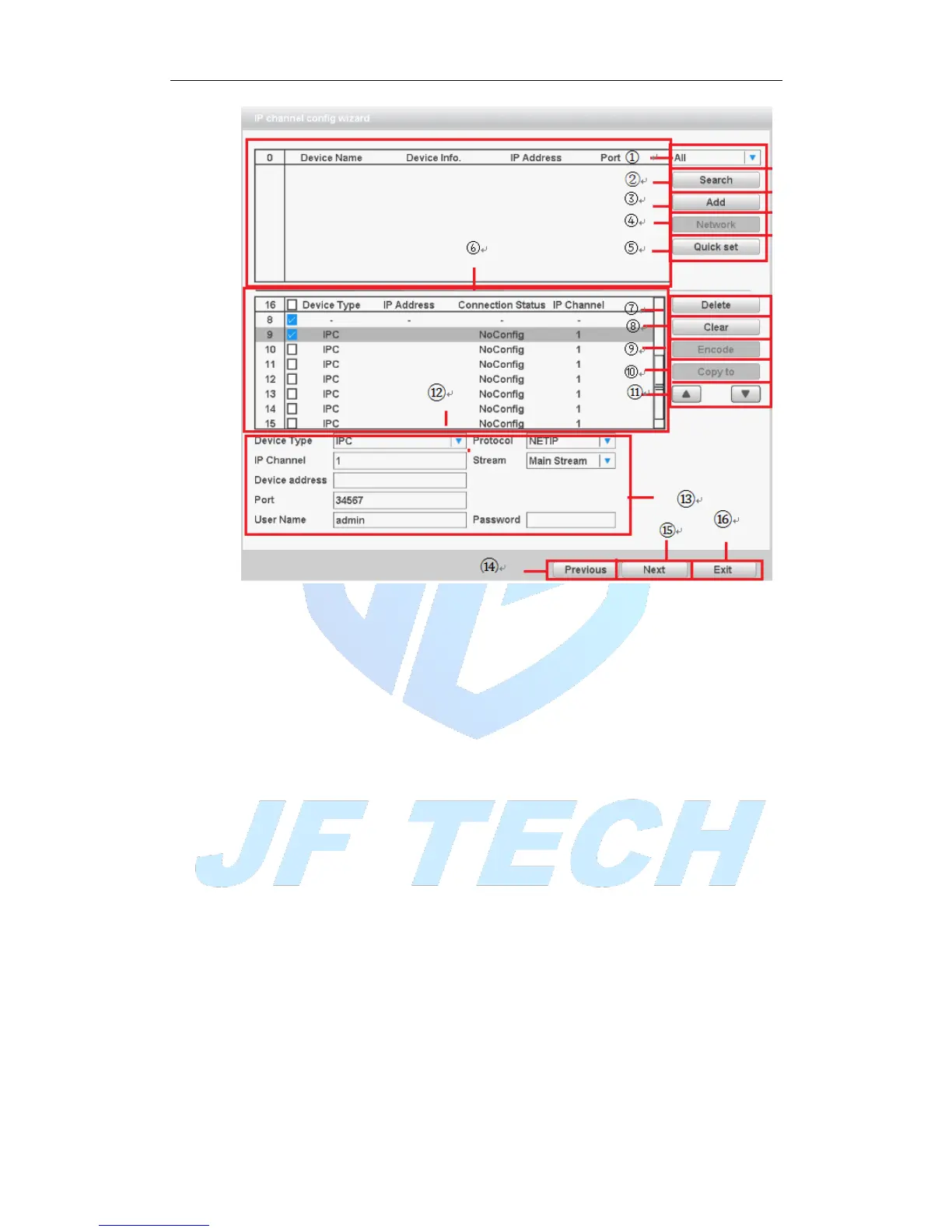
Figure 3.7 Digital Channel Configuration Wizards
Label meanings:
1. Search protocol selection
Includes three search methods, respectively NETIP, ONVIF, ALL
2. Search
Search device
3. Add
Add device
4. Network Settings
The device can be set remotely channel, user name, password; click the Network
Settings button, you can set the network of the device, including IP, subnet mask,
default gateway (ONVIF protocol devices cannot make network settings).



 To Next Page